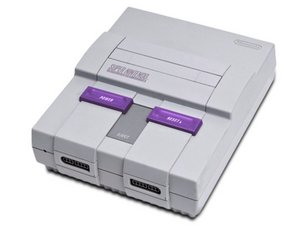
注意: 本故障排除页面仅适用于原装 SNS-001 型号 1 主机。
无视频输出
显示屏黑屏或图像失真
未插入游戏
在旧型号中,系统必须插入游戏才能启动。
运行过程中插入游戏
如果系统仍加载至黑屏,请取出游戏卡带,将电源开关拨至关闭,插入游戏卡带,然后重新开启系统。
线缆/配件故障
确保线缆已连接到各自的端口。如果无效,请确认线缆和配件均为任天堂官方授权产品,因为 Super Nintendo 对第三方产品的支持并不完善。如果上述操作均未成功,可能是你的视频线缆已经老化,你需要购买新的线缆。
主机无法启动
与 Super Nintendo 供电相关的问题
电源线
电源线连接可能不够稳固,尝试用外用酒精清洁并晾干后重新尝试。电缆也可能出现腐蚀,可能需要更换,但这并不常见。
电源开关
电源开关可能断开连接,需要重新安装。最坏的情况下,可能需要更换整个电源开关。相关指南请点击 此处。
游戏丢失存档
关机后无法继续之前的游戏进度
游戏卡带电池故障
这个问题是由游戏卡带内用于在未插入游戏时存储记忆的电池引起的。唯一的解决方法是更换电池;这样做虽然无法找回原有的存档,但可以恢复存档功能。
系统启动但无法加载游戏
系统跳转至启动画面后停止响应
游戏卡带脏污
游戏卡带可能变脏,需要进行清洁。任天堂建议不要向卡带吹气。请改用外用酒精清洁,并在晾干后重新插入。
卡槽脏污
尝试清洁 Super Nintendo 主机上的卡槽。确保卡槽干燥后再开启电源。
手柄无法工作
系统无法识别手柄输入
手柄故障
如果手柄停止工作,请先使用一个确认完好的手柄测试你的系统。如果有效,则说明是手柄本身的问题,需要更换手柄。
手柄接口故障
如果测试后手柄仍无法工作,则可能需要更换物理手柄接口。相关指南请点击 此处。

团队

Cal Poly, Team 4-47, Amido Fall 2010 Cal Poly, Team 4-47, Amido Fall 2010 的会员
CPSU-AMIDO-F10S4G47
4 名成员
创作了60篇指南

29条评论
I got a snes it turns on you see game starting up then fades out black no picture but there sound
gerfarnan - 回复 分享
Got a snes today it turns on you see the picture and sound then the picture fades to black
gerfarnan - 回复 分享
i have a similar problem it turns on game starts and then it goes black intently it’s like it’s not displaying or it’s tuning off do you know how to fix it
super masher - 回复 分享
I am having issues with only ONE game not working and I've tried three different cartridges for the game. Anyone else have this issue?
crystaldawn63 - 回复 分享
yes i do with lemmings all other games play but lemmings i have gotten 3 diffrent lemmings games and sent the back i am on no#4 and still working on the problem but no luck
slavemom4 - 回复 分享