此翻译由机器生成,尚未经过人工审核。 会说这种语言吗? 查看评论。
简介
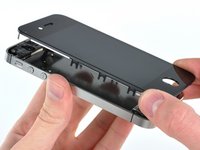
使用本指南更换 iPhone 4 的碎屏。
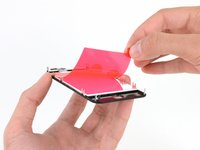
成功更换屏幕后,你可以安装 屏幕保护膜,防止新显示屏出现划痕。
你所需要的
-
-
-
-
-
-
-
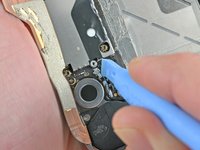
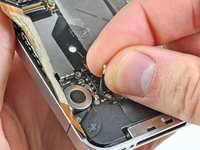
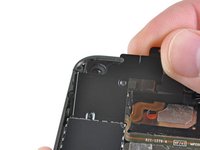
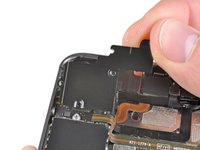
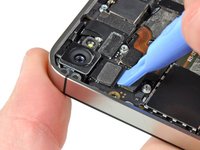
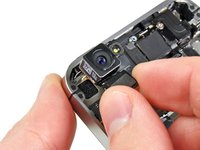
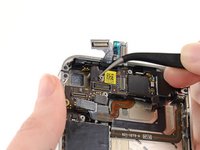
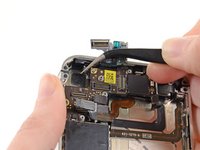
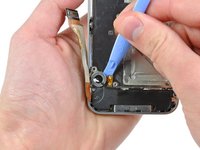
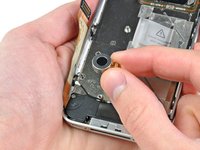
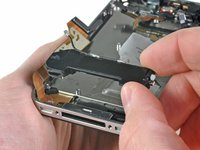
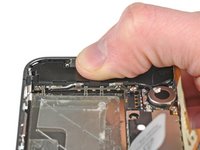
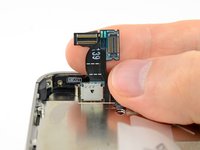
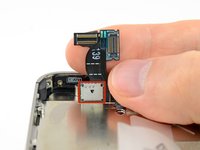
按照以下顺序,断开逻辑板顶部附近的五根排线:
-
耳机插孔/音量按钮排线
-
电源按钮排线
-
前置摄像头排线
-
触摸数字化层排线
-
显示屏排线
-
要断开这些排线,请使用开启工具的边缘,轻轻将它们的连接器撬起,从逻辑板上的插孔中取出。
-
-
-
-

 询问修复机器人


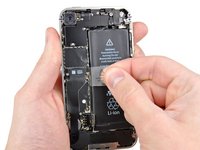
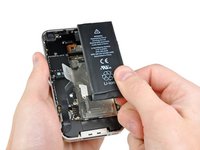


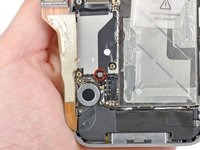
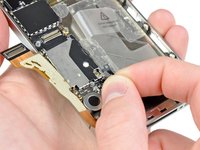


















要重新组装设备,请按相反顺序执行这些说明。
623等其他人完成本指南。

44指南评论
Thanks guys' u are always awesome!!!
Cheik sana - 回复 分享
I could not remove the logic board because it will not release at the top left. Have I missed something.
elaineleiker - 回复 分享
Their are only 3 things that are holding down anything in the cell phone world screws adhesive or clips their are 5 screws connecting the board make sure all 5 are removed theirs also kinda a clip it fits under be careful not to brake that when taking it out
Had it done in1.5hrs exact. Very helpful as always, thanks IFIX IT.
Its a good note to posted's and label where the screw is from, since they are so small and a pain to remember where its going.
mirandaroque - 回复 分享
