跳转到主内容
加入维修社区 - 创建账户
iPad Pro 12.9" 3rd Gen Screen Replacement

已存档的指南
本指南只作为历史记录保留。请使用指南的最新版本来进行维修。

你所需要的

  1. iPad Pro 12.9" 3rd Gen Screen Replacement, Screen Replacement: 步骤 1 中的图像 1,1
    • iPad Pro 3rd Gen' A1895

    • Be sure to turn off the iPad by pressing and releasing the volume up button then volume down.

    • Press and hold the side button until the screen turns off.

    • Use the slider if you can.

    • Not powering it off can blow out your LCD back light just like iPhones other iPads!

  2. iPad Pro 12.9" 3rd Gen Screen Replacement: 步骤 2 中的图像 1,1
    • You can use a heat gun or another handy heating method! MUST DO!

    • Heating the entire screen will help make it easy to safely remove the screen.

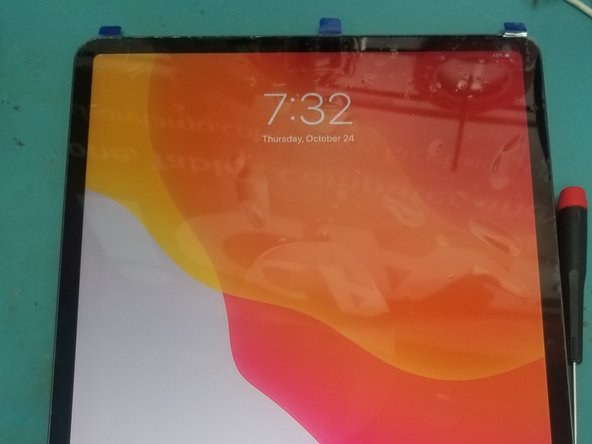
  3. iPad Pro 12.9" 3rd Gen Screen Replacement: 步骤 3 中的图像 1,1
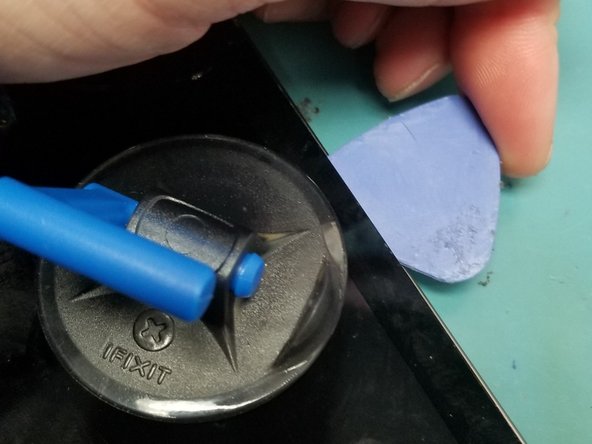
    • Leave it on the heat for 15 minutes to loosen the strong adhesive.

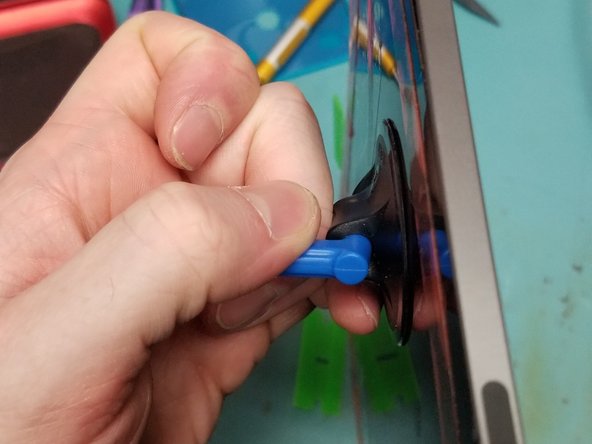
    • Use an ifixit suction cup to pull up the screen so that you can insert a plastic pick.

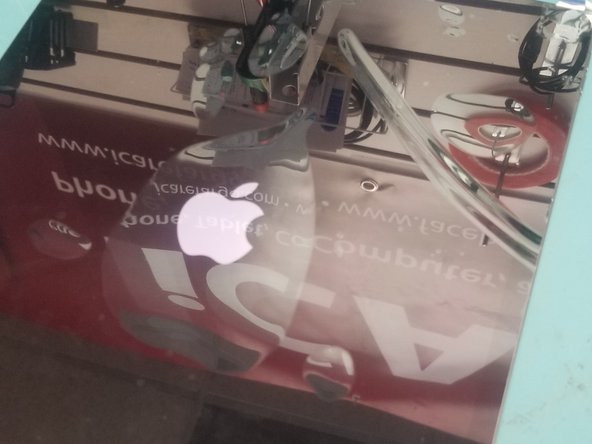
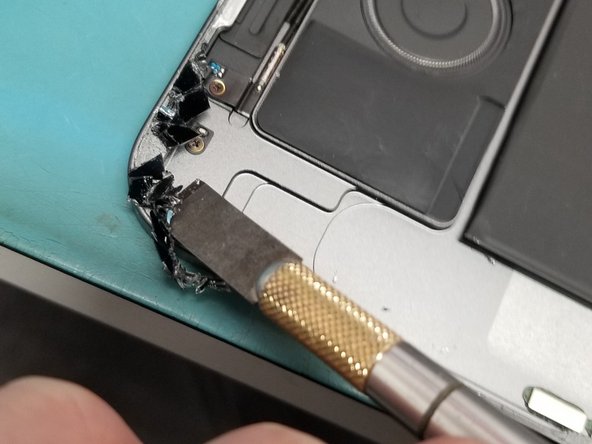
  4. iPad Pro 12.9" 3rd Gen Screen Replacement: 步骤 4 中的图像 1,3 iPad Pro 12.9" 3rd Gen Screen Replacement: 步骤 4 中的图像 2,3 iPad Pro 12.9" 3rd Gen Screen Replacement: 步骤 4 中的图像 3,3
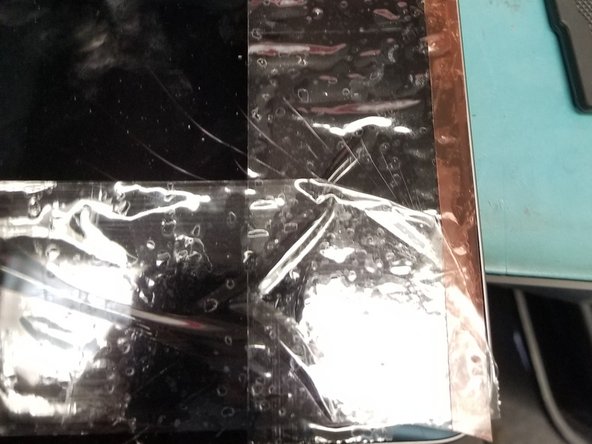
    • Apply tape or adhesive over broken glass!

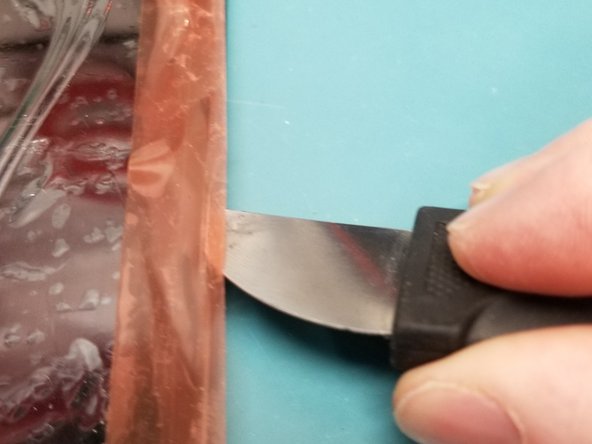
    • Bust out the metal pry tool lifting broken causing glass to stick to tape working your way around broken side.

    • Wiggle Jiggle the screen off the adhesive using multiple plastic guitar picks.

    • Do Not Tear the Screen Off!!!

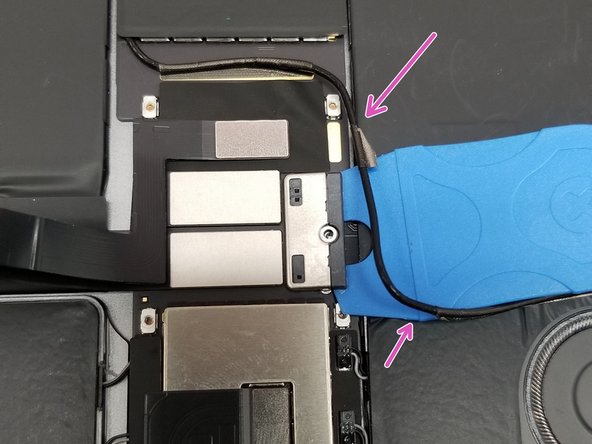
  5. iPad Pro 12.9" 3rd Gen Screen Replacement: 步骤 5 中的图像 1,3 iPad Pro 12.9" 3rd Gen Screen Replacement: 步骤 5 中的图像 2,3 iPad Pro 12.9" 3rd Gen Screen Replacement: 步骤 5 中的图像 3,3
    • Do not rip the screen off!! Cables are very short will cause internal Damages!!!

    • On the Top of the screen the proximity sensor front camera has to be disconnected 1st.

  6. iPad Pro 12.9" 3rd Gen Screen Replacement: 步骤 6 中的图像 1,2 iPad Pro 12.9" 3rd Gen Screen Replacement: 步骤 6 中的图像 2,2
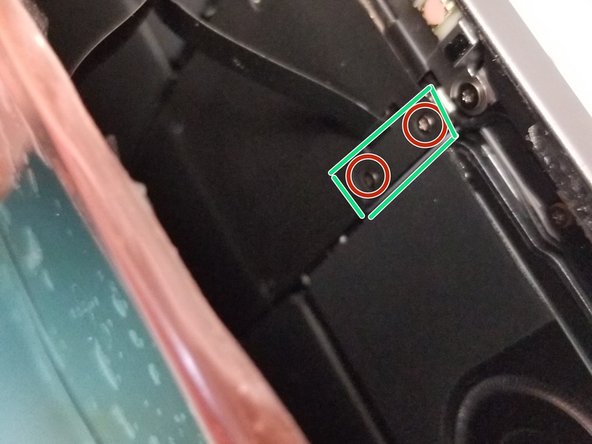
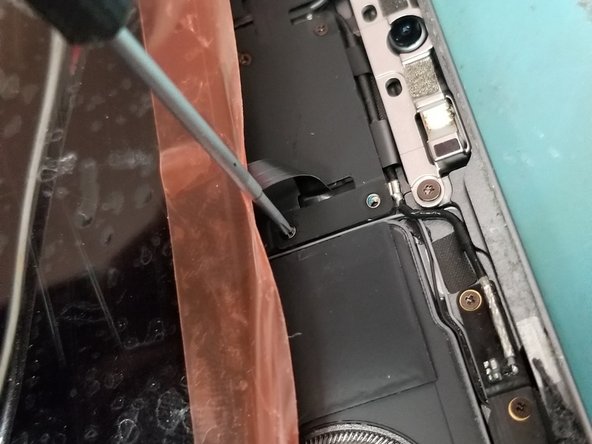
    • Lay screen flat pull it down just enough to use a PH000 Screw drive to remove the safety bracket

    • Use Flat Ended Spoudger remove the bracken and cable from the Logic board!

  7. iPad Pro 12.9" 3rd Gen Screen Replacement: 步骤 7 中的图像 1,2 iPad Pro 12.9" 3rd Gen Screen Replacement: 步骤 7 中的图像 2,2
    • Perfect! Now Lift the screen folding it up to the left like so!

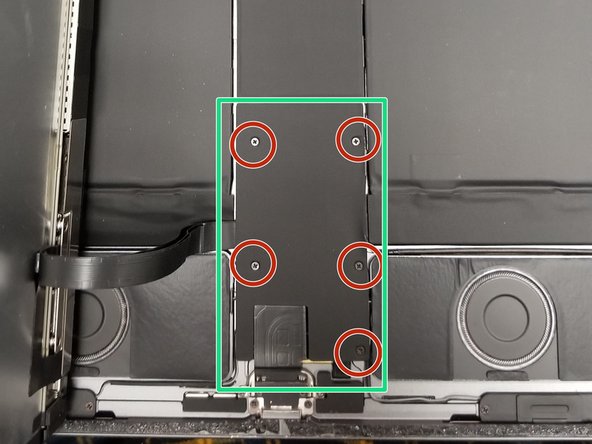
    • Remove 5 PH000 Screws protecting Power Connection and Display Cables

  8. iPad Pro 12.9" 3rd Gen Screen Replacement: 步骤 8 中的图像 1,3 iPad Pro 12.9" 3rd Gen Screen Replacement: 步骤 8 中的图像 2,3 iPad Pro 12.9" 3rd Gen Screen Replacement: 步骤 8 中的图像 3,3
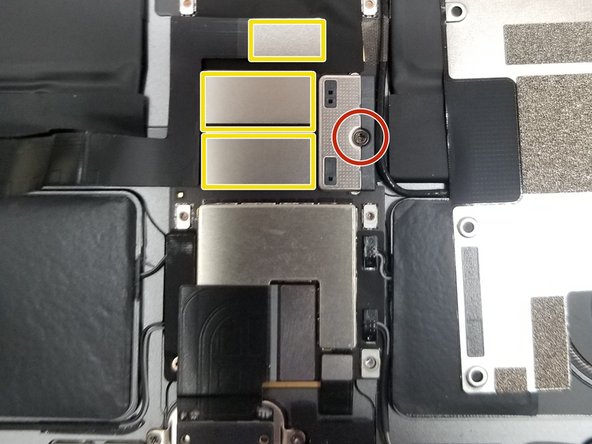
    • Remove PH000 Battery Connection clip retaining screw.

    • Do not attempt to remove battery connection.

    • Move Small cable is taped around edges up so you can gain access to the side of the battery connection.

    • Slide thin plastic under battery connection. This will lift the battery connection pins away from the battery cable connectors and isolate the battery.

    • After Isolating battery.

    • Remove all 3 ribbon cables from logic board with flat headed spudger!

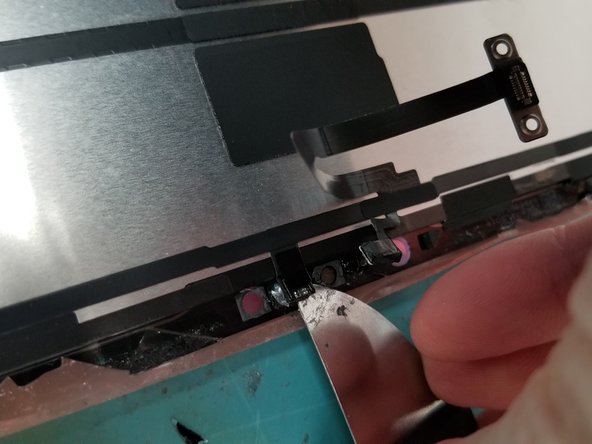
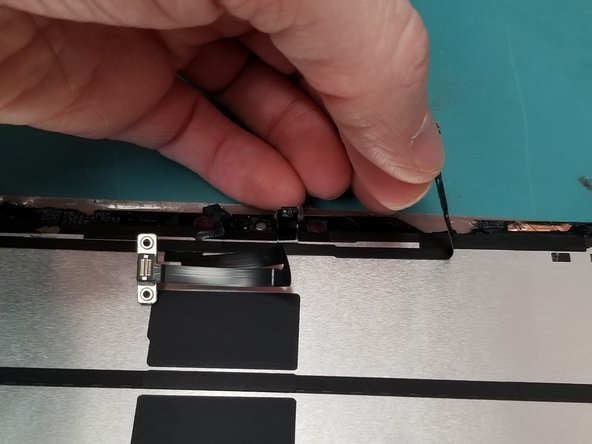
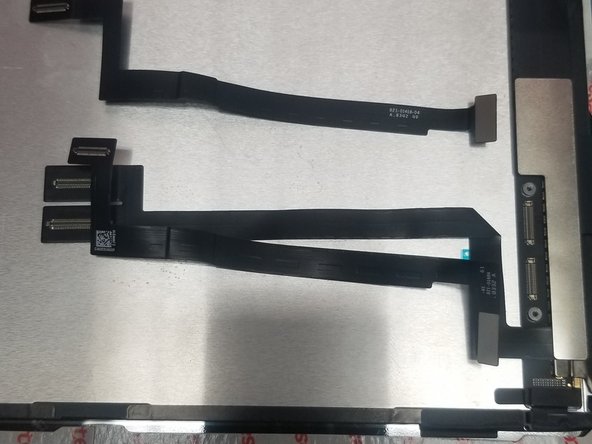
  9. iPad Pro 12.9" 3rd Gen Screen Replacement: 步骤 9 中的图像 1,3 iPad Pro 12.9" 3rd Gen Screen Replacement: 步骤 9 中的图像 2,3 iPad Pro 12.9" 3rd Gen Screen Replacement: 步骤 9 中的图像 3,3
    • Just a touch of heat don't melt the thing off remove the face ID sensor from Old Screen.

    • Damaging Proximity sensor could effect True Tone with 3rd Party Parts

    • Gently use a tool to get under glued down connection on glass frame of screen!

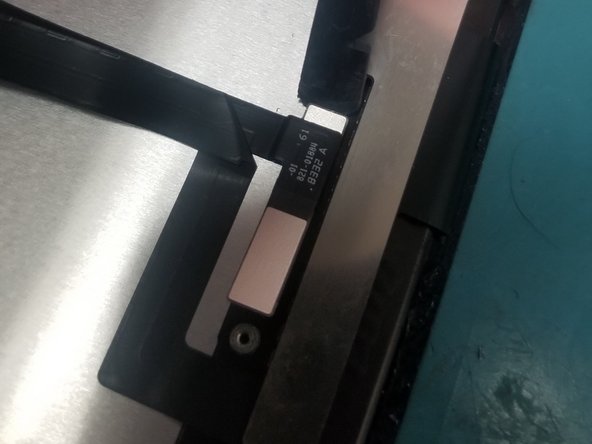
  10. iPad Pro 12.9" 3rd Gen Screen Replacement: 步骤 10 中的图像 1,3 iPad Pro 12.9" 3rd Gen Screen Replacement: 步骤 10 中的图像 2,3 iPad Pro 12.9" 3rd Gen Screen Replacement: 步骤 10 中的图像 3,3
    • Remove Bracket off old screen you and move it to new screen

    • Transfer Cables and Bracket to new screen

  11. iPad Pro 12.9" 3rd Gen Screen Replacement: 步骤 11 中的图像 1,3 iPad Pro 12.9" 3rd Gen Screen Replacement: 步骤 11 中的图像 2,3 iPad Pro 12.9" 3rd Gen Screen Replacement: 步骤 11 中的图像 3,3
    • Place Screen without adhesive test your screen and face ID

    • After running test take

  12. iPad Pro 12.9" 3rd Gen Screen Replacement: 步骤 12 中的图像 1,2 iPad Pro 12.9" 3rd Gen Screen Replacement: 步骤 12 中的图像 2,2
    • Clean Edges with flat ended metal tool to remove broken glass

    • Clean desk of glass on table get ready to remove Proximity sensor from old screen!

    • Do not clamp recommend to use flat and heavy object

    • Broken glass on the frame will crack your new screen

结论

To reassemble your device, follow these instructions in reverse order.

Mark D Schlossman

于09/25/19注册

7,164 声望

创作了9篇指南

0指南评论

添加评论

浏览统计数据:

过去 24 小时: 0

过去 7 天: 1

过去 30 天: 5

总计 96