跳转到主内容
加入维修社区 - 创建账户
Samsung NX3000 Back Case Replacement

你所需要的

  1. Samsung NX3000 Back Case Replacement, Battery: 步骤 1 中的图像 1,3 Samsung NX3000 Back Case Replacement, Battery: 步骤 1 中的图像 2,3 Samsung NX3000 Back Case Replacement, Battery: 步骤 1 中的图像 3,3
    • Turn the camera upside down. Only remove the lens if you have to in order to access the battery compartment, as dust particles could easily enter the main body and fall onto the delicate sensor.

    • Slide the button to the left to open the battery compartment.

    • Push the blue button up to release the battery.

    • The battery is not shown in these photos.

  2. Samsung NX3000 Back Case Replacement, Lens Assembly: 步骤 2 中的图像 1,2 Samsung NX3000 Back Case Replacement, Lens Assembly: 步骤 2 中的图像 2,2
    在这个步骤中使用的工具:
    Tweezers
    $4.99
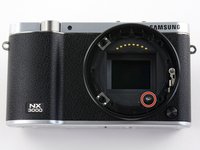
    • Remove the four 7.3 mm Phillips screws from the front of the lens assembly.

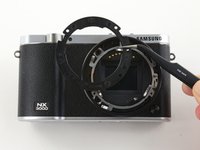
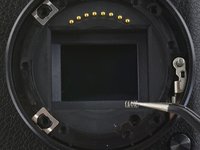
    • Remove the silver ring with tweezers.

  3. Samsung NX3000 Back Case Replacement: 步骤 3 中的图像 1,2 Samsung NX3000 Back Case Replacement: 步骤 3 中的图像 2,2
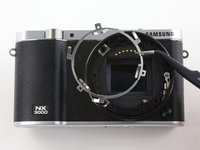
    • Use tweezers to remove the black plastic ring and small metal ring inside the lens assembly.

  4. Samsung NX3000 Back Case Replacement: 步骤 4 中的图像 1,3 Samsung NX3000 Back Case Replacement: 步骤 4 中的图像 2,3 Samsung NX3000 Back Case Replacement: 步骤 4 中的图像 3,3
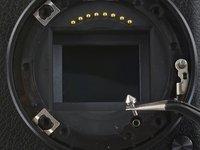
    • Use tweezers to lift the pyramid screw and spring from the lens assembly.

  5. Samsung NX3000 Back Case Replacement, Back Case: 步骤 5 中的图像 1,2 Samsung NX3000 Back Case Replacement, Back Case: 步骤 5 中的图像 2,2
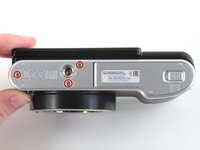
    • Remove the three 4.3 mm Phillips screws from the bottom of the camera.

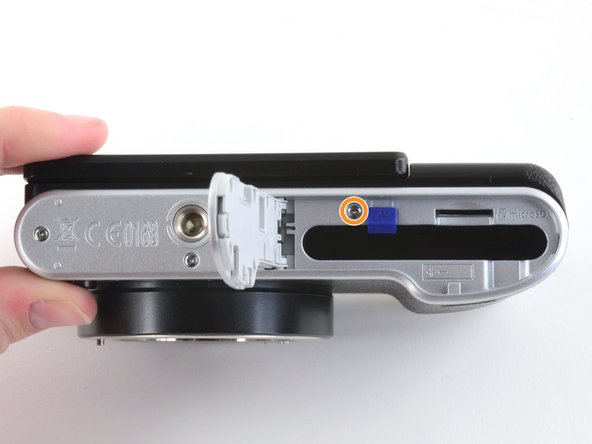
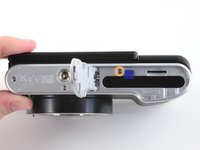
    • Remove the 4.3 mm Phillips screw hiding inside the battery compartment.

  6. Samsung NX3000 Back Case Replacement: 步骤 6 中的图像 1,2 Samsung NX3000 Back Case Replacement: 步骤 6 中的图像 2,2
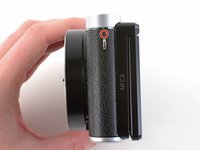
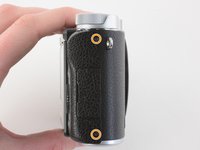
    • Remove the 4.2 mm Phillips screw from the left handgrip.

    • Remove the two 4.2 mm Phillips screws from the right handgrip.

  7. Samsung NX3000 Back Case Replacement: 步骤 7 中的图像 1,2 Samsung NX3000 Back Case Replacement: 步骤 7 中的图像 2,2
    在这个步骤中使用的工具:
    Tweezers
    $4.99
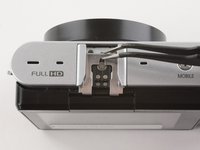
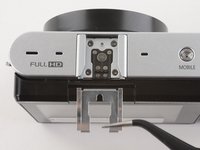
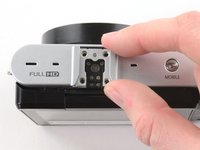
    • Use tweezers to remove the metal shield from the external flash mount.

  8. Samsung NX3000 Back Case Replacement: 步骤 8 中的图像 1,1
    • Remove the four 5 mm Phillips screws from the external flash mount .

  9. Samsung NX3000 Back Case Replacement: 步骤 9 中的图像 1,2 Samsung NX3000 Back Case Replacement: 步骤 9 中的图像 2,2
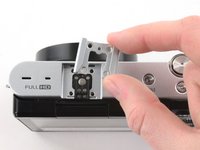
    • Remove the external flash mount.

  10. Samsung NX3000 Back Case Replacement: 步骤 10 中的图像 1,2 Samsung NX3000 Back Case Replacement: 步骤 10 中的图像 2,2
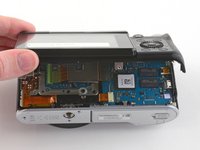
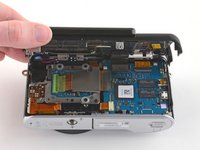
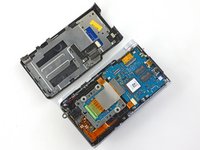
    • Slowly pull the bottom of the back case away from the camera.

    • Do not attempt to remove the back case as it is attached to the motherboard by a ribbon cable.

  11. Samsung NX3000 Back Case Replacement: 步骤 11 中的图像 1,3 Samsung NX3000 Back Case Replacement: 步骤 11 中的图像 2,3 Samsung NX3000 Back Case Replacement: 步骤 11 中的图像 3,3
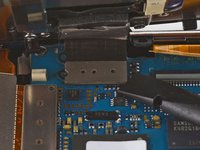
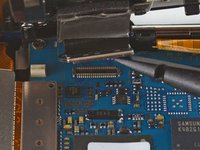
    • Use the flat end of a spudger to pry the flat topped connector straight up from the motherboard.

    • Remove the back case.

结论

To reassemble your device, follow these instructions in reverse order.

3等其他人完成本指南。

Kelsea Weber

于11/12/15注册

21,077 声望

创作了32篇指南

0指南评论

添加评论

浏览统计数据:

过去 24 小时: 0

过去 7 天: 2

过去 30 天: 34

总计 1,497