跳转到主内容

Roborock S7 Max Ultra Dust Bin Replacement

你所需要的

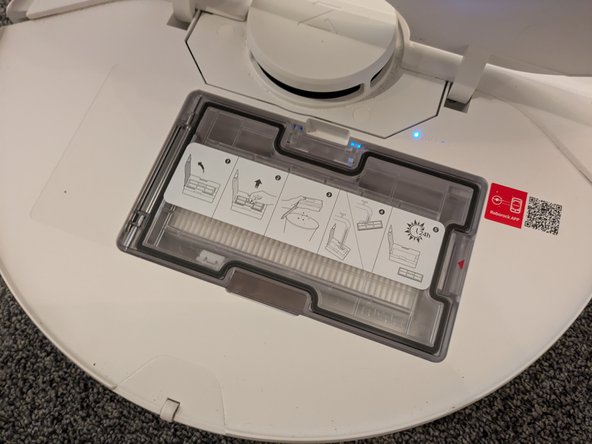
  1. Roborock S7 Max Ultra Dust Bin Replacement, Open the Back Cover: 步骤 1 中的图像 1,2 Roborock S7 Max Ultra Dust Bin Replacement, Open the Back Cover: 步骤 1 中的图像 2,2
    • Flip open the back cover in order to gain access to the dustbin.

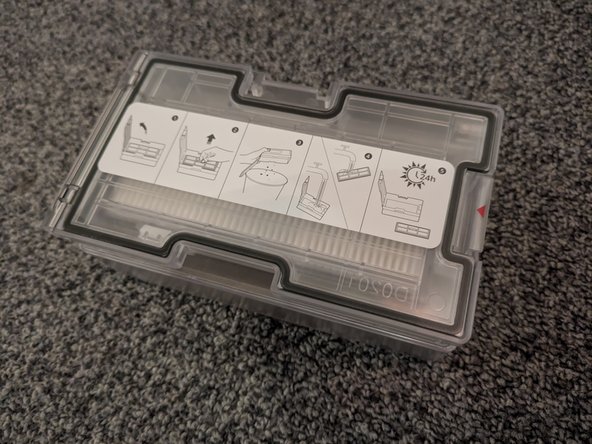
  2. Roborock S7 Max Ultra Dust Bin Replacement, Remove the Dust Bin: 步骤 2 中的图像 1,2 Roborock S7 Max Ultra Dust Bin Replacement, Remove the Dust Bin: 步骤 2 中的图像 2,2
    • Press the latch securing the dustbin while gently pulling it out of the device.

结论

To reassemble your device, follow these instructions in reverse order.

Sebastian

于08/19/18注册

31,160 声望

创作了71篇指南

团队

German Translators German Translators 的会员

Community

42 名成员

创作了1,550篇指南

0指南评论

添加评论

浏览统计数据:

过去 24 小时: 0

过去 7 天: 4

过去 30 天: 17

总计 304