跳转到主内容
加入维修社区 - 创建账户

Palm TX Motherboard Replacement

你所需要的

  1. Palm TX Motherboard Replacement, Back Panel: 步骤 1 中的图像 1,2 Palm TX Motherboard Replacement, Back Panel: 步骤 1 中的图像 2,2
    • Orient the device so that the display faces forward.

    • Remove the stylus from the right side.

    询问修复机器人
  2. Palm TX Motherboard Replacement: 步骤 2 中的图像 1,1
    • Turn over the device so that the back panel faces forward.

    • Use a T5 Torx screwdriver to remove the four 6.35mm corner screws.

    询问修复机器人
  3. Palm TX Motherboard Replacement: 步骤 3 中的图像 1,2 Palm TX Motherboard Replacement: 步骤 3 中的图像 2,2
    • Rotate the device so that the display faces forward.

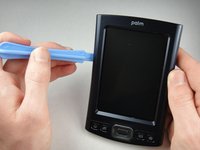
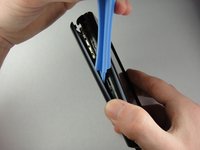
    • Insert a plastic opening tool with the angled tip pointing downward into the crevice on the left side of the device.

    • Pry along the crevice to loosen the back panel.

    • Repeat this process for the right side.

    询问修复机器人
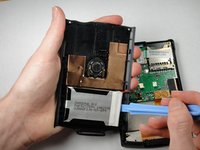
  4. Palm TX Motherboard Replacement: 步骤 4 中的图像 1,2 Palm TX Motherboard Replacement: 步骤 4 中的图像 2,2
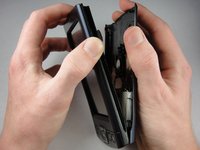
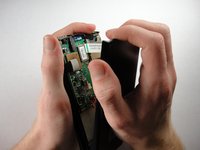
    • Carefully pry the back panel to open the device.

    • Be careful not to break the wire that connects the battery pack to the motherboard.

    • When reassembling, snap the back panel back into place and then insert the top cover.

    询问修复机器人
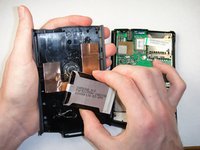
  5. Palm TX Motherboard Replacement: 步骤 5 中的图像 1,2 Palm TX Motherboard Replacement: 步骤 5 中的图像 2,2
    • Use a plastic opening tool to peel the battery pack from the back panel.

    • The battery pack is glued to the back panel so removing it may require considerable effort.

    询问修复机器人
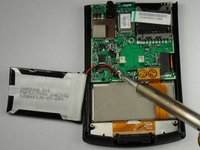
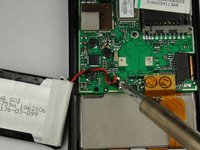
  6. Palm TX Motherboard Replacement, Battery Pack: 步骤 6 中的图像 1,2 Palm TX Motherboard Replacement, Battery Pack: 步骤 6 中的图像 2,2
    • Use a soldering iron to disconnect the battery wires from the motherboard.

    • For soldering instructions, you can view the Soldering Guide.

    询问修复机器人
  7. Palm TX Motherboard Replacement, Motherboard: 步骤 7 中的图像 1,2 Palm TX Motherboard Replacement, Motherboard: 步骤 7 中的图像 2,2
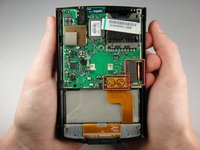
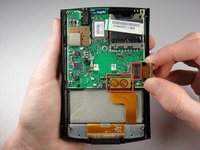
    • Pull straight up on the ribbon cables located on the bottom right of the motherboard to disconnect them.

    询问修复机器人
  8. Palm TX Motherboard Replacement: 步骤 8 中的图像 1,2 Palm TX Motherboard Replacement: 步骤 8 中的图像 2,2
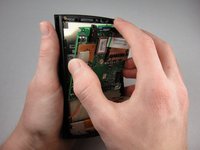
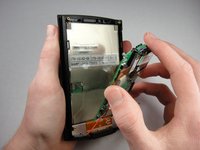
    • Lift the mother board out of the device.

    • A weak adhesive attaches the motherboard to the device.

    • The red wire in the picture will not be attached to your device at this point.

    询问修复机器人
结论

To reassemble your device, follow these instructions in reverse order.

团队

Cal Poly, Team 1-15, Amido Winter 2011 Cal Poly, Team 1-15, Amido Winter 2011 的会员

CPSU-AMIDO-W11S1G15

4 名成员

创作了9篇指南

1指南评论

Nicely done!

Matthew Newsom - 回复 分享

添加评论

浏览统计数据:

过去 24 小时: 1

过去 7 天: 17

过去 30 天: 76

总计 3,938