跳转到主内容
加入维修社区 - 创建账户

Optiplex 7010 DT RAM Replacement

  1. Optiplex 7010 DT RAM Replacement, Pull Panel Lever: 步骤 1 中的图像 1,2 Optiplex 7010 DT RAM Replacement, Pull Panel Lever: 步骤 1 中的图像 2,2
    • Pull the lever on the side of the computer outward.

  2. Optiplex 7010 DT RAM Replacement, Pull off side panel: 步骤 2 中的图像 1,1
    • Pull the side panel away from the rest of the computer.

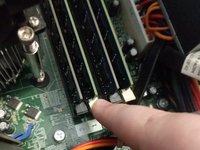
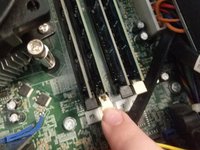
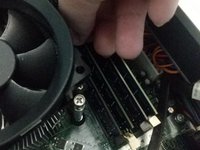
  3. Optiplex 7010 DT RAM Replacement, Unclip bottom RAM latch: 步骤 3 中的图像 1,2 Optiplex 7010 DT RAM Replacement, Unclip bottom RAM latch: 步骤 3 中的图像 2,2
    • Pull the clip holding in the RAM as shown.

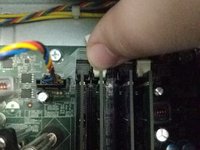
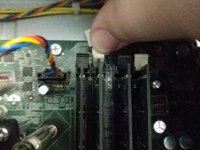
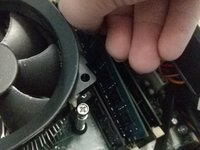
  4. Optiplex 7010 DT RAM Replacement, Unclip Top RAM Latch: 步骤 4 中的图像 1,2 Optiplex 7010 DT RAM Replacement, Unclip Top RAM Latch: 步骤 4 中的图像 2,2
    • Unclip the top RAM latch as shown.

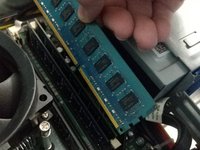
  5. Optiplex 7010 DT RAM Replacement, Pull Out RAM Stick: 步骤 5 中的图像 1,3 Optiplex 7010 DT RAM Replacement, Pull Out RAM Stick: 步骤 5 中的图像 2,3 Optiplex 7010 DT RAM Replacement, Pull Out RAM Stick: 步骤 5 中的图像 3,3
    • Pull RAM stick up and out of the slot.

结论

To reassemble your device, follow these instructions in reverse order.

5等其他人完成本指南。

guardian10

于03/10/22注册

10,691 声望

创作了15篇指南

团队

Kid fixers Kid fixers 的会员

Community

206 名成员

创作了289篇指南

0指南评论

添加评论

浏览统计数据:

过去 24 小时: 1

过去 7 天: 13

过去 30 天: 35

总计 775