跳转到主内容
加入维修社区 - 创建账户

Nintendo Switch Motherboard Replacement

已存档的指南
本指南只作为历史记录保留。请使用指南的最新版本来进行维修。

你所需要的
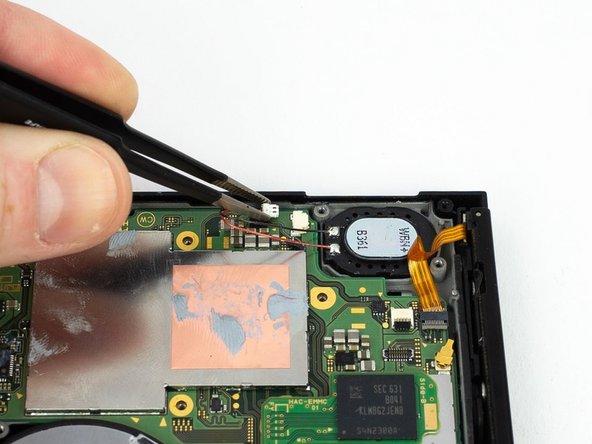
  1. Nintendo Switch Motherboard Replacement, Motherboard: 步骤 1 中的图像 1,2 Nintendo Switch Motherboard Replacement, Motherboard: 步骤 1 中的图像 2,2
    • Disconnect the right loudspeaker from the motherboard.

  2. Nintendo Switch Motherboard Replacement: 步骤 2 中的图像 1,2 Nintendo Switch Motherboard Replacement: 步骤 2 中的图像 2,2
    • Disconnect the left speaker from the motherboard.

  3. Nintendo Switch Motherboard Replacement: 步骤 3 中的图像 1,2 Nintendo Switch Motherboard Replacement: 步骤 3 中的图像 2,2
    • Use a spudger to flip up the small beige locking flap on the display ZIF connector.

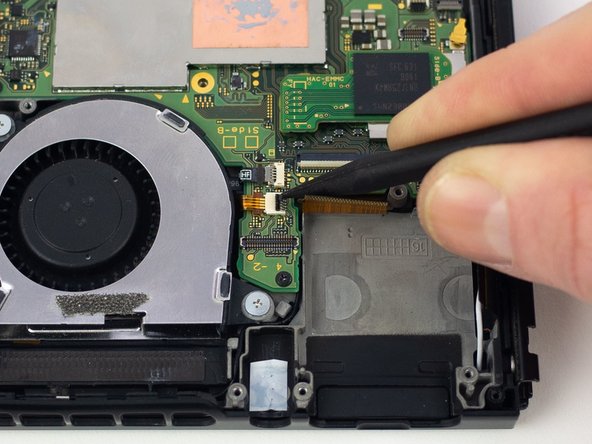
  4. Nintendo Switch Motherboard Replacement: 步骤 4 中的图像 1,2 Nintendo Switch Motherboard Replacement: 步骤 4 中的图像 2,2
    • Use the pointed end of a spudger to slide the display ribbon cable out of the ZIF connector.

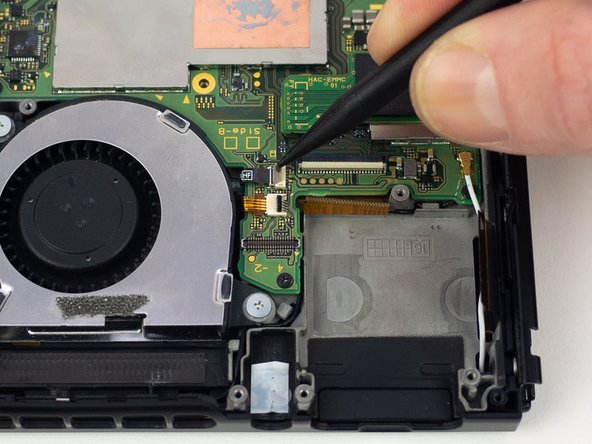
  5. Nintendo Switch Motherboard Replacement: 步骤 5 中的图像 1,2 Nintendo Switch Motherboard Replacement: 步骤 5 中的图像 2,2
    • Use a spudger to flip up the small black locking flap on the power/volume button ZIF connector.

  6. Nintendo Switch Motherboard Replacement: 步骤 6 中的图像 1,2 Nintendo Switch Motherboard Replacement: 步骤 6 中的图像 2,2
    • Use a spudger to flip up the small gray locking flap on the fan ZIF connector.

  7. Nintendo Switch Motherboard Replacement: 步骤 7 中的图像 1,2 Nintendo Switch Motherboard Replacement: 步骤 7 中的图像 2,2
    • Use the flat end of a spudger to disconnect the white coaxial antenna cable from the motherboard.

  8. Nintendo Switch Motherboard Replacement: 步骤 8 中的图像 1,2 Nintendo Switch Motherboard Replacement: 步骤 8 中的图像 2,2
    • Use the flat end of a spudger to disconnect the black coaxial antenna cable from the motherboard.

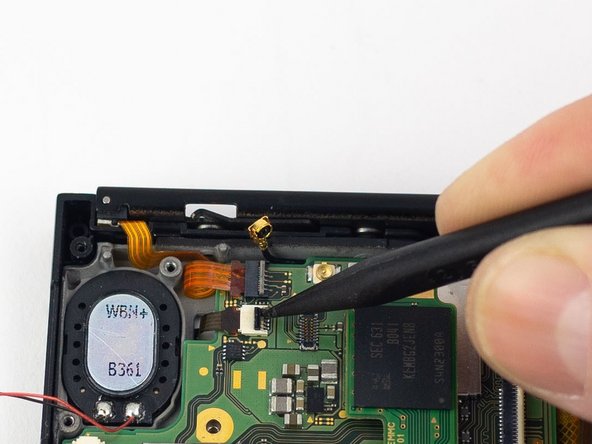
  9. Nintendo Switch Motherboard Replacement: 步骤 9 中的图像 1,2 Nintendo Switch Motherboard Replacement: 步骤 9 中的图像 2,2
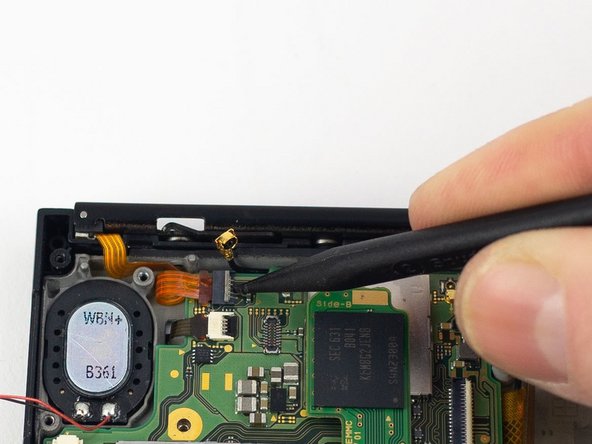
    • Use a spudger to flip up the small gray locking flap on the right Joy-Con rail ZIF connector.

  10. Nintendo Switch Motherboard Replacement: 步骤 10 中的图像 1,2 Nintendo Switch Motherboard Replacement: 步骤 10 中的图像 2,2
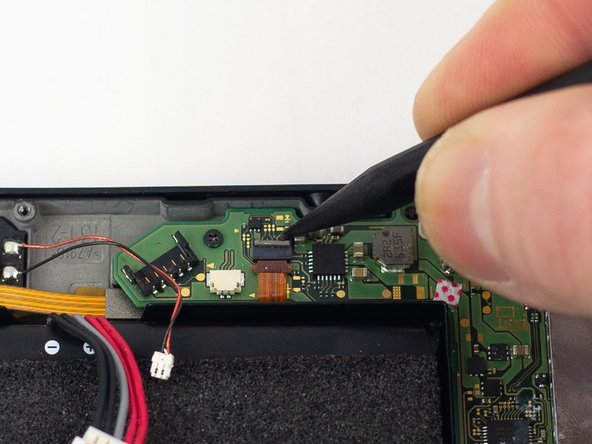
    • Use a spudger to flip up the small black locking flap on the ZIF connector.

  11. Nintendo Switch Motherboard Replacement: 步骤 11 中的图像 1,2 Nintendo Switch Motherboard Replacement: 步骤 11 中的图像 2,2
    • Use a spudger to flip up the small gray locking flap on the left Joy-Con rail ZIF connector.

  12. Nintendo Switch Motherboard Replacement: 步骤 12 中的图像 1,1
    • Remove the four 2.50 mm JIS #000 screws from the motherboard.

    • Remove the two 3.14 mm JIS #000 screws from the USB-C port.

  13. Nintendo Switch Motherboard Replacement: 步骤 13 中的图像 1,1
    • Gently lift and wiggle the motherboard to remove.

结论

To reassemble your device, follow these instructions in reverse order.

Blake Klein

于01/29/17注册

74,111 声望

创作了50篇指南

0指南评论

添加评论

浏览统计数据:

过去 24 小时: 0

过去 7 天: 2

过去 30 天: 6

总计 69