跳转到主内容
加入维修社区 - 创建账户

Netgear WGR614v9 Antenna Replacement

你所需要的

    1. Netgear WGR614v9 Antenna Replacement, Lower Case: 步骤 1 中的图像 1,1
      • Rotate the device so that the bottom is facing up.

      询问修复机器人

      添加评论

    2. Netgear WGR614v9 Antenna Replacement: 步骤 2 中的图像 1,2 Netgear WGR614v9 Antenna Replacement: 步骤 2 中的图像 2,2
      • Lift up all four rubber pads on the bottom of the router with the plastic opening tool.

      • Be careful not to pull the rubber pads all the way out when lifting as they are difficult to reinsert.

      询问修复机器人

      添加评论

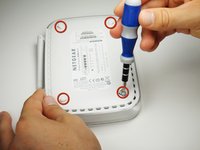
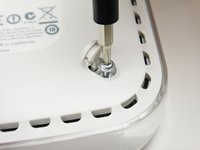
    3. Netgear WGR614v9 Antenna Replacement: 步骤 3 中的图像 1,2 Netgear WGR614v9 Antenna Replacement: 步骤 3 中的图像 2,2
      • Unscrew the four 11.8 mm T-8 torx screws from the bottom of the router.

      询问修复机器人

      添加评论

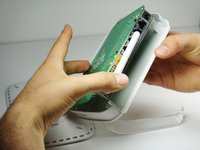
    4. Netgear WGR614v9 Antenna Replacement: 步骤 4 中的图像 1,1
      • Lift the bottom casing straight up from the router.

      询问修复机器人

      添加评论

    1. Netgear WGR614v9 Antenna Replacement, Motherboard: 步骤 5 中的图像 1,1
      • Remove the clear plastic casing by lifting it straight up from the router.

      询问修复机器人

      添加评论

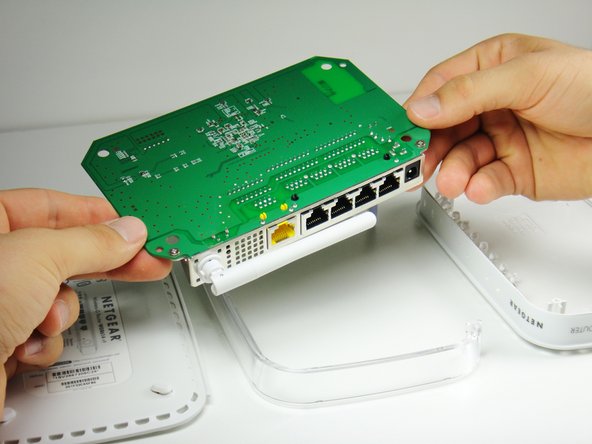
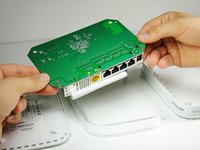
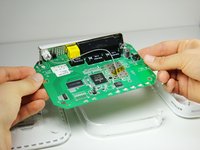
    2. Netgear WGR614v9 Antenna Replacement: 步骤 6 中的图像 1,2 Netgear WGR614v9 Antenna Replacement: 步骤 6 中的图像 2,2
      • Separate the motherboard from the top shell by lifting it straight up from the router.

      询问修复机器人

      添加评论

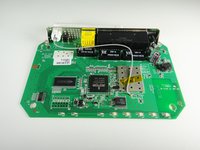
    1. Netgear WGR614v9 Antenna Replacement, Antenna: 步骤 7 中的图像 1,2 Netgear WGR614v9 Antenna Replacement, Antenna: 步骤 7 中的图像 2,2
      • Rotate the motherboard so that the top is facing up.

      • Set the motherboard on a flat clean surface.

      询问修复机器人

      添加评论

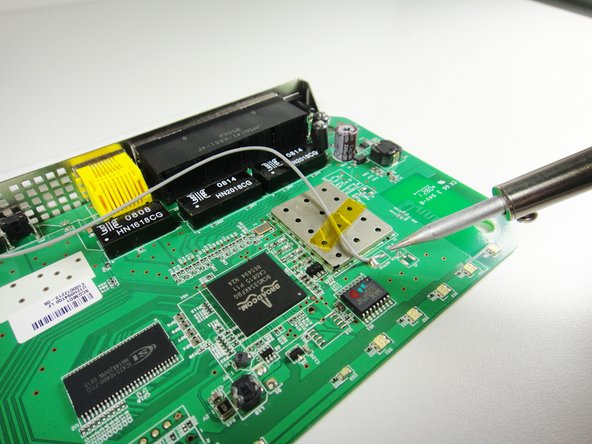
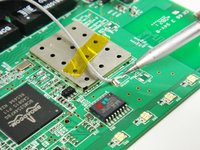
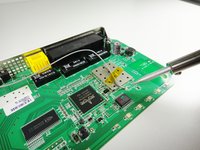
    2. Netgear WGR614v9 Antenna Replacement: 步骤 8 中的图像 1,2 Netgear WGR614v9 Antenna Replacement: 步骤 8 中的图像 2,2
      • Do not refer to the pictures in this step for proper de-soldering and soldering techniques. They are for illustration purposes only.

      • Refer to this link for proper de-soldering and soldering techniques.

      • Be patient. This may take some time depending on the quality of your soldering iron.

      询问修复机器人

      添加评论

    3. Netgear WGR614v9 Antenna Replacement: 步骤 9 中的图像 1,1
      • Peel off the yellow tape holding the wires.

      • Set the tape aside on a clean surface so that it can be reused.

      询问修复机器人

      添加评论

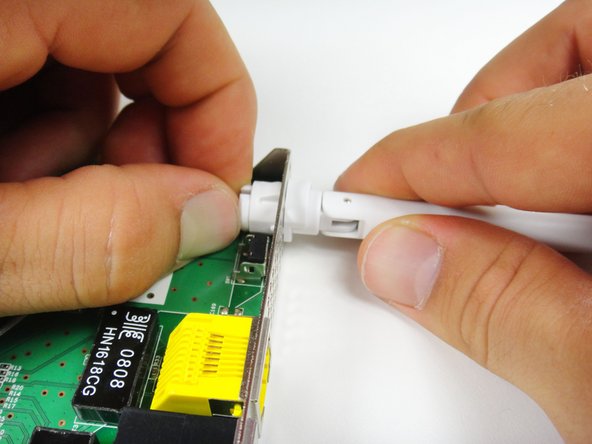
    4. Netgear WGR614v9 Antenna Replacement: 步骤 10 中的图像 1,2 Netgear WGR614v9 Antenna Replacement: 步骤 10 中的图像 2,2
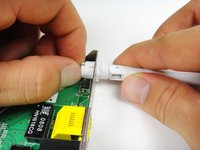
      • Extend the antenna outwards from the device so that it is straight.

      • Locate the clips that hold the antenna onto the router.

      • Push the clips in with one hand and pull the antenna out with your other hand. Slightly twist the antenna until it becomes free from the hole.

      询问修复机器人

      添加评论

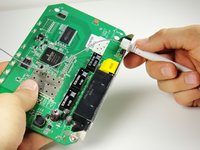
    5. Netgear WGR614v9 Antenna Replacement: 步骤 11 中的图像 1,1
      • Pull out the antenna as well as the connected wire.

      询问修复机器人

      添加评论

结论

To reassemble your device, follow these instructions in reverse order.

取消:我没有完成这个指南。

3等其他人完成本指南。

Ryan Murphy

于10/03/11注册

488 声望

创作了4篇指南

团队

Cal Poly, Team 21-24, Maness Fall 2011 Cal Poly, Team 21-24, Maness Fall 2011 的会员

CPSU-MANESS-F11S21G24

4 名成员

创作了13篇指南

0指南评论

添加评论

浏览统计数据:

过去 24 小时: 1

过去 7 天: 9

过去 30 天: 32

总计 8,270