简介
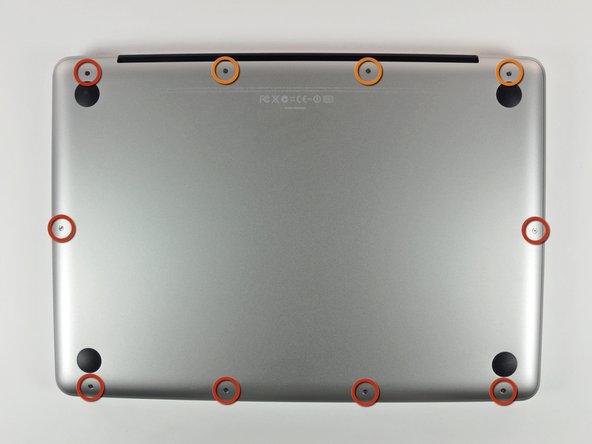
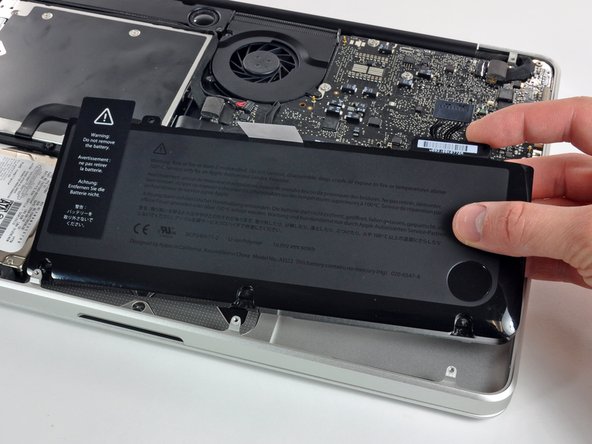
更换您的MacBook Pro 13" Unibody 中期 2010 的电池。如果你的电池鼓包了,请采取额外措施.
你所需要的


要重新组装您的设备,请按照本指南的相反顺序进行操作。
要重新组装您的设备,请按照本指南的相反顺序进行操作。
684等其他人完成本指南。


26条评论
You guys are awesome! My granddaughter spilled a whole coke on the Mac and it went fizz! After some weeks I took it to the Apple store where it was declared it dead. They offered me a refurbished machine for $800, but insteaed I came home, took the disk out and hooked it via a USB carrier to another Mac which proved that the disk had not been harmed. I put it back in the machine and booted up at which point it became obvious that the battery was dead. One pass at Google turned up IFixIt where I found the battery and the correct, goofy tri-point screwdriver. The battery arrived a bit ago and the Mac is up and running as if nothing happened . . . a tidy savings of $650!
Thanks so much1
This was a total life saver! A few weeks ago my house was hit by lightning and even though my computer wasn't plugged in (thank God!) my charger was completely fried. I ordered a new charger but my computer still wasn't working- Apple said my computer was done for. A friend said it was probably my battery and told me about ifixit.com. I was able to buy a new battery and change it myself (it was so easy!!!). Saved me from spending a bunch of $$ at the Apple store. I move out of the Country in a few weeks and didn't know what I was going to do without a computer. Thanks ifixit!!!
When I followed this exactly, I booted up my MacBook to see that my battery had an x through it with the no battery availible popping up when I scrolled over it. I (stupidly) left the computer on while I browsed for a solution. The whole time my charger showed a green light. Suddenly the computer turned off and hasn't been able to be turned back on since despite switching to another battery and another charger. The charger still shows a green light, which means the battery is either fully charged or installed incorrectly. I don't understand how it can be installed incorrectly when the only part to put it into the computer is the plug in. Please someone help me, I have no idea how to fix it and have made multiple forums on here asking for help, to no avail.
Jack Roche - 回复
I think you are SOL. I had same problem a few days ago. I have attempted everything I could find from online resources. Bottom Line: ship it to an Apple authorized repair shop or an Apple Store. Battery replacement Cost is now only $130, which isn't much more than iFixIt cost.
gkofga -
Your connector or socket may have broken. Open the Mac and check if you missed something.
