跳转到主内容

Mac Studio 2023 Bottom Cover Screw Pad Replacement

你所需要的

  1. Mac Studio 2023 Bottom Cover Screw Pad Replacement, Prepare your Mac Studio for disassembly: 步骤 1 中的图像 1,3 Mac Studio 2023 Bottom Cover Screw Pad Replacement, Prepare your Mac Studio for disassembly: 步骤 1 中的图像 2,3 Mac Studio 2023 Bottom Cover Screw Pad Replacement, Prepare your Mac Studio for disassembly: 步骤 1 中的图像 3,3
    • Completely shut down your Mac Studio.

    • Unplug all cables from your device.

  2. Mac Studio 2023 Bottom Cover Screw Pad Replacement, Flip your Mac Studio over: 步骤 2 中的图像 1,1
    • Flip your Mac Studio over and lay it down so the bottom faces up and the SD card slot and two front USB‑C ports are facing you.

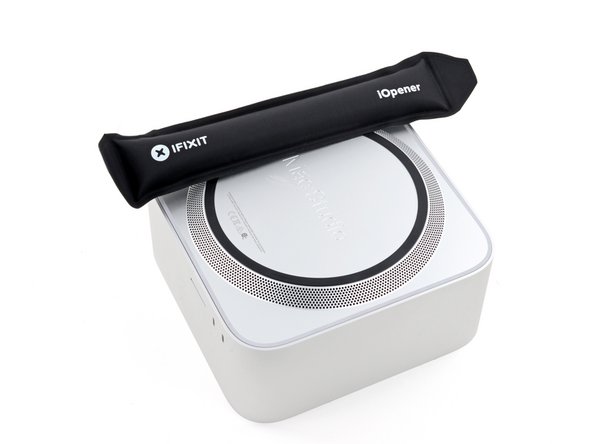
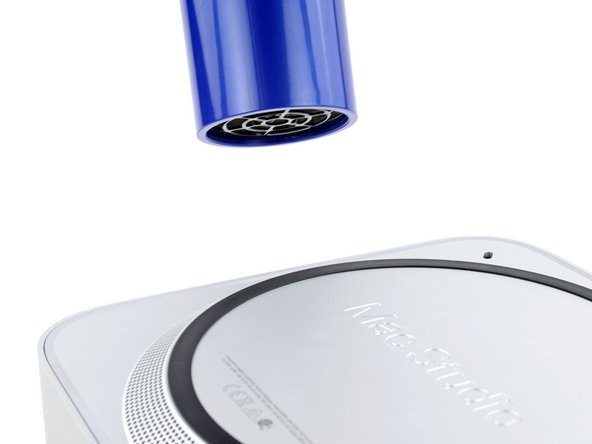
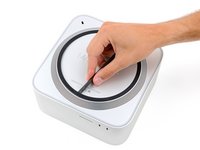
  3. Mac Studio 2023 Bottom Cover Screw Pad Replacement, Heat the bottom cover screw pad: 步骤 3 中的图像 1,3 Mac Studio 2023 Bottom Cover Screw Pad Replacement, Heat the bottom cover screw pad: 步骤 3 中的图像 2,3 Mac Studio 2023 Bottom Cover Screw Pad Replacement, Heat the bottom cover screw pad: 步骤 3 中的图像 3,3
    • Adhesive strips secure the bottom cover screw pad.

    • Heat an iOpener and lay it over one of the bottom cover screws for two minutes to soften the adhesive near the screw—this is where you'll insert a spudger in the next step.

    • You can also use a hair dryer or heat gun, but be careful as extreme heat will warp the pad.

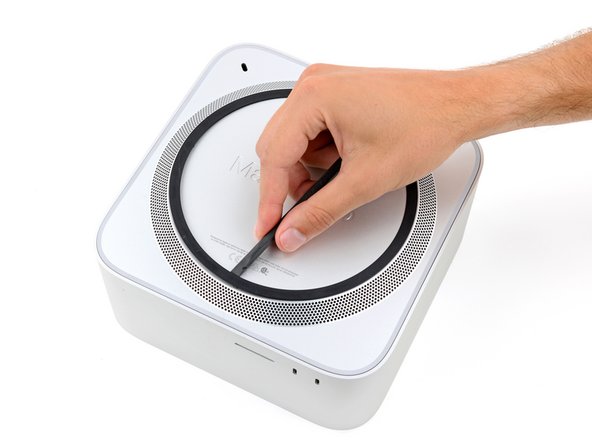
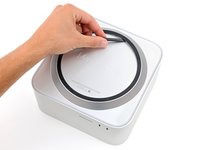
  4. Mac Studio 2023 Bottom Cover Screw Pad Replacement, Lift a section of bottom cover screw pad: 步骤 4 中的图像 1,3 Mac Studio 2023 Bottom Cover Screw Pad Replacement, Lift a section of bottom cover screw pad: 步骤 4 中的图像 2,3 Mac Studio 2023 Bottom Cover Screw Pad Replacement, Lift a section of bottom cover screw pad: 步骤 4 中的图像 3,3
    • Insert the point of a spudger under the pad's inner edge, near the screw you applied heat to in the previous step.

    • This may take some force. If you're having trouble, apply more heat and try again.

    • Use the spudger to lift the pad and separate the adhesive.

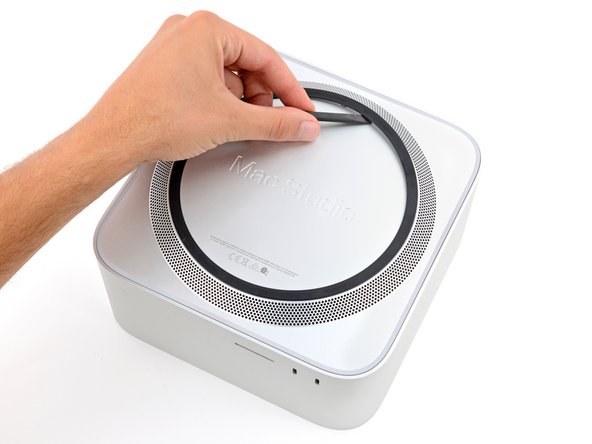
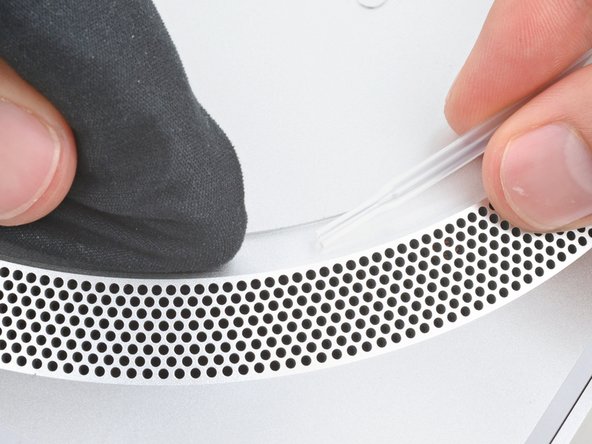
  5. Mac Studio 2023 Bottom Cover Screw Pad Replacement, Separate the remaining adhesive: 步骤 5 中的图像 1,3 Mac Studio 2023 Bottom Cover Screw Pad Replacement, Separate the remaining adhesive: 步骤 5 中的图像 2,3 Mac Studio 2023 Bottom Cover Screw Pad Replacement, Separate the remaining adhesive: 步骤 5 中的图像 3,3
    • Insert the flat end of a spudger under the pad.

    • Slide the spudger under the entire pad to separate the remaining adhesive.

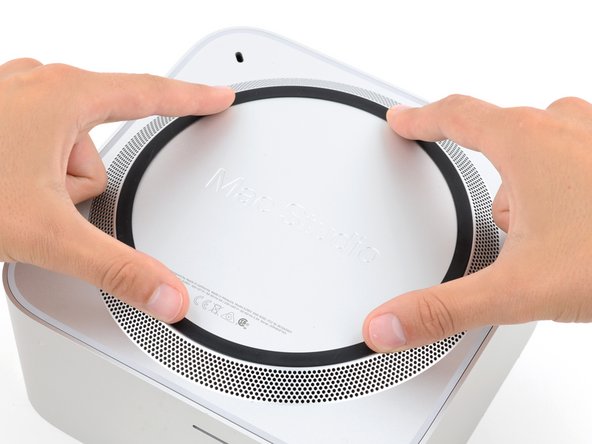
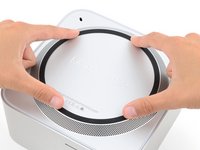
  6. Mac Studio 2023 Bottom Cover Screw Pad Replacement, Remove the bottom cover screw pad: 步骤 6 中的图像 1,1
    • Remove the bottom cover screw pad.

  7. Mac Studio 2023 Bottom Cover Screw Pad Replacement, Reassembly information: 步骤 7 中的图像 1,3 Mac Studio 2023 Bottom Cover Screw Pad Replacement, Reassembly information: 步骤 7 中的图像 2,3 Mac Studio 2023 Bottom Cover Screw Pad Replacement, Reassembly information: 步骤 7 中的图像 3,3
    在这个步骤中使用的工具:
    Tesa 61395 Tape
    $2.99
    • During reassembly:

    • If the adhesive strips are still sticky, you can reuse them.

    • If you're applying new adhesive:

    • Use the flat end of a spudger and your fingers to scrape up and remove the old adhesive strips.

    • Use isopropyl alcohol and a microfiber cloth to remove the old adhesive residue.

    • If you don't have replacement adhesive, you can use strips of thin, double-sided tape 2–3 mm wide.

    • Apply the new adhesive strips to the bottom cover and remove their liners.

    • Firmly press the bottom cover screw pad into its recess to secure it.

结论

Repair didn’t go as planned? Try some basic troubleshooting, or ask our Answers community for help.

Spencer Day

于09/14/22注册

153,532 声望

创作了1,024篇指南

团队

iFixit iFixit 的会员

Staff

123 名成员

创作了23,738篇指南

0指南评论

添加评论

浏览统计数据:

过去 24 小时: 1

过去 7 天: 14

过去 30 天: 36

总计 292