跳转到主内容

Lorex LHV210800 Button Panel Replacement

你所需要的

  1. Lorex LHV210800 Button Panel Replacement, Upper Case: 步骤 1 中的图像 1,3 Lorex LHV210800 Button Panel Replacement, Upper Case: 步骤 1 中的图像 2,3 Lorex LHV210800 Button Panel Replacement, Upper Case: 步骤 1 中的图像 3,3
    • Before beginning, disconnect the DVR from power and unplug all peripheries.

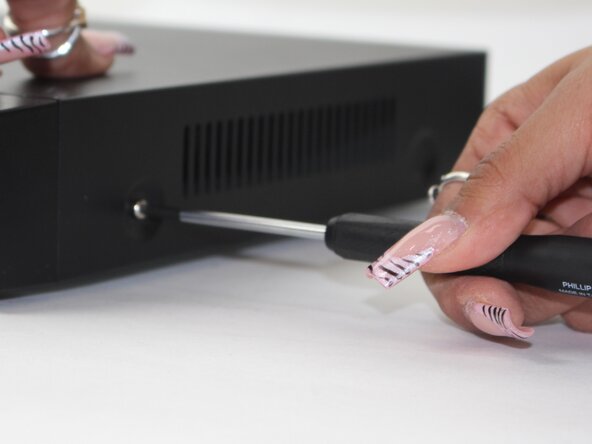
    • Remove each of the two 1 cm screws on the right and left sides of the DVR with a Phillips screwdriver.

  2. Lorex LHV210800 Button Panel Replacement: 步骤 2 中的图像 1,2 Lorex LHV210800 Button Panel Replacement: 步骤 2 中的图像 2,2
    • Remove the four 1 cm Phillips screws on the rear panel.

    • Do not unscrew the screw connected to the lower case.

  3. Lorex LHV210800 Button Panel Replacement: 步骤 3 中的图像 1,1
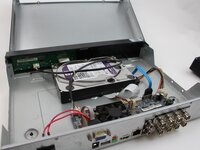
    • Lift up and remove the top cover.

  4. Lorex LHV210800 Button Panel Replacement, Button Panel: 步骤 4 中的图像 1,2 Lorex LHV210800 Button Panel Replacement, Button Panel: 步骤 4 中的图像 2,2
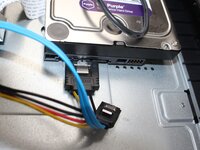
    • Unplug the two cables from the HDD.

    • These plugs will have a BLUE and R/B/B/Y color scheme.

  5. Lorex LHV210800 Button Panel Replacement: 步骤 5 中的图像 1,1
    • Flip the DVR over so the underside is facing up.

    • Remove the 1 cm Phillips screws on the lower case.

  6. Lorex LHV210800 Button Panel Replacement: 步骤 6 中的图像 1,1
    • Lift the HDD up and out of the chassis.

  7. Lorex LHV210800 Button Panel Replacement: 步骤 7 中的图像 1,1
    • Remove the five Phillips screws that secure the button panel.

  8. Lorex LHV210800 Button Panel Replacement: 步骤 8 中的图像 1,1
    • Depress the white clip that secures the button panel connector.

    • Disconnect the white button panel connector.

  9. Lorex LHV210800 Button Panel Replacement: 步骤 9 中的图像 1,2 Lorex LHV210800 Button Panel Replacement: 步骤 9 中的图像 2,2
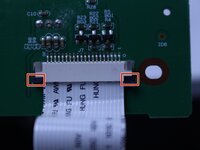
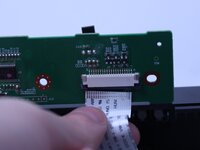
    • Release the retaining tabs that secure the button panel ribbon cable.

    • Disconnect the ribbon cable.

    • Remove the button panel.

结论

To reassemble your device, follow the above steps in reverse order.
Take your e-waste to an R2 or e-Stewards certified recycler.
Repair didn’t go as planned? Try some basic troubleshooting or ask our Answers community for help.

Maxwell Cash

于02/19/25注册

387 声望

创作了3篇指南

团队

2指南评论

In the details section, there is no time estimation. It took our group 13 minutes to disassemble the dvr and put it back together.

Joshua Anderson - 回复

In the details section it does not list the tools needed.

Anthony - 回复

添加评论

浏览统计数据:

过去 24 小时: 1

过去 7 天: 3

过去 30 天: 22

总计 141