跳转到主内容
加入维修社区 - 创建账户

Logitech G733 Charging Port Replacement

你所需要的

  1. Logitech G733 Charging Port Replacement, Charging Port: 步骤 1 中的图像 1,2 Logitech G733 Charging Port Replacement, Charging Port: 步骤 1 中的图像 2,2
    • Gently begin to pull the left ear pad off, starting from the top.

    • Slide your finger around the edges until it releases entirely.

  2. Logitech G733 Charging Port Replacement: 步骤 2 中的图像 1,3 Logitech G733 Charging Port Replacement: 步骤 2 中的图像 2,3 Logitech G733 Charging Port Replacement: 步骤 2 中的图像 3,3
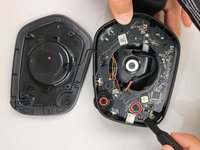
    • Remove the four securing the speaker housing with the T4 Torx screwdriver.

    • Place these screws on the magnetic project mat so you don't lose them.

    • Lift the speaker housing away from the chassis, with care not to strain the connected speaker cable.

  3. Logitech G733 Charging Port Replacement: 步骤 3 中的图像 1,3 Logitech G733 Charging Port Replacement: 步骤 3 中的图像 2,3 Logitech G733 Charging Port Replacement: 步骤 3 中的图像 3,3
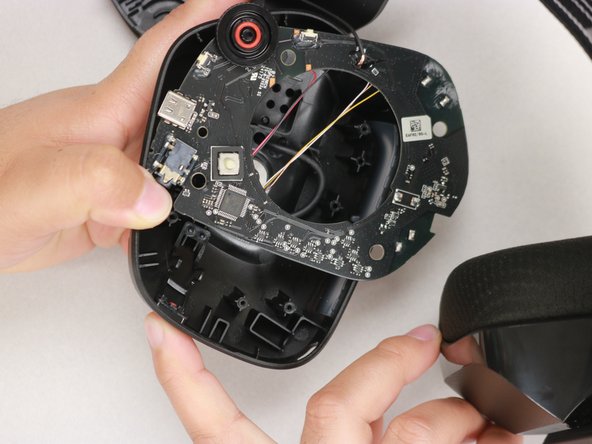
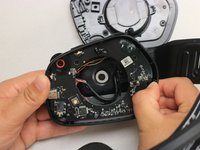
    • Remove the screw on the bottom right-hand side of the headphone using a Phillips #00 screwdriver.

    • Use your thumb to gently pull back the tab at the upper right-hand corner of the headphone and simultaneously pull the motherboard out.

    • The scroll wheel may fly out when you pop the circuit board out. If so, just put it back in by lining up the two flat surfaces of the connectors.

  4. Logitech G733 Charging Port Replacement: 步骤 4 中的图像 1,2 Logitech G733 Charging Port Replacement: 步骤 4 中的图像 2,2
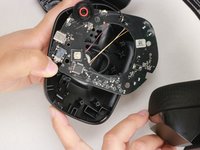
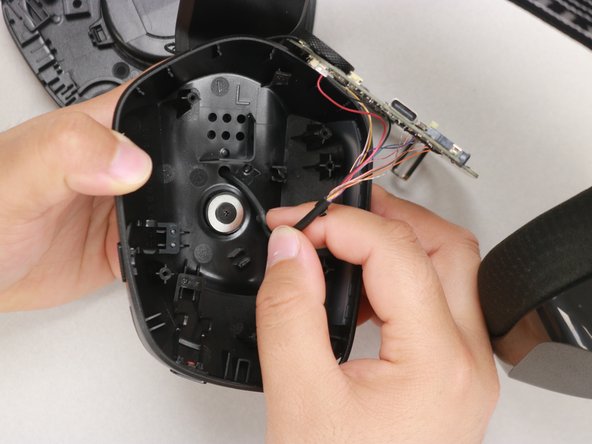
    • Once the motherboard is loose, pull the wire out of its harness.

    • The wiring harness is glued, so be careful with it. It should pull out easily.

  5. Logitech G733 Charging Port Replacement: 步骤 5 中的图像 1,3 Logitech G733 Charging Port Replacement: 步骤 5 中的图像 2,3 Logitech G733 Charging Port Replacement: 步骤 5 中的图像 3,3
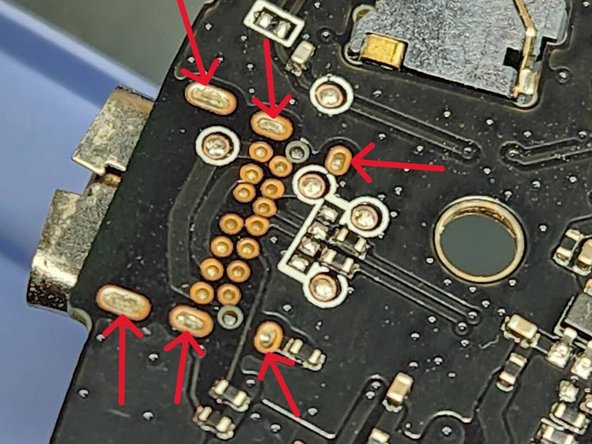
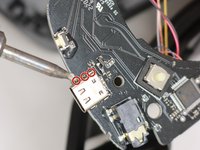
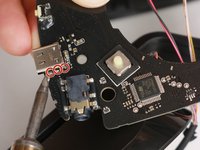
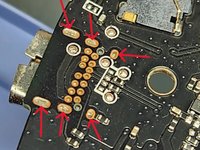
    • Using the soldering iron, apply heat to three pins on one side and wiggle the port free from the melted pool of solder.

    • Repeat for the opposite side.

    • This step takes a lot of skill. Be careful not to melt the circuit board with the soldering iron, and always solder in a well-ventilated area.

结论

To reassemble your device, follow these instructions in reverse order.

3等其他人完成本指南。

3指南评论

Where did you get the spare USB Port from?

The Red Warrior - 回复

The closest match is TE Connectivity 2338792-1 USB TYPE C 3.1 CONN REV TOP MOUNT CH1.6

James Powers -

2338792-1 has diffrient similar casing but diffrient pin configuration and also less pins (12), should have 14 pins. Just contacted Logitech support but they didn't want to tell me the part number. If anyone knows how to get that port, please let us know.

I want it fixed - 回复

添加评论

浏览统计数据:

过去 24 小时: 8

过去 7 天: 51

过去 30 天: 227

总计 5,855