跳转到主内容
加入维修社区 - 创建账户

Logitech G305 Battery Replacement

你所需要的

  1. Logitech G305 Battery Replacement, Turn your mouse off: 步骤 1 中的图像 1,1
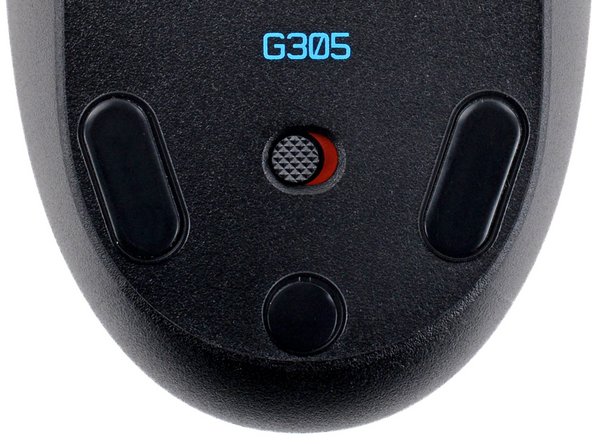
    • Slide your mouse's power switch to the left so it's in the OFF position.

    • A red indicator should be visible beneath the switch.

  2. Logitech G305 Battery Replacement, Remove the battery: 步骤 2 中的图像 1,3 Logitech G305 Battery Replacement, Remove the battery: 步骤 2 中的图像 2,3 Logitech G305 Battery Replacement, Remove the battery: 步骤 2 中的图像 3,3
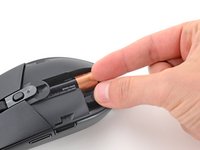
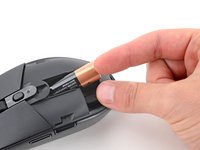
    • Press down on the top cover just above the Logitech logo and slide it back to remove it.

    • When reinstalling the cover, you should feel and hear a "click" as it slides into place.

  3. Logitech G305 Battery Replacement: 步骤 3 中的图像 1,3 Logitech G305 Battery Replacement: 步骤 3 中的图像 2,3 Logitech G305 Battery Replacement: 步骤 3 中的图像 3,3
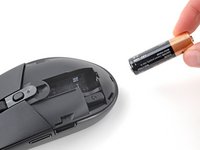
    • Lift the end of the AA battery near the back of the mouse and remove it.

    • To install a new battery, slide the negative (-) end into the recess so it's near the front of the mouse and push the battery into place.

结论

To reassemble your device, follow these instructions in reverse order.

Take your e-waste to an R2 or e-Stewards certified recycler.

Repair didn’t go as planned? Try some basic troubleshooting, or ask our Answers community for help.

Spencer Day

于09/14/22注册

161,300 声望

创作了1,045篇指南

团队

iFixit iFixit 的会员

Staff

125 名成员

创作了24,046篇指南

0指南评论

添加评论

浏览统计数据:

过去 24 小时: 3

过去 7 天: 43

过去 30 天: 197

总计 2,534