跳转到主内容

Logitech G Pro X Superlight Feet Replacement

你所需要的

  1. Logitech G Pro X Superlight Feet Replacement, Prepare your mouse for disassembly: 步骤 1 中的图像 1,3 Logitech G Pro X Superlight Feet Replacement, Prepare your mouse for disassembly: 步骤 1 中的图像 2,3 Logitech G Pro X Superlight Feet Replacement, Prepare your mouse for disassembly: 步骤 1 中的图像 3,3
    • Slide your mouse's power switch down so it's in the OFF position.

    • A red indicator should be visible beneath the switch.

    • Unplug all cables from your mouse.

    • Flip the mouse over so the feet are facing up.

    • Throughout your repair, it may be helpful to lay your mouse on a soft cloth to stabilize it and prevent damage while you work.

  2. Logitech G Pro X Superlight Feet Replacement, Remove the feet: 步骤 2 中的图像 1,1
    • The feet are secured to the bottom of the mouse with strong adhesive. In order to cleanly remove them, the adhesive needs to be thoroughly heated.

    • Heat an iOpener and lay it on the mouse feet for one minute to heat the adhesive.

    • Alternatively, you can use a hair dryer on the Low heat setting to soften the adhesive.

    • If you're using a hair dryer, only heat the feet a few seconds at a time or you may warp the plastic shell.

  3. Logitech G Pro X Superlight Feet Replacement: 步骤 3 中的图像 1,3 Logitech G Pro X Superlight Feet Replacement: 步骤 3 中的图像 2,3 Logitech G Pro X Superlight Feet Replacement: 步骤 3 中的图像 3,3
    • The feet have two layers—a rubberized one and an adhesive pad underneath.

    • If you're reusing the feet, be very careful not to separate the two layers or damage the feet.

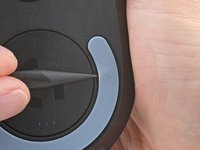
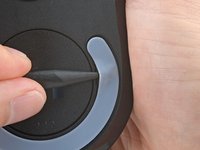
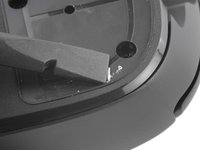
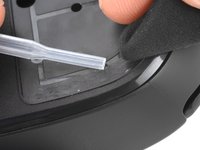
    • Carefully slide the point of a spudger under the circular foot, making sure it goes under both the foot and its adhesive pad.

    • The foot recesses have a small notch that makes it easier to slide your spudger under.

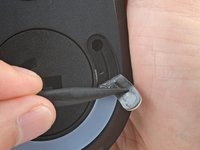
    • Gently slide the spudger farther under the foot and lift until you can grab it with your fingers.

  4. Logitech G Pro X Superlight Feet Replacement: 步骤 4 中的图像 1,2 Logitech G Pro X Superlight Feet Replacement: 步骤 4 中的图像 2,2
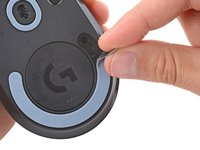
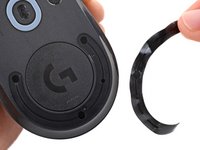
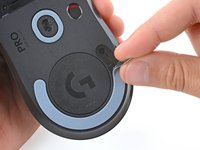
    • Peel up and remove the foot.

    • If the rubber layer separated from its adhesive pad, use the same process to remove the pad.

  5. Logitech G Pro X Superlight Feet Replacement: 步骤 5 中的图像 1,1
  6. Logitech G Pro X Superlight Feet Replacement, Reassembly information: 步骤 6 中的图像 1,3 Logitech G Pro X Superlight Feet Replacement, Reassembly information: 步骤 6 中的图像 2,3 Logitech G Pro X Superlight Feet Replacement, Reassembly information: 步骤 6 中的图像 3,3
    • To install a new foot:

    • If any of the feet got damaged during removal or separated from their adhesive pads, replace them.

    • Use a spudger to carefully scrape up and remove any remaining adhesive bits.

    • Use isopropyl alcohol and a microfiber cloth to thoroughly clean all adhesive residue from the foot recesses. Allow the surface to completely dry.

    • Remove the feet from their backing and firmly press them into place.

结论

Repair didn’t go as planned? Try some basic troubleshooting, or ask our Answers community for help.

Spencer Day

于09/14/22注册

148,852 声望

创作了995篇指南

团队

iFixit iFixit 的会员

Staff

123 名成员

创作了23,580篇指南

0指南评论

添加评论

浏览统计数据:

过去 24 小时: 13

过去 7 天: 74

过去 30 天: 319

总计 4,269