跳转到主内容
加入维修社区 - 创建账户

Lexibook Junior Tablet Camera Replacement

你所需要的

    1. Lexibook Junior Tablet Camera Replacement, Battery: 步骤 1 中的图像 1,1
      • Make sure your device is powered off before replacement to prevent electric shock.

      • With the device screen face down, use the metal spudger to remove the small rubber circles on all four corners of the device. The screws should now be revealed.

      • Using the metal spudger, pry open the small, long rubber rectangle on the back of the device to reveal more screws.

      询问修复机器人

      添加评论

    2. Lexibook Junior Tablet Camera Replacement: 步骤 2 中的图像 1,1
      • Using a Phillips #00 screwdriver, remove the four 6.8mm screws from the four corners of the device.

      • Using the same screwdriver, remove the three screws that were behind the rubber rectangle. These screws do not come out of the device.

      • Use the plastic opening tool to gently pry open the back panel of the tablet.

      询问修复机器人

      添加评论

    3. Lexibook Junior Tablet Camera Replacement: 步骤 3 中的图像 1,1
      • Use the nylon spudger to gently pry under the battery to remove it.

      • Make sure you do not damage the battery or metal plate in this process and only use a nylon spudger. Be patient and work slowly for the best results.

      询问修复机器人

      添加评论

    4. Lexibook Junior Tablet Camera Replacement: 步骤 4 中的图像 1,1
      • Use a soldering iron to remove the battery from the motherboard safely.

      • For advice on how to solder, check out iFixit's Soldering Guide.

      询问修复机器人

      添加评论

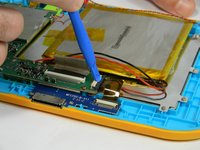
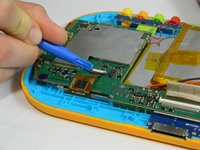
    1. Lexibook Junior Tablet Camera Replacement, Motherboard: 步骤 5 中的图像 1,2 Lexibook Junior Tablet Camera Replacement, Motherboard: 步骤 5 中的图像 2,2
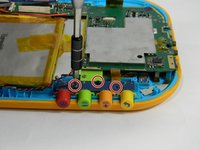
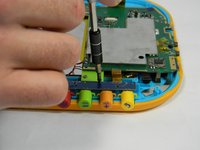
      • Using the plastic opening tool, gently push the two small, black and white switches out in the direction of the ribbon wires.

      • Slowly pull the ribbon wire out of the switch to free it.

      询问修复机器人

      添加评论

    2. Lexibook Junior Tablet Camera Replacement: 步骤 6 中的图像 1,1
      • Push the larger black and white strip leading to a ribbon wire upward using the plastic opening tool.

      • Carefully pull the ribbon wire out of the switch

      询问修复机器人

      添加评论

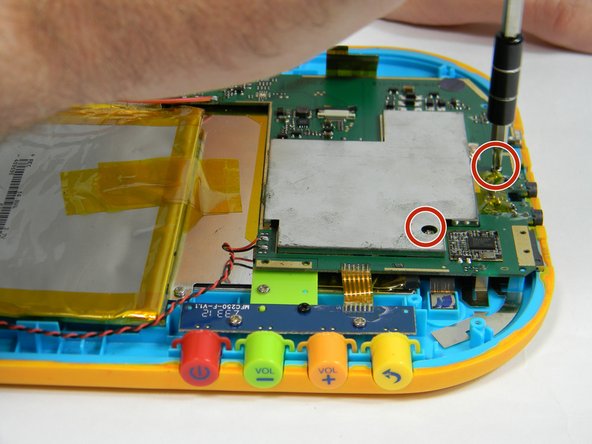
    3. Lexibook Junior Tablet Camera Replacement: 步骤 7 中的图像 1,3 Lexibook Junior Tablet Camera Replacement: 步骤 7 中的图像 2,3 Lexibook Junior Tablet Camera Replacement: 步骤 7 中的图像 3,3
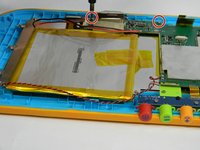
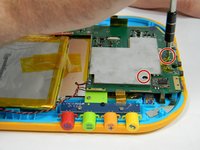
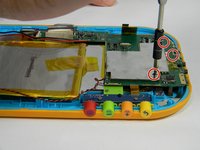
      • Unscrew the five 4 mm screws around the perimeter of the motherboard using the ph00 size phillips head screwdriver.

      询问修复机器人

      添加评论

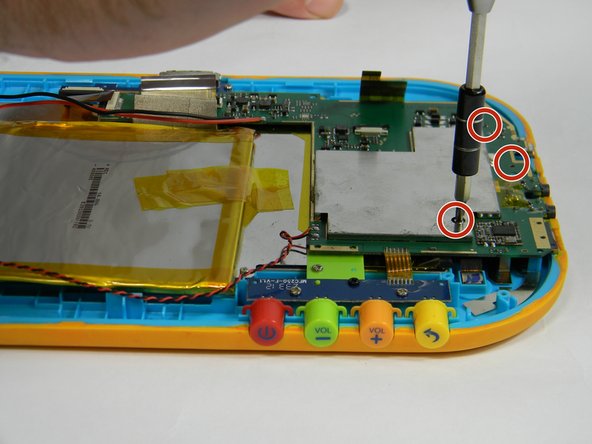
    4. Lexibook Junior Tablet Camera Replacement: 步骤 8 中的图像 1,2 Lexibook Junior Tablet Camera Replacement: 步骤 8 中的图像 2,2
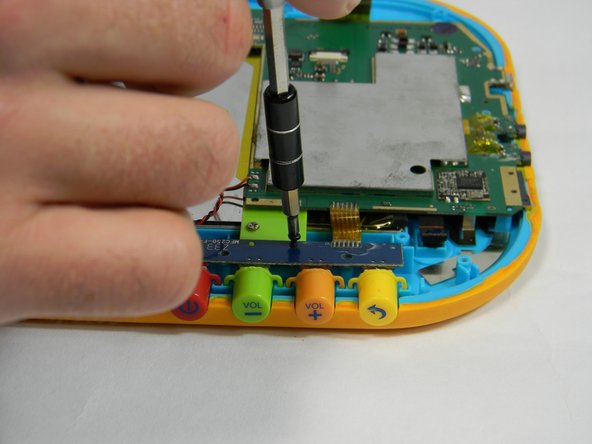
      • Remove the button board by unscrewing two more 4 mm screws and one 6.5 mm screw

      询问修复机器人

      添加评论

    5. Lexibook Junior Tablet Camera Replacement: 步骤 9 中的图像 1,1
      • Solder off connections from the wire connecting the motherboard to the speaker.

      • For how to solder, check out iFixit's Soldering Guide.

      询问修复机器人

      添加评论

    1. Lexibook Junior Tablet Camera Replacement, Camera: 步骤 10 中的图像 1,1
      • Using the plastic opening tool, pop up the black and white clip holding the ribbon wire in place for the camera.

      • This black and white clip removes in the same way that the large clip on the motherboard does.

      询问修复机器人

      添加评论

    2. Lexibook Junior Tablet Camera Replacement: 步骤 11 中的图像 1,1
      • Gently slide out the ribbon wire connecting the camera to the motherboard.

      询问修复机器人

      添加评论

结论

To reassemble your device, follow these instructions in reverse order.

取消:我没有完成这个指南。

另外一个人完成了本指南。

团队

USF Tampa, Team 17-3, Blackwell Fall 2016 USF Tampa, Team 17-3, Blackwell Fall 2016 的会员

USFT-BLACKWELL-F16S17G3

4 名成员

创作了12篇指南

0指南评论

添加评论

浏览统计数据:

过去 24 小时: 1

过去 7 天: 4

过去 30 天: 23

总计 482