跳转到主内容
加入维修社区 - 创建账户

LG VX6100 Logic Board Replacement

你所需要的

  1. LG VX6100 Logic Board Replacement, Back Cover: 步骤 1 中的图像 1,1
    • Push down on the gray "PUSH" button on the back side of the phone.

    • Slide the back case downward. Then, lift and remove the case.

    询问修复机器人
  2. LG VX6100 Logic Board Replacement: 步骤 2 中的图像 1,1
    • Lift up on the battery to remove it from the case.

    询问修复机器人
  3. LG VX6100 Logic Board Replacement: 步骤 3 中的图像 1,1
    在这个步骤中使用的工具:
    Tweezers
    $4.99
    • Use a push-pin or tweezers to pry both of the tear-shaped screw covers out of the top of the phone.

    询问修复机器人
  4. LG VX6100 Logic Board Replacement: 步骤 4 中的图像 1,1
    • Use a Phillips #00 screwdriver to unscrew the six case screws from the back of the phone.

    询问修复机器人
  5. LG VX6100 Logic Board Replacement: 步骤 5 中的图像 1,2 LG VX6100 Logic Board Replacement: 步骤 5 中的图像 2,2
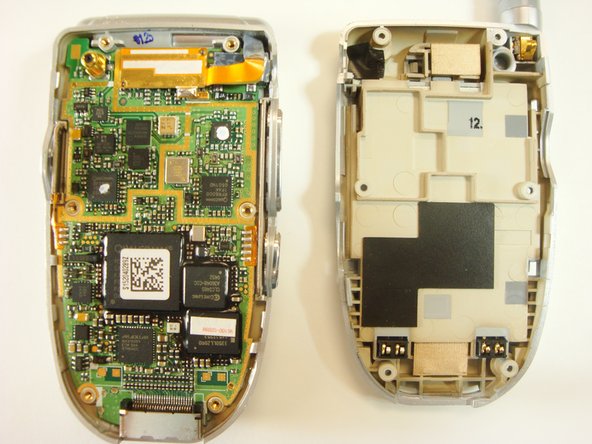
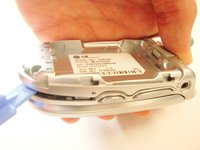
    • Insert a plastic opener tool through the seam between the back case and the rest of the phone.

    • Slowly slide the tool along the seam. Lift up on the back case while you do this until the back case comes apart.

    询问修复机器人
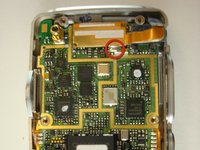
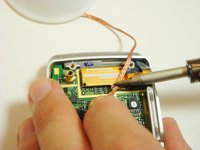
  6. LG VX6100 Logic Board Replacement, Logic Board: 步骤 6 中的图像 1,2 LG VX6100 Logic Board Replacement, Logic Board: 步骤 6 中的图像 2,2
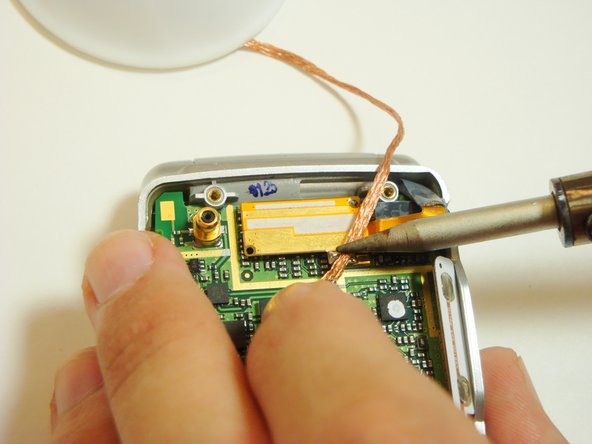
    • Locate the solder joint on the top portion of the logic board. It will appear as a shiny silver bead of metal.

    • Place a piece of solder wick on top of the solder.

    • To desolder the connection, very carefully place the tip of the soldering iron on top of the solder wick. Hold it steady until the solder is soaked up into the solder wick.

    • The soldering iron will damage circuitry if held down for too long.

    • Cut off the used solder wick with pliers and repeat above steps if any solder remains.

    询问修复机器人
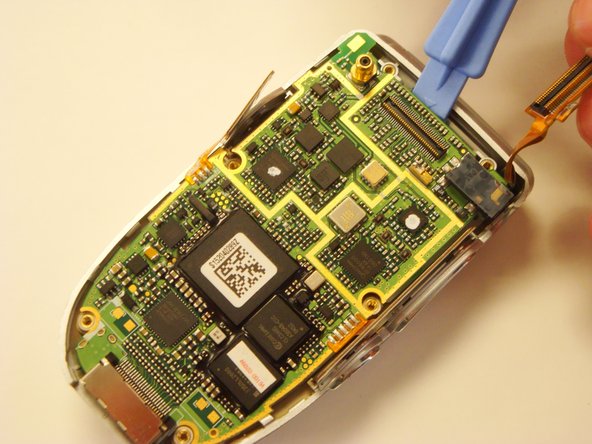
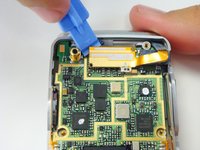
  7. LG VX6100 Logic Board Replacement: 步骤 7 中的图像 1,2 LG VX6100 Logic Board Replacement: 步骤 7 中的图像 2,2
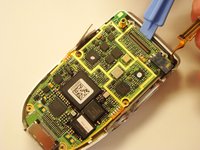
    • One the solder is gone, pry the copper piece off the logic board.

    • You can then remove the logic board from the case.

    询问修复机器人
结论

To reassemble your device, follow these instructions in reverse order.

Eric Funsten

于04/17/12注册

1 声望

创作了3篇指南

团队

Cal Poly, Team 12-39, Regan Spring 2012 Cal Poly, Team 12-39, Regan Spring 2012 的会员

CPSU-REGAN-S12S12G39

3 名成员

创作了16篇指南

0指南评论

添加评论

浏览统计数据:

过去 24 小时: 1

过去 7 天: 5

过去 30 天: 60

总计 1,184