简介
Use this guide to remove the back cover of the Samsung Galaxy Watch4.
你所需要的
-
-
Before starting repairs, take your watch off the charger and power it down.
-
Remove the watch band.
-
-
-
Use a Tri-point Y00 screwdriver to remove the four 4.0 mm-long screws.
-
-
-
-
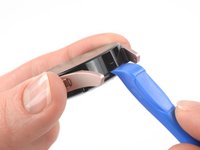
Insert an opening tool into the seam between the back cover and the metal housing.
-
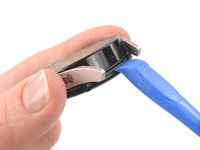
Twist the opening tool to create a gap.
-
-
-
Lay the watch face down.
-
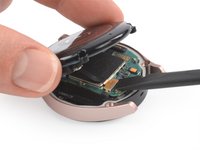
Carefully swing open the back cover by folding the back cover to the opposite site of the created gap.
-
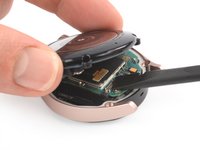
Use the flat end of a spudger to pry up and disconnect the sensor flex cable from the motherboard.
-





To reassemble your device, follow these instructions in reverse order.
Repair didn’t go as planned? Try some basic troubleshooting, or ask our Answers community for help.
另外一个人完成了本指南。



7指南评论
the glass broke on the back of my watch 4 and i have managed to get all the shards and seal out without damaging anything, but I am having trouble finding remplacement glass for the sensor in canada
Champy Ton - 回复
It just suddenly turned off and won't turn on it just vibrates in sequences, i don't know what to do.
Salim Juma - 回复
I am having a real tough time unscrewing the screws despite having the right screwdriver. It is like they are stuck on.
hello, I replaced the sensor but once I connect the flex cable to the motherboard it just doesn't work.
meaning that the sensor is not working (even no green light on the back) but the wireless charging is working.
I tried to disconnect and reconnect again but still no way to let the sensore work.
is there anything that must be reset softwarewise in order the watch can recognize the sensor?
Or probably the flex cable is not working properly?
thanks in advance
I am having the same exact issue. Did you ever find a solution?
Jasmine -
