跳转到主内容
加入维修社区 - 创建账户

HP 7 Plus 1302 Charging Port Replacement

浏览量: 872

浏览统计数据:

过去24小时
0
过去 7 天:
12
过去 30 天:
80
总计
872
评论: 0

暂时还没有人对本指南发表评论。你想做第一个评论的人吗?

Go to guide comments
已完成: 1

1 人已将本指南标记为“已完成”。你会是下一个完成的人吗?

收藏: 0

暂时还没有人收藏(和订阅)本指南。你会是第一个收藏(和订阅)的人吗?

所需时间: 20分钟
难度: 困难
动态照片拍摄

成为一个动作片主人公!本指南需要一些图片,这些图片能够更好演示如何进行某些特定操作。

不正确的工具

通过在图片或文字中使用正确的工具来帮助完善该指南

需要更好的图片

更好的照片将改善本指南。请帮助拍摄,编辑,或上传新的图片​​!

HP 7 Plus 1302 Charging Port Replacement

If the device is failing to charge it may be necessary to replace the charging port. The most difficult step will be soldering the charging port, it is important to make sure you have all tools required and follow the instructions precisely.

你所需要的

工具

    1. HP 7 Plus 1302 Charging Port Replacement, Back Cover: 步骤 1 中的图像 1,1
      • Using the T5 Torx Screwdriver, remove the T5x3mm screws located in all 4 corners.

      • Device should be turned off and unplugged before starting the replacements.

      询问修复机器人

      添加评论

    2. HP 7 Plus 1302 Charging Port Replacement: 步骤 2 中的图像 1,2 HP 7 Plus 1302 Charging Port Replacement: 步骤 2 中的图像 2,2
      • Use the plastic opening tool to push in between the front and the back of the tablet.

      • Slide the plastic opening tool around all 4 sides of the tablet to separate the back cover.

      • Be careful when you are trying to remove the back as it can damage the screen if you force it too much.

      询问修复机器人

      添加评论

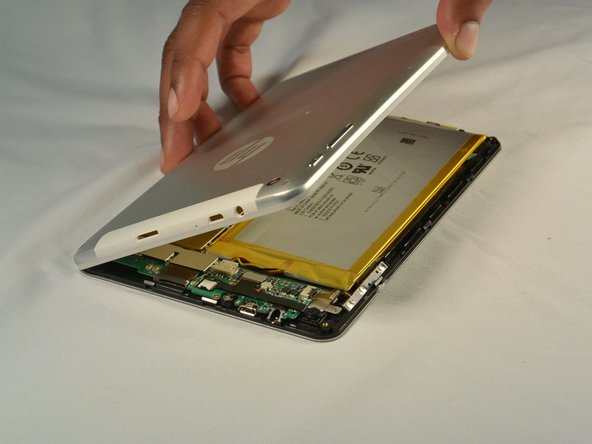
    3. HP 7 Plus 1302 Charging Port Replacement: 步骤 3 中的图像 1,2 HP 7 Plus 1302 Charging Port Replacement: 步骤 3 中的图像 2,2
      • Continue sliding the plastic opening tool around the tablet until all 4 sides are separated from each other.

      • Remove the back cover.

      询问修复机器人

      添加评论

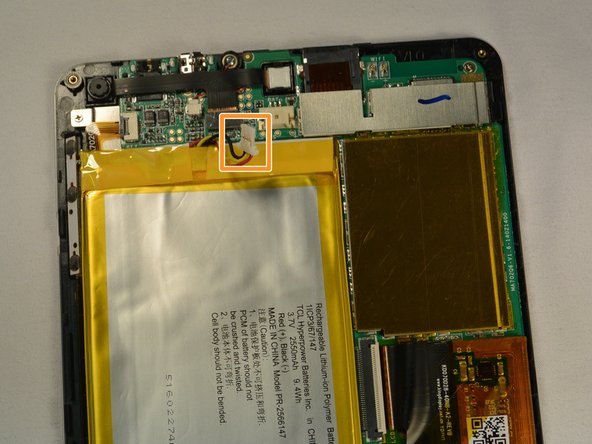
    1. HP 7 Plus 1302 Charging Port Replacement, Battery: 步骤 4 中的图像 1,2 HP 7 Plus 1302 Charging Port Replacement, Battery: 步骤 4 中的图像 2,2
      • Push out the battery connector using the spudger.

      • Swing the battery connector clear of the connector socket.

      询问修复机器人

      添加评论

    2. HP 7 Plus 1302 Charging Port Replacement: 步骤 5 中的图像 1,1
      • Lift the battery from the device.

      询问修复机器人

      添加评论

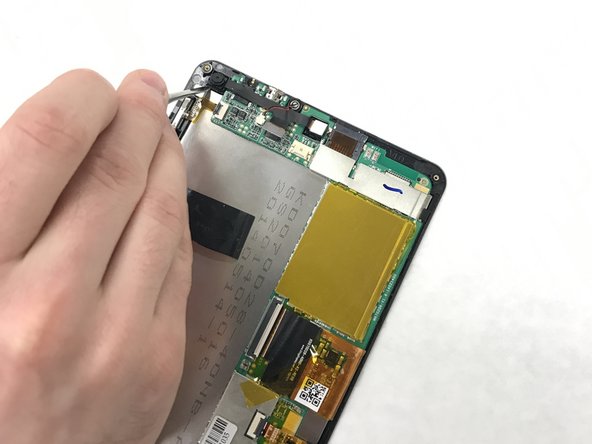
    1. HP 7 Plus 1302 Charging Port Replacement, Motherboard: 步骤 6 中的图像 1,2 HP 7 Plus 1302 Charging Port Replacement, Motherboard: 步骤 6 中的图像 2,2
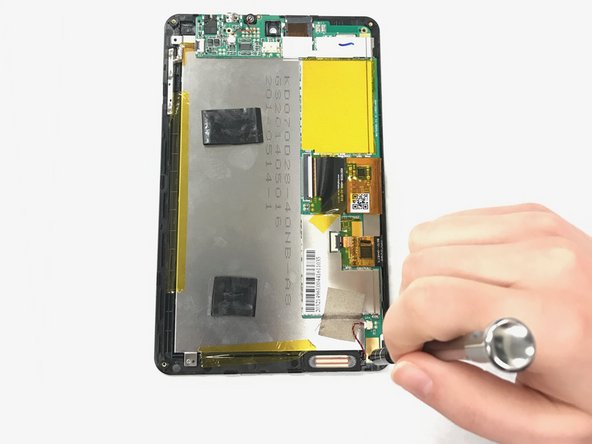
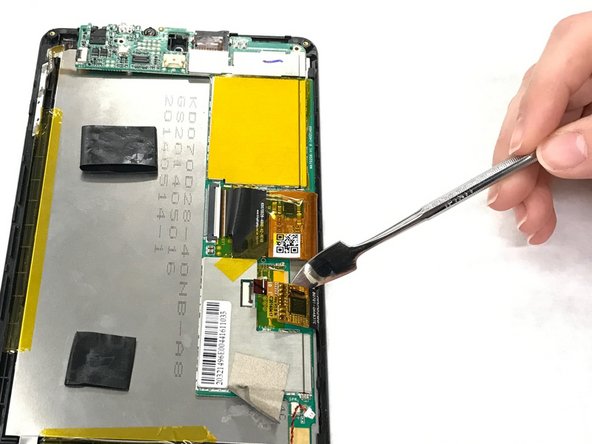
      • Pry the connector that attaches the front and back camera with a metal spudger.

      询问修复机器人

      添加评论

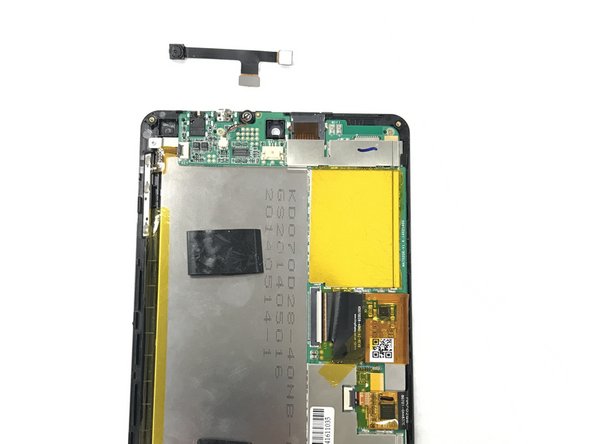
    2. HP 7 Plus 1302 Charging Port Replacement: 步骤 7 中的图像 1,2 HP 7 Plus 1302 Charging Port Replacement: 步骤 7 中的图像 2,2
      • Pull the camera from the connectors.

      询问修复机器人

      添加评论

    3. HP 7 Plus 1302 Charging Port Replacement: 步骤 8 中的图像 1,2 HP 7 Plus 1302 Charging Port Replacement: 步骤 8 中的图像 2,2
      • Identify the three T5x1mm screws and remove them with a Phillips #000

      询问修复机器人

      添加评论

    4. HP 7 Plus 1302 Charging Port Replacement: 步骤 9 中的图像 1,2 HP 7 Plus 1302 Charging Port Replacement: 步骤 9 中的图像 2,2
      在这个步骤中使用的工具:
      Tweezers
      $4.99
      • Unplug the connector with the tweezers.

      • Remove the tape.

      询问修复机器人

      添加评论

    5. HP 7 Plus 1302 Charging Port Replacement: 步骤 10 中的图像 1,2 HP 7 Plus 1302 Charging Port Replacement: 步骤 10 中的图像 2,2
      • Flip the ZIF connector with the metal spudger.

      • Pull the ribbon connector out.

      询问修复机器人

      添加评论

    6. HP 7 Plus 1302 Charging Port Replacement: 步骤 11 中的图像 1,3 HP 7 Plus 1302 Charging Port Replacement: 步骤 11 中的图像 2,3 HP 7 Plus 1302 Charging Port Replacement: 步骤 11 中的图像 3,3
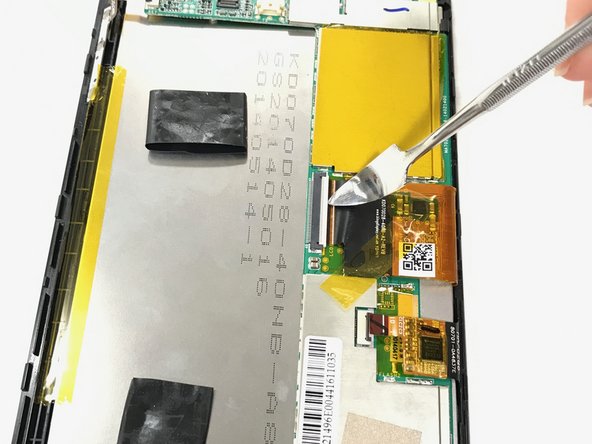
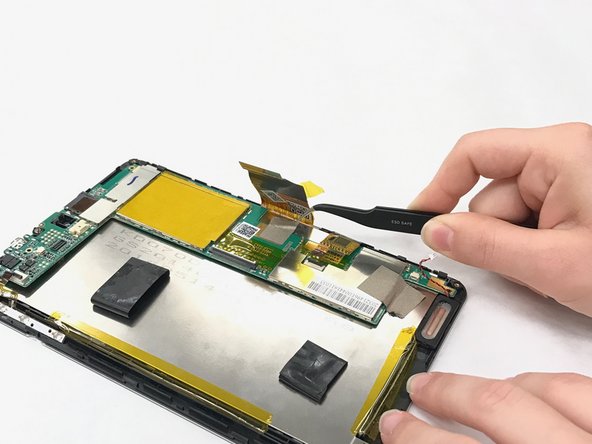
      • Pull the orange tape with the tweezers.

      • Flip the ZIF connector with the spudger.

      • Pull the ribbon connector with the tweezers.

      询问修复机器人

      添加评论

    7. HP 7 Plus 1302 Charging Port Replacement: 步骤 12 中的图像 1,1
      • Remove the gray tape below the ribbon connector.

      询问修复机器人

      添加评论

    8. HP 7 Plus 1302 Charging Port Replacement: 步骤 13 中的图像 1,2 HP 7 Plus 1302 Charging Port Replacement: 步骤 13 中的图像 2,2
      • Flip the ZIF connector.

      • Pull the ribbon connector out with the tweezers.

      询问修复机器人

      添加评论

    9. HP 7 Plus 1302 Charging Port Replacement: 步骤 14 中的图像 1,2 HP 7 Plus 1302 Charging Port Replacement: 步骤 14 中的图像 2,2
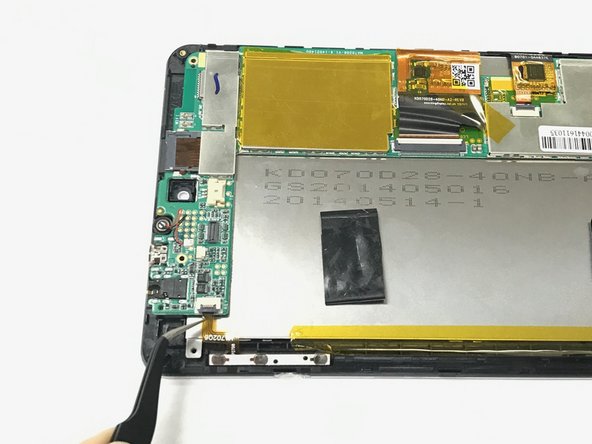
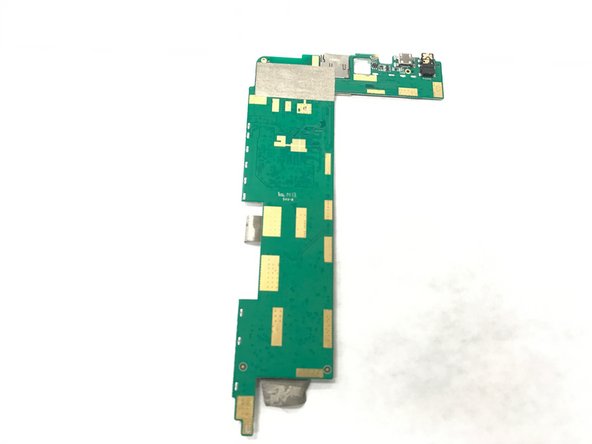
      • Pull the circuit board off.

      询问修复机器人

      添加评论

    1. HP 7 Plus 1302 Charging Port Replacement, Charging Port: 步骤 15 中的图像 1,1
      • Desolder the four points on the charging port using the soldering iron.

      • Soldering iron will be hot be careful.

      • For more instructions about how to use the Soldering iron click here.

      询问修复机器人

      添加评论

结论

To reassemble your device, follow these instructions in reverse order.

取消:我没有完成这个指南。

另外一个人完成了本指南。

团队

IUPUI, Team 1-4, Baechle Spring 2017 IUPUI, Team 1-4, Baechle Spring 2017 的会员

IUPUI-BAECHLE-S17S1G4

4 名成员

创作了48篇指南

0指南评论

添加评论

浏览统计数据:

过去 24 小时: 0

过去 7 天: 12

过去 30 天: 80

总计 872