此翻译由机器生成,尚未经过人工审核。 会说这种语言吗? 查看评论。
简介
在本指南中,我们将向你展示如何更换 GoPro Hero4 Silver 的相机镜头。镜头在光线到达摄像头传感器之前起到聚焦作用。开始操作前,请确保已从设备中取出电池,并准备好进行此维修所需的工具。
你所需要的


 询问修复机器人


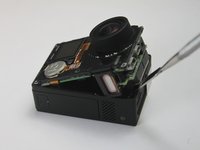
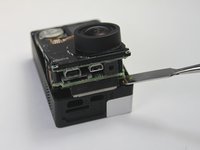


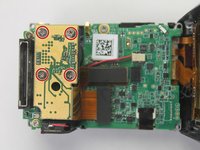
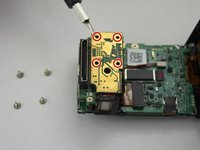


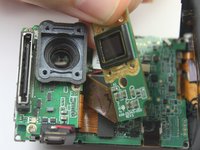
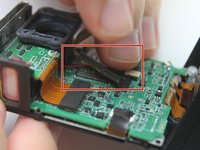
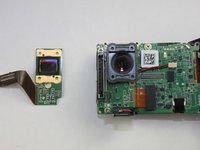


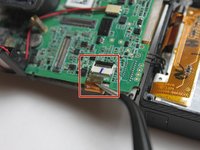
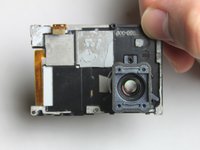


要重新组装设备,请按相反顺序执行这些说明。
20等其他人完成本指南。

团队

USF Tampa, Team 2-1, Blackwell Fall 2015 USF Tampa, Team 2-1, Blackwell Fall 2015 的会员
USFT-BLACKWELL-F15S2G1
4 名成员
创作了72篇指南
7指南评论
the 3 copper wires on the far right side came out and now my gopro doesnt work at all.
Mine too, these instructions leave out several crucial steps for making the repair. Step number 7 is not feasible and step number 9 is totally lacking in detail (it doesn't mention the removal of a crucial screw, and doesn't instruct you on how to ACTUALLY make the step). Garbage.... I'm not sure if my camera will ever work again
john mcgowan - 回复 分享
My 3 ribbon cables popped out too. I can't fathom how I could ever plug them back in.
By the way, they are also un-plugged on the tutorial photos.
I'm almost sure that this hardware went straight to the garbage can afterwards.
This is a great video tutorial for Hero4 lens R/R - very detailed.
ok, so i strongly suggest some edits.
First step 5 through 8 don’t need to be done. Step 4 should include removing the 5th screw in the main circuit board, and then on to step 9. Step 9 should also describe the black release lever to unlock the ribbon cable. then the whole front assembly with the lens will come out.
as for the three ribbon cables attached to the back case (for power and the buttons) if they do come out, while the black panel is detached, you need to pull the tape off, lift the three locking levers and very carefully reseat the ribbon cables, reapply the tape and continue with the reassembly
