跳转到主内容
加入维修社区 - 创建账户
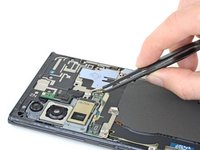
Front-Facing Camera Cable Disconnection

仅作为前提条件
本指南仅提供前提条件!本指南是另一个程序的一部分,不能单独使用。

你所需要的

  1. Front-Facing Camera Cable Disconnection, Heat the rear cover: 步骤 1 中的图像 1,1
    • Completely power off your phone before you begin disassembly.

    • Heat an iOpener and apply it to the left side of the rear cover for one minute.

    • A hair dryer, heat gun, or hot plate may also be used, but be careful not to overheat the phone—the screen and internal battery are susceptible to heat damage.

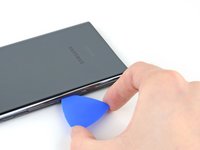
  2. Front-Facing Camera Cable Disconnection, Insert an opening pick: 步骤 2 中的图像 1,3 Front-Facing Camera Cable Disconnection, Insert an opening pick: 步骤 2 中的图像 2,3 Front-Facing Camera Cable Disconnection, Insert an opening pick: 步骤 2 中的图像 3,3
    • Apply a suction cup to the heated edge of the rear cover, as close to the edge as possible.

    • If your back glass is badly cracked, covering it with a layer of clear packing tape may allow the suction cup to adhere. Alternatively, very strong tape may be used instead of the suction cup. If all else fails, you can superglue the suction cup to the broken panel.

    • Pull up on the suction cup with strong, steady force to create a gap between the rear cover and the frame.

    • Depending on the age of your phone, this may be difficult. If you are having trouble, apply more heat to the edge and try again.

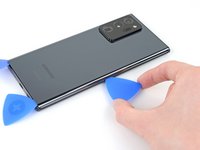
    • Insert an opening pick into the gap.

    • Don't insert the opening pick more than 5 mm into the phone or you risk damaging the internal components.

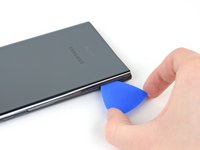
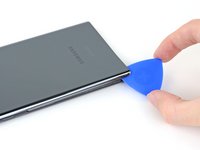
  3. Front-Facing Camera Cable Disconnection, Begin to cut the adhesive: 步骤 3 中的图像 1,3 Front-Facing Camera Cable Disconnection, Begin to cut the adhesive: 步骤 3 中的图像 2,3 Front-Facing Camera Cable Disconnection, Begin to cut the adhesive: 步骤 3 中的图像 3,3
    • Slide the opening pick along the left edge towards the bottom left corner to cut through the adhesive.

    • Leave the pick inserted in the bottom left corner to prevent the adhesive from re-sealing.

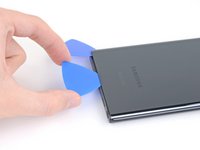
  4. Front-Facing Camera Cable Disconnection, Cut along the perimeter of the rear cover: 步骤 4 中的图像 1,3 Front-Facing Camera Cable Disconnection, Cut along the perimeter of the rear cover: 步骤 4 中的图像 2,3 Front-Facing Camera Cable Disconnection, Cut along the perimeter of the rear cover: 步骤 4 中的图像 3,3
    • While cutting through the adhesive, don't insert the opening pick more than 5 mm into the phone or you risk damaging the internal components.

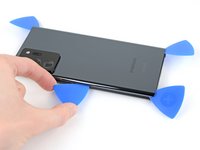
    • Repeat the process of heating and cutting the adhesive along the three remaining sides of the rear cover.

    • You can insert each new opening pick in the gaps created by the opening picks left in each corner.

    • As you proceed, leave an opening pick in each corner to prevent the adhesive from re-sealing.

    • Slide an opening pick back and forth around the entire perimeter of the phone to release any missed adhesive. Reheat any stubborn adhesive.

  5. Front-Facing Camera Cable Disconnection, Remove the rear cover: 步骤 5 中的图像 1,2 Front-Facing Camera Cable Disconnection, Remove the rear cover: 步骤 5 中的图像 2,2
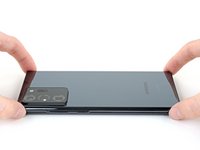
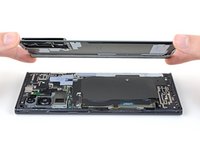
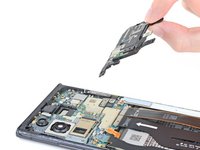
    • Lift the rear cover straight up to remove it.

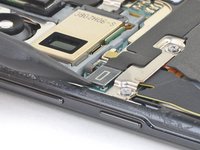
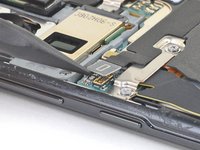
  6. Front-Facing Camera Cable Disconnection, Disconnect the wireless charging coil: 步骤 6 中的图像 1,2 Front-Facing Camera Cable Disconnection, Disconnect the wireless charging coil: 步骤 6 中的图像 2,2
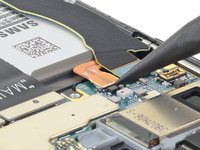
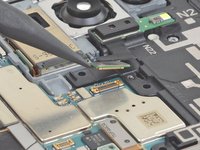
    • Use the pointed end of a spudger to pry up and disconnect the wireless charging coil press connector.

    • Take care to pry only under the edge of the connector to prevent damaging the socket itself and surrounding components.

    • To re-attach press connectors like this one, carefully align and press down on one side until it clicks into place, then repeat on the other side. Do not press down on the middle. If the connector is misaligned, the pins can bend, causing permanent damage.

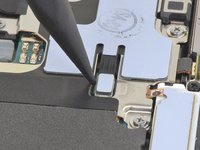
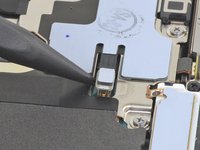
  7. Front-Facing Camera Cable Disconnection, Disconnect the white press connector: 步骤 7 中的图像 1,2 Front-Facing Camera Cable Disconnection, Disconnect the white press connector: 步骤 7 中的图像 2,2
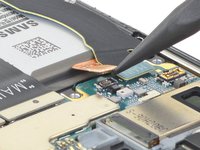
    • Use the pointed end of a spudger to pry up and disconnect the white press connector located in the bottom right of the motherboard shield.

  8. Front-Facing Camera Cable Disconnection, Remove the motherboard shield screws: 步骤 8 中的图像 1,1
    在这个步骤中使用的工具:
    Magnetic Project Mat
    $19.95
    • Use a Phillips screwdriver to remove the six 4.0 mm screws securing the motherboard shield.

    • If these screws have not been removed before, they may be difficult to remove as they have threadlocker on their threads.

    • Throughout this repair, keep track of each screw and make sure it goes back exactly where it came from.

  9. Front-Facing Camera Cable Disconnection, Remove the wireless charging coil: 步骤 9 中的图像 1,3 Front-Facing Camera Cable Disconnection, Remove the wireless charging coil: 步骤 9 中的图像 2,3 Front-Facing Camera Cable Disconnection, Remove the wireless charging coil: 步骤 9 中的图像 3,3
    在这个步骤中使用的工具:
    Tweezers
    $4.99
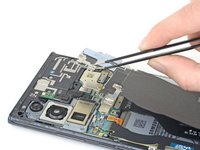
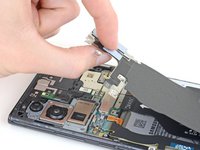
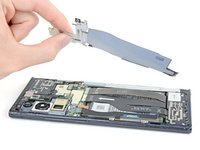
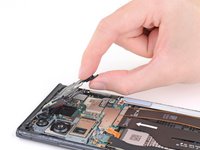
    • Use a pair of tweezers to lift up the motherboard shield.

    • Be careful when handling the motherboard shield because its edges are thin and sharp.

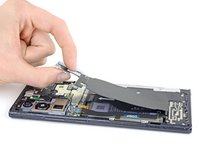
    • Use your fingers to grip the motherboard shield.

  10. Front-Facing Camera Cable Disconnection: 步骤 10 中的图像 1,3 Front-Facing Camera Cable Disconnection: 步骤 10 中的图像 2,3 Front-Facing Camera Cable Disconnection: 步骤 10 中的图像 3,3
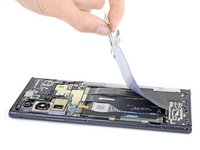
    • Peel the wireless charging coil up and away from the device to remove it.

    • The wireless charging coil is secured to the device with light adhesive.

  11. Front-Facing Camera Cable Disconnection, Disconnect the battery: 步骤 11 中的图像 1,2 Front-Facing Camera Cable Disconnection, Disconnect the battery: 步骤 11 中的图像 2,2
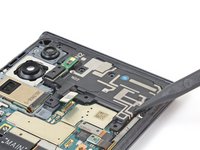
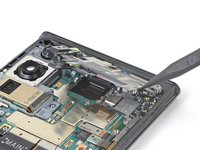
    • Use the pointed end of a spudger to pry up the battery press connector to safely disconnect the battery before continuing repairs.

  12. Front-Facing Camera Cable Disconnection, Disconnect the laser AF sensor: 步骤 12 中的图像 1,2 Front-Facing Camera Cable Disconnection, Disconnect the laser AF sensor: 步骤 12 中的图像 2,2
    • Use the pointed end of a spudger to pry up the laser AF sensor press connector.

  13. Front-Facing Camera Cable Disconnection, Remove the earpiece speaker screws: 步骤 13 中的图像 1,1
    • Use a Phillips screwdriver to remove the four 4.0 mm screws securing the earpiece speaker.

  14. Front-Facing Camera Cable Disconnection, Remove the earpiece speaker: 步骤 14 中的图像 1,2 Front-Facing Camera Cable Disconnection, Remove the earpiece speaker: 步骤 14 中的图像 2,2
    • Insert the pointed end of a spudger into the hole marked by a small triangle on the right side of the earpiece speaker.

    • Use the spudger to pry up and loosen the earpiece speaker from the frame.

    • The earpiece speaker clips to the frame along the top edge.

  15. Front-Facing Camera Cable Disconnection: 步骤 15 中的图像 1,2 Front-Facing Camera Cable Disconnection: 步骤 15 中的图像 2,2
    • Lift and remove the earpiece speaker.

  16. Front-Facing Camera Cable Disconnection, Front-Facing Camera Cable Disconnection: 步骤 16 中的图像 1,2 Front-Facing Camera Cable Disconnection, Front-Facing Camera Cable Disconnection: 步骤 16 中的图像 2,2
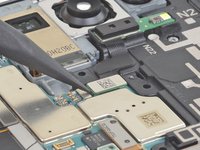
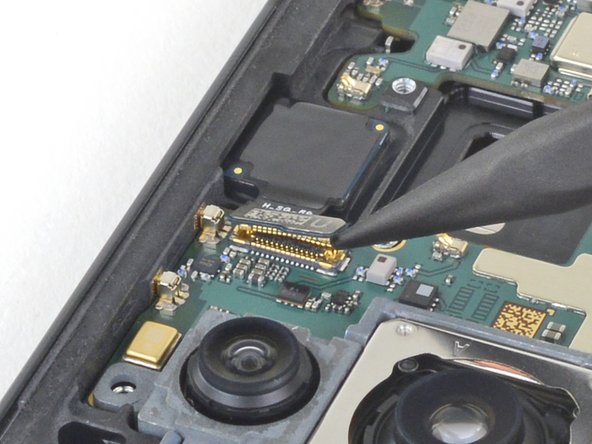
    • Use the pointed end of a spudger to disconnect the front-facing camera cable from the motherboard.

结论

To reassemble your device, follow these instructions in reverse order.

Kyle Smith

于02/01/21注册

50,207 声望

创作了123篇指南

0指南评论

添加评论

浏览统计数据:

过去 24 小时: 0

过去 7 天: 2

过去 30 天: 9

总计 78