跳转到主内容
加入维修社区 - 创建账户

Compaq Presario CQ57 RAM Replacement

你所需要的

  1. Compaq Presario CQ57 RAM Replacement, Take out the battery: 步骤 1 中的图像 1,2 Compaq Presario CQ57 RAM Replacement, Take out the battery: 步骤 1 中的图像 2,2
    • Take out the battery by sliding the slider to the left

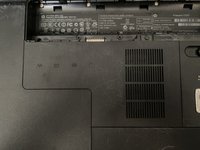
  2. Compaq Presario CQ57 RAM Replacement, Taking off the plate: 步骤 2 中的图像 1,1
    • Unscrew this single Phillips #0 Screw

    • The screw remains captive.

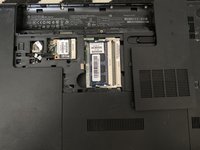
  3. Compaq Presario CQ57 RAM Replacement, Taking off the plate: 步骤 3 中的图像 1,2 Compaq Presario CQ57 RAM Replacement, Taking off the plate: 步骤 3 中的图像 2,2
    • Take off the plate using your hands.

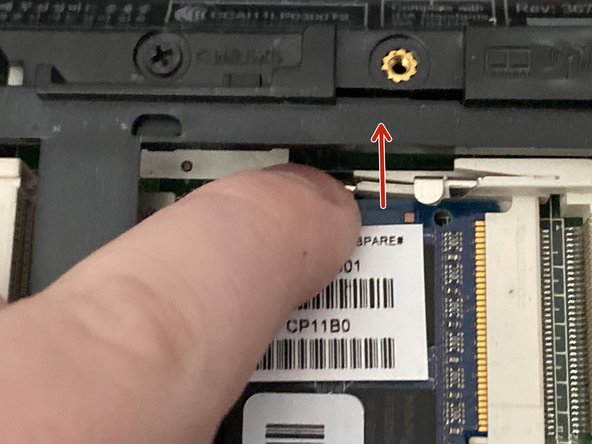
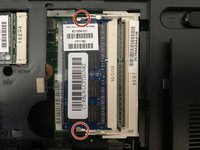
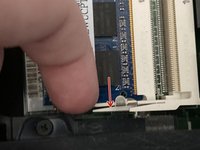
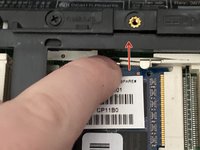
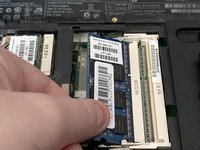
  4. Compaq Presario CQ57 RAM Replacement: 步骤 4 中的图像 1,3 Compaq Presario CQ57 RAM Replacement: 步骤 4 中的图像 2,3 Compaq Presario CQ57 RAM Replacement: 步骤 4 中的图像 3,3
    • Slide these 2 thingys that hold the RAM.

    • The RAM should pop out.

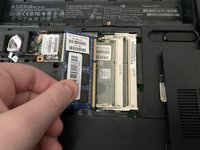
  5. Compaq Presario CQ57 RAM Replacement, Take out the ram: 步骤 5 中的图像 1,2 Compaq Presario CQ57 RAM Replacement, Take out the ram: 步骤 5 中的图像 2,2
    • Take out the RAM.

结论

To reassemble your device, follow these instructions in reverse order.

3等其他人完成本指南。

Artem Ivat

于02/05/20注册

3,669 声望

创作了13篇指南

团队

Kid fixers Kid fixers 的会员

Community

207 名成员

创作了290篇指南

0指南评论

添加评论

浏览统计数据:

过去 24 小时: 3

过去 7 天: 12

过去 30 天: 53

总计 1,402