跳转到主内容
加入维修社区 - 创建账户

Coby KYROS MID7125 Motherboard Replacement

浏览量: 606

浏览统计数据:

过去24小时
2
过去 7 天:
5
过去 30 天:
25
总计
606
评论: 0

暂时还没有人对本指南发表评论。你想做第一个评论的人吗?

Go to guide comments
已完成: 0

暂时还没有人将本指南标记为“已完成”。你会是第一个完成的人吗?

收藏: 0

暂时还没有人收藏(和订阅)本指南。你会是第一个收藏(和订阅)的人吗?

所需时间: 20分钟
难度: 中等
Coby KYROS MID7125 Motherboard Replacement

When you remove the back cover of your device, the motherboard is the green sheet with ribbons and cables attached from it to all the other parts of this device. This guide walks users through step by step instructions to replace this part.

你所需要的

工具

    1. Coby KYROS MID7125 Motherboard Replacement, Motherboard: 步骤 1 中的图像 1,1
      • Use iFixit plastic opening tool to make small opening in the side of the device, and continue opening back panel

      询问修复机器人

      添加评论

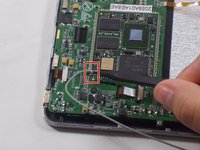
    2. Coby KYROS MID7125 Motherboard Replacement: 步骤 2 中的图像 1,3 Coby KYROS MID7125 Motherboard Replacement: 步骤 2 中的图像 2,3 Coby KYROS MID7125 Motherboard Replacement: 步骤 2 中的图像 3,3
      • There are 5 ribbon cables connected to the motherboard. Two of these cables are clipped on and one is soldered on. Remove the 4 ribbon cables you can clip off using the plastic spudger

      • For large ribbon cable use plastic spudger or your fingers to release ribbon cable clip by pulling the black edges down and pulling ribbon cable out.

      • For ribbon cable on the left side, flip up black hinge to remove ribbon cable

      • Desolder fifth ribbon cable with soldering station.

      询问修复机器人

      添加评论

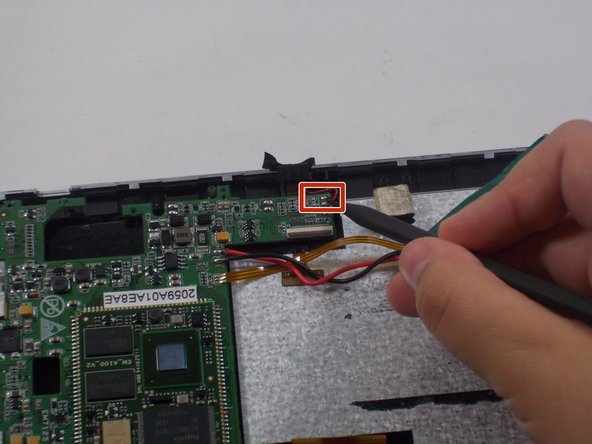
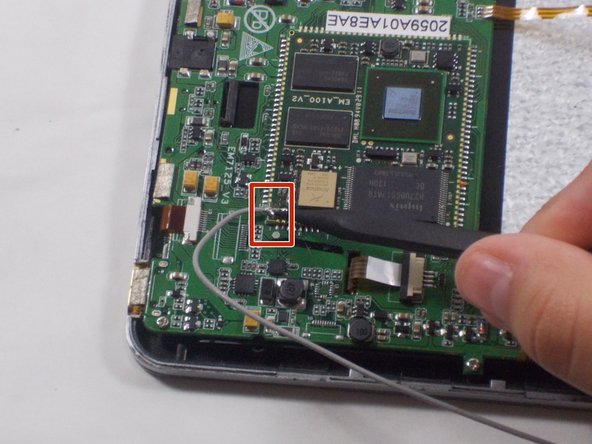
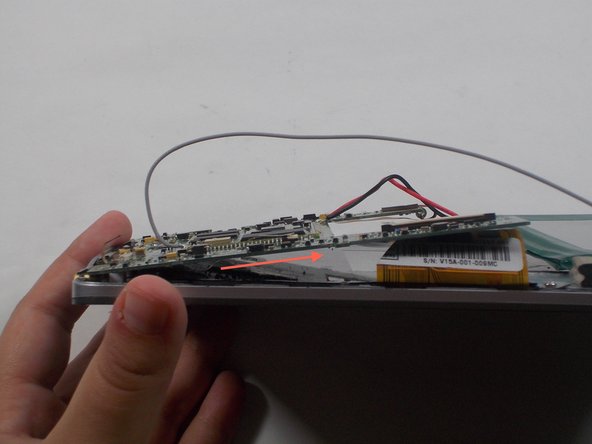
    3. Coby KYROS MID7125 Motherboard Replacement: 步骤 3 中的图像 1,3 Coby KYROS MID7125 Motherboard Replacement: 步骤 3 中的图像 2,3 Coby KYROS MID7125 Motherboard Replacement: 步骤 3 中的图像 3,3
      • Desolder 2 speaker wires

      • Desolder antenna wire

      • Desolder microphone wire

      • Remove all wires you just desoldered.

      询问修复机器人

      添加评论

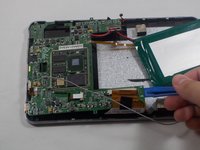
    4. Coby KYROS MID7125 Motherboard Replacement: 步骤 4 中的图像 1,1
      • Desolder the battery wires.

      • If soldering is new to you, then check out this useful guide on soldering and desoldering connections.

      • Remove the battery.

      询问修复机器人

      添加评论

    5. Coby KYROS MID7125 Motherboard Replacement: 步骤 5 中的图像 1,1
      • Unscrew 4 screws connecting around mother board using the J0 Phillips head screwdriver.

      询问修复机器人

      添加评论

    6. Coby KYROS MID7125 Motherboard Replacement: 步骤 6 中的图像 1,2 Coby KYROS MID7125 Motherboard Replacement: 步骤 6 中的图像 2,2
      • Use plastic spudger to take off motherboard by lifting off right hand side and pulling sideways.

      询问修复机器人

      添加评论

结论

To reassemble your device, follow these instructions in reverse order.

取消:我没有完成这个指南。

Nicole Connelly

于10/20/16注册

1 声望

创作了3篇指南

团队

UMass Dartmouth, Team 5-2, Martin Fall 2016 UMass Dartmouth, Team 5-2, Martin Fall 2016 的会员

UMASSD-MARTIN-F16S5G2

3 名成员

创作了60篇指南

0指南评论

添加评论

浏览统计数据:

过去 24 小时: 2

过去 7 天: 5

过去 30 天: 25

总计 606