跳转到主内容

Casio CTK-3200 Key Replacement

你所需要的

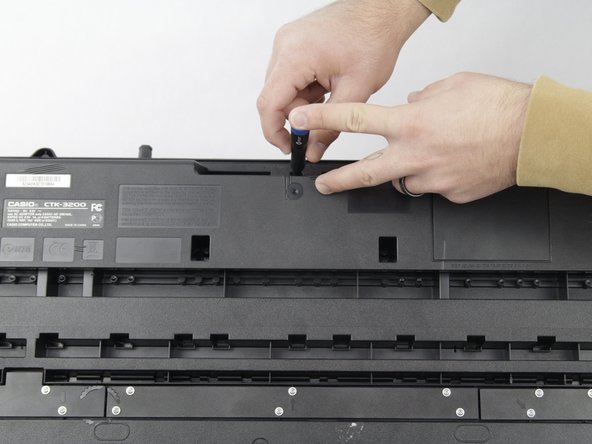
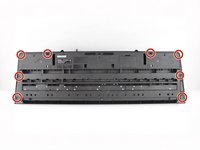
  1. Casio CTK-3200 Key Replacement, Center Front Panel: 步骤 1 中的图像 1,2 Casio CTK-3200 Key Replacement, Center Front Panel: 步骤 1 中的图像 2,2
    • Remove the seven 10 mm Phillips #1 screws on the underside of the keyboard that secure the center front panel.

  2. Casio CTK-3200 Key Replacement: 步骤 2 中的图像 1,1
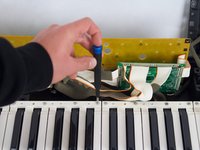
    • Flip the keyboard over and remove the central panel on the front and place it above the keyboard.

    • Make sure not to sever or strain any connections between the yellow-colored main board and the central panel.

    • If the panel is not easily removable, make sure all the screws are removed from the back.

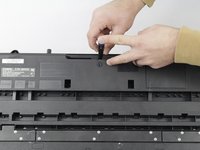
  3. Casio CTK-3200 Key Replacement, Side Panel: 步骤 3 中的图像 1,2 Casio CTK-3200 Key Replacement, Side Panel: 步骤 3 中的图像 2,2
    • Remove all eight 10 mm Phillips #1 screws that secure the side panels.

  4. Casio CTK-3200 Key Replacement: 步骤 4 中的图像 1,1
    • Carefully remove one side panel at a time from the top of the keyboard and place it above the keyboard, making sure not to sever any connections between the yellow-colored mainboard and the side panels.

    • If the panels are not easily removable, make sure all the screws are removed from the back.

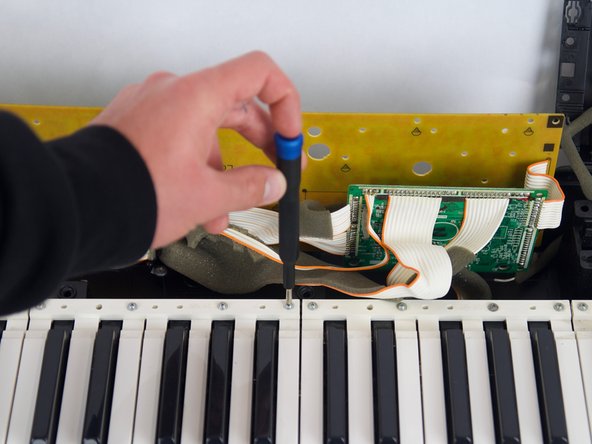
  5. Casio CTK-3200 Key Replacement, Key: 步骤 5 中的图像 1,2 Casio CTK-3200 Key Replacement, Key: 步骤 5 中的图像 2,2
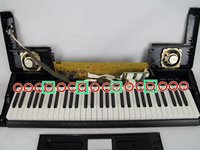
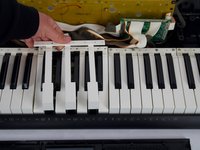
    • Target which key(s) need to be replaced and unscrew the 10 mm Phillips #1 screws for the targeted section(s).

    • There are five different sections of white keys, you can tell the sections apart by the small gaps between them where the screws are attached.

  6. Casio CTK-3200 Key Replacement: 步骤 6 中的图像 1,3 Casio CTK-3200 Key Replacement: 步骤 6 中的图像 2,3 Casio CTK-3200 Key Replacement: 步骤 6 中的图像 3,3
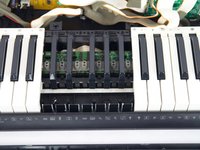
    • If the broken key(s) are white, remove the set of white keys with the broken piece.

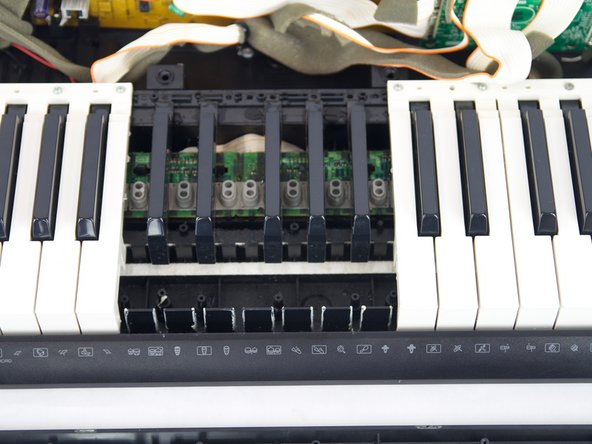
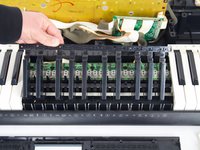
    • If the broken key(s) are black, remove two sets of seven white keys. This will reveal the set of black keys, which are twice the length of the white sets.

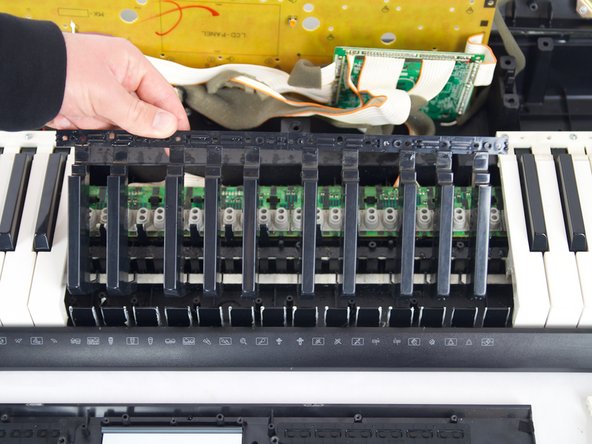
    • The key sets can be troublesome to remove. To remove without further damage, make sure to lift up on the top part as shown and push the bottom part of the keys towards the bottom of the keyboard to unhook them individually.

结论

To reassemble your device, follow the above steps in reverse order.
Repair didn’t go as planned? Try some basic troubleshooting or ask our Answers community for help.

Will Wright

于10/23/24注册

369 声望

创作了2篇指南

团队

Cuesta, Team 10-4, Krynen Fall 2024 Cuesta, Team 10-4, Krynen Fall 2024 的会员

CUESTA-KRYNEN-F24S10G4

4 名成员

创作了6篇指南

0指南评论

添加评论

浏览统计数据:

过去 24 小时: 0

过去 7 天: 6

过去 30 天: 30

总计 277