跳转到主内容
加入维修社区 - 创建账户
Base Removal

仅作为前提条件
本指南仅提供前提条件!本指南是另一个程序的一部分,不能单独使用。

你所需要的

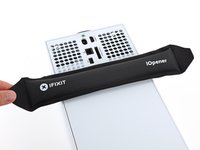
  1. Base Removal, Uncover the back panel screws: 步骤 1 中的图像 1,2 Base Removal, Uncover the back panel screws: 步骤 1 中的图像 2,2
    • Before you begin, completely power down and unplug all cables from your console.

    • Two stickers cover the back panel screws. You can remove the stickers without heating them, though it makes them much easier to remove cleanly.

    • Heat an iOpener and lay it on the smaller sticker near the bottom of the back panel for two minutes.

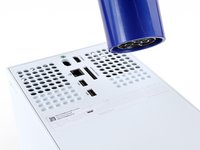
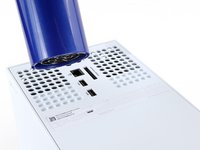
    • Alternatively, you can use a hair dryer to heat the sticker.

  2. Base Removal: 步骤 2 中的图像 1,3 Base Removal: 步骤 2 中的图像 2,3 Base Removal: 步骤 2 中的图像 3,3
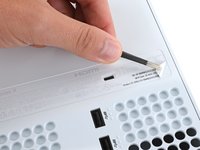
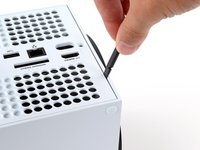
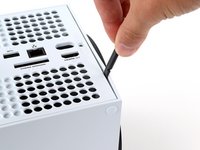
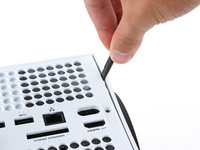
    • Use a pair of angled tweezers to remove the sticker hiding the first screw on the back panel, near the base.

  3. Base Removal: 步骤 3 中的图像 1,3 Base Removal: 步骤 3 中的图像 2,3 Base Removal: 步骤 3 中的图像 3,3
    • Use an iOpener or hair dryer to heat the larger sticker near the center of the back panel.

  4. Base Removal: 步骤 4 中的图像 1,3 Base Removal: 步骤 4 中的图像 2,3 Base Removal: 步骤 4 中的图像 3,3
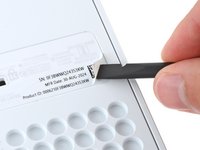
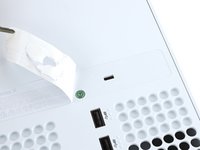
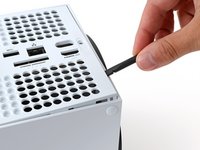
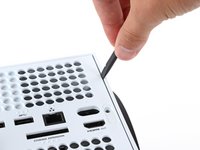
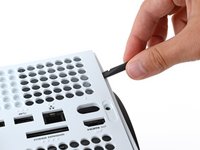
    • Use the flat end of a spudger to scrape up a corner of the larger sticker until you can grip it with a pair of blunt tweezers.

    • Use blunt tweezers to peel back the sticker to reveal the second screw.

    • You only need to peel this sticker to where you can access the hidden screw. You don't need to pull it completely off.

    • Technically, these are tamper-evident stickers, but don't worry—Microsoft can't legally void your warranty, as long as you don't damage anything. Have fun!

  5. Base Removal, Remove the back panel screws: 步骤 5 中的图像 1,2 Base Removal, Remove the back panel screws: 步骤 5 中的图像 2,2
    在这个步骤中使用的工具:
    Magnetic Project Mat
    $19.95
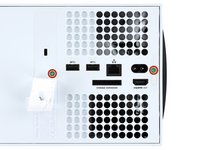
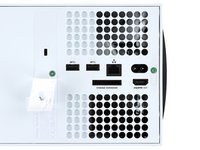
    • Throughout this repair, keep track of each screw and make sure it goes back exactly where it came from to avoid damaging your console.

    • Use a T8 Torx driver to remove the two 7.4 mm‑long screws securing the back panel.

  6. Base Removal, Unclip the back panel: 步骤 6 中的图像 1,3 Base Removal, Unclip the back panel: 步骤 6 中的图像 2,3 Base Removal, Unclip the back panel: 步骤 6 中的图像 3,3
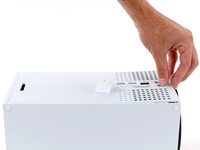
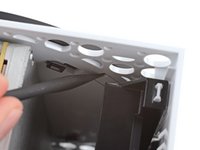
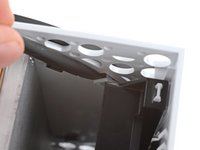
    • Insert the flat end of a spudger into the gap between the back panel and the shell, near the left side of the base.

    • Pry up the back panel to release it from the locking clips.

  7. Base Removal: 步骤 7 中的图像 1,3 Base Removal: 步骤 7 中的图像 2,3 Base Removal: 步骤 7 中的图像 3,3
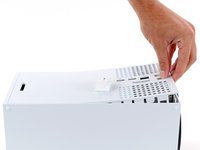
    • Insert the flat end of a spudger into the gap between the back panel and the shell, near the right side of the base.

    • Pry up the back panel to release it from the locking clips.

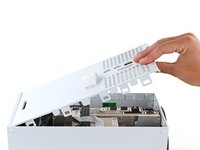
  8. Base Removal, Remove the back panel: 步骤 8 中的图像 1,3 Base Removal, Remove the back panel: 步骤 8 中的图像 2,3 Base Removal, Remove the back panel: 步骤 8 中的图像 3,3
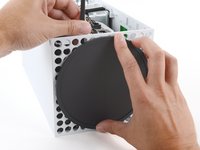
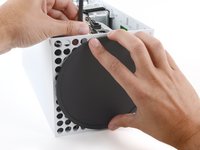
    • Grip the back panel at the opening you just created and pull it up and away from the shell to unclip the long edges.

    • During reassembly, press along the edges of the back panel to snap it into place.

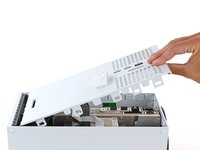
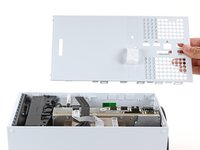
  9. Base Removal: 步骤 9 中的图像 1,3 Base Removal: 步骤 9 中的图像 2,3 Base Removal: 步骤 9 中的图像 3,3
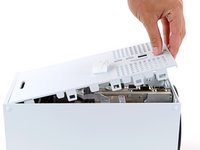
    • The back panel slots into a gap at the top of the shell.

    • Tilt the back panel up and pull it away from the top edge of the shell to release it from the gap.

    • Remove the back panel.

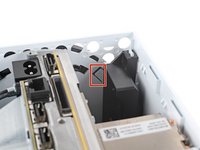
  10. Base Removal, Unlatch the base: 步骤 10 中的图像 1,3 Base Removal, Unlatch the base: 步骤 10 中的图像 2,3 Base Removal, Unlatch the base: 步骤 10 中的图像 3,3
    • Use the flat end of a spudger to pry up the locking tab holding the base to the shell.

    • Keep the locking tab held open for the next step.

  11. Base Removal, Twist and remove the base: 步骤 11 中的图像 1,3 Base Removal, Twist and remove the base: 步骤 11 中的图像 2,3 Base Removal, Twist and remove the base: 步骤 11 中的图像 3,3
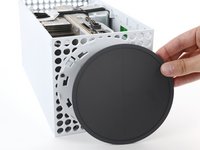
    • With the locking tab held open, grip the base and rotate it counterclockwise to unlock it from the shell.

    • Remove the base.

    • During reassembly, put the base tabs into their holes on the shell and twist clockwise until the base snaps into the interior locking tab.

    • When locked in place, the Hello from Seattle line will be parallel with the device's sides.

结论

To reassemble your device, follow these instructions in reverse order.

Repair didn’t go as planned? Try some basic troubleshooting, or ask our Answers community for help.

Spencer Day

于09/14/22注册

158,429 声望

创作了1,043篇指南

团队

iFixit iFixit 的会员

Staff

123 名成员

创作了23,895篇指南

0指南评论

添加评论

浏览统计数据:

过去 24 小时: 1

过去 7 天: 4

过去 30 天: 11

总计 71