跳转到主内容

Back Cover Removal

仅作为前提条件
本指南仅提供前提条件!本指南是另一个程序的一部分,不能单独使用。

你所需要的

  1. Back Cover Removal, Prepare your device for disassembly: 步骤 1 中的图像 1,3 Back Cover Removal, Prepare your device for disassembly: 步骤 1 中的图像 2,3 Back Cover Removal, Prepare your device for disassembly: 步骤 1 中的图像 3,3
    • Let your device's battery drain below 25% before starting this repair—a charged lithium‑ion battery may catch fire if damaged.

    • Completely power off your device and unplug all cables.

    • Consider laying your device on a soft cloth to prevent scratching or damaging the screen during your repair.

  2. Back Cover Removal, Unfasten the back cover: 步骤 2 中的图像 1,2 Back Cover Removal, Unfasten the back cover: 步骤 2 中的图像 2,2
    在这个步骤中使用的工具:
    FixMat
    $36.95
    • Throughout this repair, keep track of each screw and make sure it goes back exactly where it came from.

    • Use a Phillips #0 screwdriver to remove the five 17.2 mm‑long screws securing the top edge and bottom corners of the back cover.

    • Use a Phillips #0 screwdriver to fully loosen the remaining captive screw at the center of the bottom edge. This should create a small gap between the back cover and chassis.

    • Don't try to remove this screw.

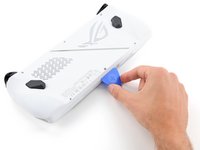
  3. Back Cover Removal, Insert an opening pick: 步骤 3 中的图像 1,3 Back Cover Removal, Insert an opening pick: 步骤 3 中的图像 2,3 Back Cover Removal, Insert an opening pick: 步骤 3 中的图像 3,3
    • Insert the flat edge of an opening pick between the bottom edge of the back cover and chassis, near the captive screw.

    • Angle the pick upward and push it under the back cover.

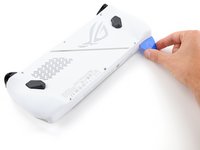
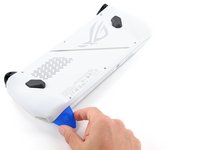
  4. Back Cover Removal, Release the back cover's clips: 步骤 4 中的图像 1,3 Back Cover Removal, Release the back cover's clips: 步骤 4 中的图像 2,3 Back Cover Removal, Release the back cover's clips: 步骤 4 中的图像 3,3
    • Plastic clips secure the perimeter of the back cover. You should feel and hear them release during this step.

    • Slide the opening pick along the bottom edge and around the corners of the back cover to release the clips securing it.

    • Keep the pick at an upward angle under the back cover to help release the clips.

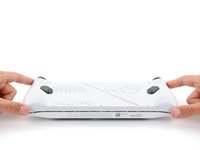
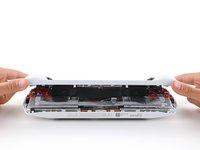
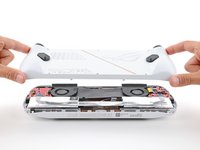
  5. Back Cover Removal, Remove the back cover: 步骤 5 中的图像 1,3 Back Cover Removal, Remove the back cover: 步骤 5 中的图像 2,3 Back Cover Removal, Remove the back cover: 步骤 5 中的图像 3,3
    • Lift the bottom edge of the back cover off the chassis to release the remaining clips.

    • Remove the back cover.

    • During reassembly, lay the back cover onto your device and firmly push down around the perimeter to engage the clips.

结论

To reassemble your device, follow these instructions in reverse order.

Repair didn’t go as planned? Try some basic troubleshooting, or ask our Answers community for help.

Spencer Day

于09/14/22注册

155,959 声望

创作了1,033篇指南

团队

iFixit iFixit 的会员

Staff

123 名成员

创作了23,828篇指南

0指南评论

添加评论

浏览统计数据:

过去 24 小时: 0

过去 7 天: 1

过去 30 天: 2

总计 96