简介
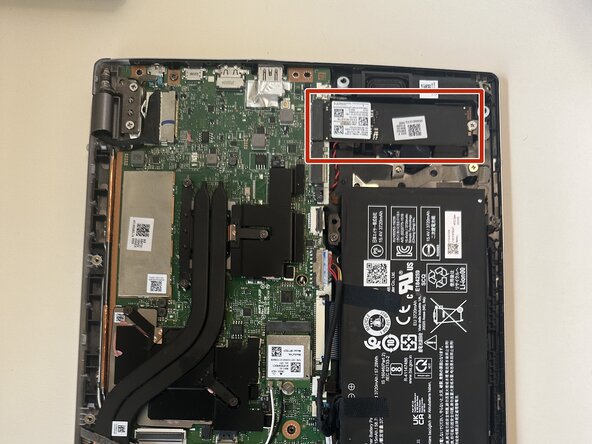
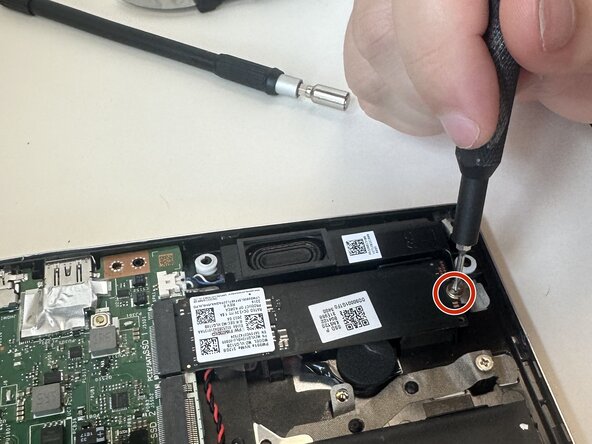
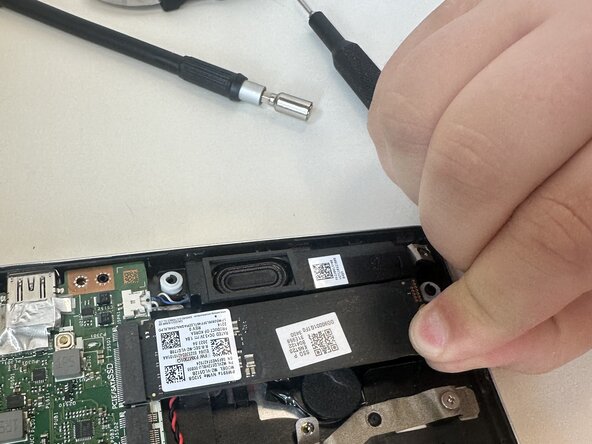
This guide shows how to replace the SSD in an Acer Swift X N20C12. The SSD is the storage device of the laptop. Its form factor is 2280 M.2.
You may want to replace your SSD if your current one is suffering performance issues or corruption from reaching its end of life (SSDs can only be read from/written to a limited number of times).
When replacing your SSD make sure to backup the data that was on the old one, since the new one will be blank.
你所需要的
-
-
Use a T5 Torx screwdriver to remove the eleven screws that secure the lower case.
-
-


To reassemble your device, follow the above steps in reverse order.
Take your e-waste to an R2 or e-Stewards certified recycler.
Repair didn’t go as planned? Try some basic troubleshooting or ask our Answers community for help.



团队

Austin Community College, Team 22-3, Watkins Summer 2025 Austin Community College, Team 22-3, Watkins Summer 2025 的会员
AUSTINCC-WATKINS-SU25S22G3
4 名成员
创作了5篇指南
