
跳转到主内容

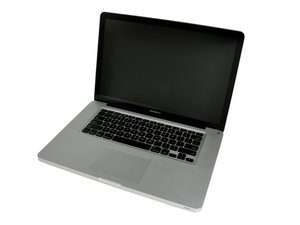
Model A1286. Released February 2011 / 2.0, 2.2, or 2.3 GHz Quad-core Intel Core i7 Processor

Problem after memory upgrade

I recently purchased the following memory upgrade from Apple:

MD019G/A Apple Memory Module 8GB 1333MHz DDR3 (PC3-10600) - 2x4GB

For my MBP (Early 2011) 2.0Ghz

Installation went fine. The system booted ok. Everything seemed fine, when I looked at my system information it showed that the 8GB of RAM were running at 1333Mhz. Then I rebooted my MBP and started Apple Hardware Test. First test passed fine, but during the 2nd test I got this error: "4MEM/64/40000000 0x84486198". Then I turned off power, when i turned it on again, I've got a black screen with 3 beeps and 3 front led flashes. I tried to swap memory modules with no success. When I inserted the original memory back system booted up as usual without any problems. After that I reseted PRAM and NVRAM, reinstalled the new memory and I got 3 beeps again. Any suggestions please?

已回答! 显示答案 我也有这个问题

这是一个好问题吗?

得分 1
添加一条评论

1个答案

已选择的解决方案

You have bad ram. The 3 beeps signifies that there is defective ram in your unit. You should contact Apple and ask for a replacement or a refund and then buy ram from another store like OWC or Crucial because they are much cheeper and have never come defective when I ordered them.

Hope this Helps

这个答案有帮助吗?

得分 2

3条评论:

Thank you for the answer. I still can't belive that $200 "guaranteed to be compatible with your Macintosh" Apple memory is crap. I thought for this price it could be well tested. By the way, the faulty memory is Hynyx branded. On Monday I am going to call Apple and ask for replacement.

完成的

That is why I only buy memory from OWC or Crucial. It is roughly half the price and has never disappointed me.

完成的

Today I received the memory replacement. Everything seems to be fine.

完成的

添加一条评论

添加你的答案

aein aeinner 将永远感激不已
浏览统计数据:

过去 24 小时: 0

过去 7 天: 0

过去 30 天: 7

总计 1,836