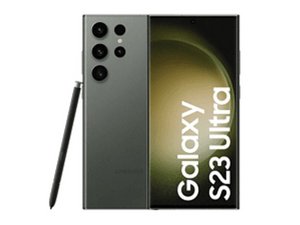

S Pen is not recognized in the slot
I’m having a problem with the S Pen. Basically, everything works fine between my S23 Ultra and the S Pen, but not when the pen is inserted into the S23’s slot.
When I place the S Pen on the coil (see picture), the pen is recognized and the smartphone connects to it. If I lift the plastic cover with the coil and slide the pen underneath the plastic, it is also recognized. Only when I place the plastic cover correctly over the slot and insert the pen is it not recognized at all.

The pen is also recognized when I place it only halfway onto the coil.

I’ve also tried working with some distance above the coil (1–3 mm), and the pen is recognized. I placed a 1 mm thick piece of plastic on top of the coil, and the pen is recognized as well. But in the fully assembled state, when the pen is correctly inserted into the slot, it is not recognized.
What’s puzzling is this: When the pen is inserted and I place the phone on the wireless charger, the pen is recognized. When I take the phone off the wireless charger, the pen remains recognized. Only when I pull it out and insert it again does it stop being recognized.
I’ve really tried a lot, but it seems as if something inside the slot is interfering with the communication between the coil and the pen — but only inside the slot. I checked to see if there was anything stuck in the slot, but I can’t find anything.
Does anyone has an idea?
