
跳转到主内容

MacBook Pro Trackpad randomly clicking without me tapping.

MacBook Pro 2018 randomly clicking without me tapping, just hover around a page and its starts clicking randomly, opening the wrong links and pages. This happened after I replaced the battery.

回答此问题 我也有这个问题

这是一个好问题吗?

得分 0

3条评论:

Can you narrow down which model you have. Different series used different tech and parts! Go to About this Mac and tell us what is tells you size, year and model name

完成的

Well I will suggest you to checkout the following video: https://www.reddit.com/r/macbookpro/comm...

完成的

MacBook Pro A1989 model

完成的

添加一条评论

1个答案

This series uses a tapic engine which is dependent on a capacitance feedback of your finger. An oily trackpad can mess up the sensor and over doing the cleaning fluid can creep under the trackpad messing it up as well.

Using a clean micro fiber cloth spay a small amount of countertop cleaner onto the cloth (never the system) and wipe the trackpad surface. See if that helps.

If not, that aims us to a bad trackpad. Luckily it's one of the easier ones to replace! Here's the guide 2018年13寸带Touch Bar的 MacBook Pro 触控板更换 and here's the needed part MacBook Pro 13" (A1706, A1708, A1989, A2159) Trackpad

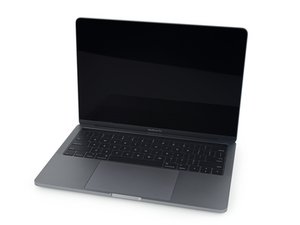
Replace a scratched or malfunctioning trackpad compatible with a model A1706, A1708, A1989, or A2159 MacBook Pro 13" with Retina Display.图片

产品

MacBook Pro 13" (A1706, A1708, A1989, A2159) Trackpad

$29.99

这个答案有帮助吗?

得分 0
添加一条评论

添加你的答案

George Elei 将永远感激不已
浏览统计数据:

过去 24 小时: 0

过去 7 天: 0

过去 30 天: 10

总计 45