
跳转到主内容
加入维修社区 - 创建账户

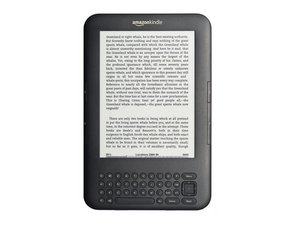
The Kindle 3 was the 3rd generation of Kindle produced by Amazon. It was sold as a WI-FI or 3G model with 4 GB of internal storage.

Can't put book in "read" folder anymore

I have many folders on my Kindle K3 ereader including a "read" folder to put books in after I read them. Lately, when I finish a book, the "transfer to folder" option is grayed out and I can't move the book into my "read" folder. Does any one know why and what I can do to get it back? I tried a hard restart with no results.

回答此问题 我也有这个问题

这是一个好问题吗?

得分 0
添加一条评论

1个答案

Maybe you are out of memory

To gauge available memory on a Kindle 3 (also known as Kindle Keyboard), navigate to Settings > Device Options > Storage Management. This will display how much storage is currently being used and how much is still free. The Kindle 3 typically has 4GB of internal storage.

Here's a more detailed breakdown:

  1. Access Settings: From the Home screen, press the Menu button. Then, select "Settings".
  2. Navigate to Device Options: Find and select "Device Options".
  3. Check Storage: Select "Storage Management" to view the storage usage information.
  4. View Available Memory: The screen will show how much storage is used and how much is free.

这个答案有帮助吗?

得分 0

2条评论:

I followed the previous directions closely and there was no "device options or storage management" setting. I deleted many books in the 'read" folder from the device and the result was the same. Any more ideas? The problem still exists.

完成的

It turns out that my Kindle Keyboard, or K3 as it is also known, had somehow become "unregistered" with Amazon. The setting that had been "grayed out" became active again when I re-registered the unit with Amazon.

My thanks to Bill who tried to help.

完成的

添加一条评论

添加你的答案

Henton Harrison 将永远感激不已
浏览统计数据:

过去 24 小时: 0

过去 7 天: 3

过去 30 天: 11

总计 74