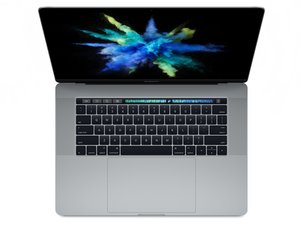

MacBook Pro 15'' touch bar A1707 4 ports 2017 Not tuning on
Also broken keyboard
Ok long story, many things went wrong at the same time please help!
I have an old Macbook pro 2017 with touch bar. 15 inch A1707. 4 ports, bought in UK in 2018.
It was one of the models with problematic keyboards Apple had recalled, but I totally missed the memo since I had already a newer mac I was using for work. So I had the old one for movies and photo editing and was using with a wireless keyboard so I never bother fixing it!
Now a few months ago, I was watching a movie while also running out battery and I had just started charging it. Somehow I managed to drop the laptop while it was playing a movie on low battery and with the charger on, I dropped it from the sofa to the floor about 40cm height. After that it turned off and never turned on again
I have tried charging with various chargers, connected to external screen nothing. no backlit, no sound when I connect the charger and no other sounds and signs it's alive.
The bad news I guess is that something broke / the good news is that it might just be a cable or software issue.
The first thing I would try normally is a hard reset and all the other keyboard combinations - if I had a working keyboard! Now that my keyboard is not working what else I can do?
From what I understand when the mac is turned off there is no way to connect a wireless or cable keyboard to it. Or am I wrong?
The touch bar was working before drop but now it is also black. And I don't see any physical damage after the drop
Is my only option sending it to service? I also live in a country without an applestore so FML
should buy a bunch of ifix it screwdrivers and try to disassemble it myself and check if unplugging the cables can make it turn on again? I never disassembled a mac myself but I can I can read online and do it step by step I guess.
Is it too risky to try it first time myself?
Is not worth the money to fully repair but I do want to turn it on to access the files I had in that hard drive.
Please help with any ideas what I should check first. From what I have read so far, There might have been a failure in the cable?
Where are the "Power On Pads" for A1707, 2016
MacBook Pro i7 2.9GHz 15" (Mid 2017) 512GB SSD
Serial Number: C02W45QQHTD8

 35
35  339
339  974
974 
