跳转到主内容

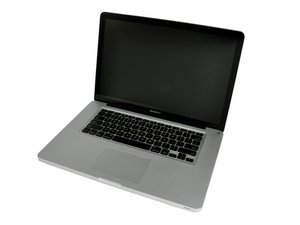
Released April 2010 / 2.4, 2.53 GHz Core i5 or 2.66 GHz Core i7 Processors

Green display artifacts but Not a failed GPU?

This is not my main laptop its more of a project but when I saw the artifacs I immediately thought the GPU was dead so I installed a program that can forcably use the iGPU but that had the same problems.

now I hooked it up to a monitor and its fine on the iGPU and DGPU so now I'm kinda out of ideas maybe some of you know the way to fix this

Block Image

When I press down on this chip the problem goes away

回答此问题 我也有这个问题

这是一个好问题吗?

得分 0
添加一条评论

2个答案

Sometimes on these models when RAM fails you'll get visual artifacts that are similar to GPU failure symptoms. It might be the case that one of the RAM sticks or one of the RAM slots has failed. Try testing different RAM configurations to see if the issue goes away. Good luck!

这个答案有帮助吗?

得分 0
添加一条评论

If the external display is clean either way, then the LVDS cable and/or the connectors on the logic board or the display unit itself self is were you need to focus in on. Corrosion is often the cause, or the cable is damaged.

这个答案有帮助吗?

得分 0

4条评论:

I've tried to spray contact spray on the connectors maybe I'll try to clean it some more. I have 2 other screens but they are not an anti glare like this one is

完成的

@fritsmolenaar - If your sure the logic board connector is not damaged or corroded, I would test things with a second display assembly otherwise you’ll not be able to focus in on what the failure is.

完成的

@danj it does seem to be something on the motherboard as when I press down on it the problem goes away.

完成的

@fritsmolenaar - While it’s not easy, I would replace the logic board connector, but I would still verify the cable is not the issue. I would get use a spare display with a known good cable and panel to test or I would get a replacement cable swapping out the current one.


The logic board connector is tricky, if you don’t do it correctly you can lift the thin trace fingers which will make a bigger mess.

完成的

添加一条评论

添加你的答案

Frits Molenaar 将永远感激不已
浏览统计数据:

过去 24 小时: 0

过去 7 天: 3

过去 30 天: 21

总计 160

