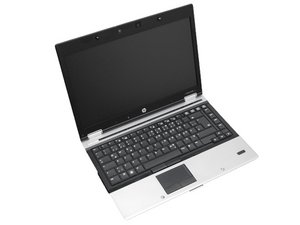

How to change charging port
The charging port is little bit gone inside and it is not connecting to the charger properly

声誉积分: 521.6千
 11
11
 398
398
 1.5千
1.5千
Hi @aryanbhesle
You will have to remove the motherboard from the laptop case to remove/replace the charge port, as it is soldered onto the motherboard.
Here's the maintenance and service guide for the laptop.
Go to p.98/162 to view the procedure to remove/replace the systemboard. Once it is removed from the lower case, you can safely unsolder the power port from the board and solder in the replacement.
Search online for HP EliteBook 8440p dc power jack to find suppliers that suit you best.
这个答案有帮助吗?

声誉积分: 41.4千
28
48
40
Elite books often have a dedicated part for the power jack, that’s often held on with one screw. It’s not uncommon for the tab to break off the port, where the screw holds it down which causes this sort of an issue.
I would pop off the back cover (It’s usually just held in with some Phillips head screws and plastic clips) and see if you can see what’s going on. Take some pictures and add them to your post if you want a second set of eyes!
这个答案有帮助吗?
过去 24 小时: 1
过去 7 天: 5
过去 30 天: 14
总计 141
