跳转到主内容
加入维修社区 - 创建账户

WiFi adapter doesn't appear in High Sierra 10.13 Network control panel

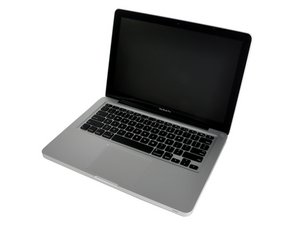
I have a MacBook Pro 13" mid-2010 with a new internal WiFi adapter. I took it to a technician who replaced the old faulty one with a new one, but this new adapter is not the original of my model. Is there a way to find out what adapter I have? Can I find a driver for it?


Thanks in advance!

Marco Andrei

回答此问题 我也有这个问题

这是一个好问题吗?

得分 0
添加一条评论

1个答案

Sounds like either the AirPorts boards connection is faulty or the cable connection on the logic board

You’ll need to open the system to inspect things. Review this guide MacBook Pro 13" Unibody Mid 2010 AirPort Card Replacement

Apple only offered one AirPort bd for your system and it’s unique to Apple. It’s possible it’s bad, did you talk with the tech? I would do that first and get my payment back.

The driver is within the OS and will be automatically loaded. If you go to About This Mac and click on System Report > Network > WiFI to see what the adapter is.

这个答案有帮助吗?

得分 0

4条评论:

Hello, Dan! Thanks for your reply.

Actually the technician offered the part as a courtesy, he didn't charge me for it.

I stayed with him during some time and followed him looking at a bucket with several WiFi pieces and comparing with the original. As he would mount the speaker too, I couldn't stay more and leave the Mac with him.

However, I called him later and follow him testing the WiFi, doing the config, by the phone. Apparently the WiFi worked fine in macOS Catalina, which I installed some days before with Dosdude patcher.

When I get home, I didn't test again, I formatted the SSD and installed High Sierra right away, with no patches. Since then, I couldn't get the adapter back to work again.

I'd like to know if I can check the adapter by software before open the Mac again. Moreover, if the WiFi worked with Catalina patcher, maybe I just need to install a specific driver. That is why I'd like to discover what chip he installed to try to patch the macOS.

Thanks for your attention!

完成的

@marcoandrei - You gave as an important clue! Are you sure you removed Dosdude fully? As that is a shim service which is loaded into the systems EFI which won't work correctly if you use an older macOS on the system later.


That fact it was working with Catalina tells us the AirPort board is AOK and the connections as well.


We need to focus in on the systems firmware and OS as thats whats messing you up.

完成的

@danj Hello, Dan! I formatted the SSD, erase everything and created a HFS+ partition, and then reinstalled High Sierra. I believe there was no one left to tell the story. :-)

And yes, I believe the board is OK, we just need to discover which model is it and try to get to work in 10.13.

完成的

@marcoandrei - Contact DOSDUDE On how to remove the firmware patch his shim service installs so the older hardware drivers will work again.

完成的

添加一条评论

添加你的答案

Marco Andrei Kichalowsky 将永远感激不已
浏览统计数据:

过去 24 小时: 0

过去 7 天: 6

过去 30 天: 11

总计 136