跳转到主内容

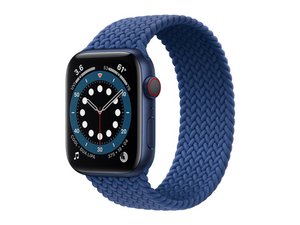
Apple's sixth-generation smartwatch, with optional cellular connectivity, released September 18, 2020. Model A2376, 44 mm.

Replaced battery and screen adhesive but screen still pops up

Hi, I originally bought a screen replacement which went mostly ok, but I damaged the battery so also got a battery replacement. When doing the repair, I got the proper Tesa tape from this site, removed all the old glue and tape, and kept the watch closed with rubber bands for 24 hours. The watch works great, no issues at all but when I have it on and using it the screen slowly pops up. I'm not sure if it's a battery swelling issue or just an adhesive issue. I don't want to seal it up and cause some more serious damage, but also don't want to buy another battery and open it all up again risking damaging anything else. Any thoughts? Attaching two photos, one with no pressure on it showing the screen slightly raised, and the other when I squeeze it and where I think the screen should be.

Block Image
Block Image
已回答! 显示答案 我也有这个问题

这是一个好问题吗?

得分 1
添加一条评论

3个答案

已选择的解决方案
Try warming up the screen using a heater. If it feels warm, tie it again with a rubber band so that the glue spreads evenly

这个答案有帮助吗?

得分 2

5条评论:

I used this Apple Watch (44 mm Series 6) Screen Adhesive but I'm considering a glue instead. It seems like there's a lot of recommended options like T-7000 T-8000 B-7000. Any specific recommendations?

完成的

[code]I often use the B-7000. .. it can be tried[/code]

完成的

I often use the B-7000. .. it can be tried

完成的

I got some B-7000 and it worked perfectly! Kept it in a rubber band for 48 hrs and there have been no issues so far. Thanks!!

完成的

sama sama semoga hari mu menyengangkan

完成的

添加一条评论

The replacement battery kit came with two gaskets/spacers with adhesive. But the adhesive (pre-applied to gasket) was useless - not very sticky. The watch would not stay together. Heating the watch and pressing it together was no help.

What did work was to clean the gasket and watch faces with some 99% isopropyl alcohol, then use B-7000 multi-purpose adhesive as mentioned above. Let it set for 24 hours with clamping pressure applied to watch. I've worn the watch for 5 days so far and keep checking to see if the face is loosening up. So far no problems.

这个答案有帮助吗?

得分 0
添加一条评论

It's difficult to source the real original adhesive and apply it correctly, most people just fill it with B7000.

If you use the 3M/Tesa aftermarket adhesive, it's not strong enough. It's only meant to temporarily hold the screen in place and fill in the missing height from removed original adhesive. The real adhesion force will have to come from B7000.

If you use the light pink original adhesive, the trick is getting it to stick to the frame and removing the final backing plastic without tearing the adhesive off, plus you need to do a VERY through cleaning of previous adhesive, the case is easy enough but you'll need to do some good rubbing on the screen frame to remove the residual adhesive.

The trick to remove the backing plastic is to cut it open and pull parallel 180 degrees away from the adhesive, not 90 degrees vertically. After you successfully removing the backing and close the watch up, clamp it tight AND apply heat to activate the adhesive, otherwise it won't adhere to the display frame tight enough.

这个答案有帮助吗?

得分 0
添加一条评论

添加你的答案

Melina Jefferson 将永远感激不已
浏览统计数据:

过去 24 小时: 3

过去 7 天: 24

过去 30 天: 91

总计 978
