跳转到主内容

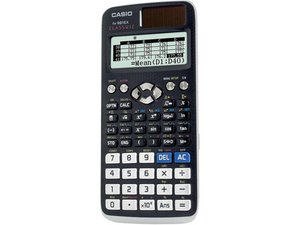
本款卡西欧科学计算器于 2015 年六月发售。使用 Classwiz 技术,在应试中广泛使用。

Calculator is in 'PAUSE' mode

The calculation was done in VECTOR mode from the menu. When trying to do something, the calculator hangs, after clearing by the 'ON' button, you can see this status of MENU. Apart from these 3 modes, no other mode is showing, if I want to scroll up or down, the pause sign (2nd picture) is coming on the upper right side.

⁉️ How to get back all mods like before?

Block Image
回答此问题 我也有这个问题

这是一个好问题吗?

得分 5
添加一条评论

4个答案

最有帮助的答案

According to the manual, page 2, you can initialize (aka reset) the calculator by SHIFT 9 (RESET) 3 (Initialize All) = (Yes)

这个答案有帮助吗?

得分 1

2条评论:

Note: this is a duplicate as the answer with the link was marked as spam

完成的

By the way, @nayemmonir , here you can find the manual

完成的

添加一条评论

Here’s a quick fix for your calculator:

  1. Press SHIFT + 9, then press 3 to initialize everything.
  2. Next, press SHIFT + 7 + ON. The screen will display "DIAGNOSTIC."
  3. Avoid pressing AC. Instead, press 9.
  4. The screen will fill with 8's. At this point, press SHIFT, then ON.

Your calculator should return to normal! Hope this helps!

这个答案有帮助吗?

得分 1
添加一条评论

According to the calculator manual (see page 2), you can initialize/reset the calculator by pressing SHIFT 9 (RESET) 3 (INITIALIZE ALL) = (YES)

这个答案有帮助吗?

得分 0

4条评论:

doesn't work this

完成的

@nayemmonir Have you tried removing the battery as @dannish said?

完成的

yeah, nothing changes

完成的

@nayemmonir Ok, anyway that symbol means "The display currently shows an intermediate result of a multi-statement calculation." (page 4 of the manual, can't link due to antispam). Maybe is still waiting for input?

完成的

添加一条评论

@nayemmonir Have you tried removing the battery for a few minutes? That may reset the calculator to default settings.

这个答案有帮助吗?

得分 0

1条评论:

I just did but it doesn’t work 🥲

完成的

添加一条评论

添加你的答案

Nayem Monir 将永远感激不已
浏览统计数据:

过去 24 小时: 3

过去 7 天: 12

过去 30 天: 73

总计 1,111
