
跳转到主内容

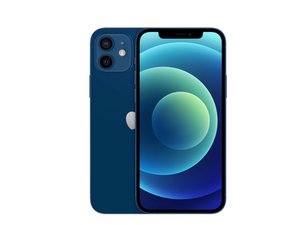
蘋果2020年的主流 iPhone 機型,發布於10月23日,搭載6.1吋 OLED 螢幕及12MP 雙鏡頭模組,有著5種顏色。該機型為 iPhone 11的後繼產品。

Codes missing for Face ID

When reading a iPhone12 with the JCID Repair Assistant software the Lattice, Radar and IR Camera codes are missing ..How do I get the codes and how would you update them to the phone

回答此问题 我也有这个问题

这是一个好问题吗?

得分 0
添加一条评论

1个答案


Unfortunately, the JCID Repair Assistant software has some limitations when reading iPhone 12 components like the Lattice, Radar, and IR Camera. Here are a few options to try to get the missing codes:

  • Update to the latest version of JCID Repair Assistant in case support has been added for these components in a newer release. The developers may have addressed this issue.
  • Use an alternative diagnostics/repair software that has full support for iPhone 12 components. For example, iCopy, iExplorer, iActivate, or IP Box software may be able to fully read and populate the codes.
  • Manually look up the Lattice, Radar, and IR Camera codes for iPhone 12 using resources like https://appletech752.com/icloudbypass.ht.... You can then manually enter them into JCID.
  • For the Radar and IR Camera codes, you may be able to retrieve them from a donor device by reading a working iPhone 12 on JCID.
  • As a last resort, contact JCID Support to see if they have a solution for retrieving the missing codes from iPhone 12 devices.

To update the codes on the phone, you would enter them into the appropriate fields in JCID after retrieving the codes through one of these methods. Make sure to save and write the changes back to the device's storage. This should populate the correct codes so the components function properly.

这个答案有帮助吗?

得分 0
添加一条评论

添加你的答案

Bob 将永远感激不已
浏览统计数据:

过去 24 小时: 0

过去 7 天: 0

过去 30 天: 7

总计 199