跳转到主内容

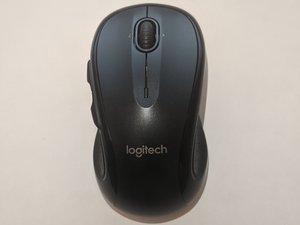
Logitech M510, released in 2010. Laser sensor, AA wireless mouse.

How to connect Logitech M510 Mouse to a non unifying receiver?

I have lost the unifying receiver.

I have a spare logitech non-unifying receiver with me.

Can someone help on how to connect/pair the M510 mouse with non-unifying receiver?

Many videos suggest to press the connect button in the mouse, which I'm not able to locate it in the mouse.

已回答! 显示答案 我也有这个问题

这是一个好问题吗?

得分 1
添加一条评论

1个答案

已选择的解决方案

Hi @jayaramv

1. you can try downloading and install Logitech Connection Utility

https://support.logi.com/hc/en-my/articl...

Run the app and follow the instructions to pair the mouse with the usb receiver.

2. Another alternative is to get another replacement logitech unifying receiver. https://support.logi.com/hc/en-us/articl...

download and install. Follow the instructions to pair the new receiver with your mouse.

这个答案有帮助吗?

得分 2

1条评论:

I do not have the unifying receiver with me. Is there a way to get one? (It is very expensive in India)

完成的

添加一条评论

添加你的答案

JAYARAM V 将永远感激不已
浏览统计数据:

过去 24 小时: 2

过去 7 天: 22

过去 30 天: 162

总计 1,213