
 2
2 internal configuration for HD / SSD size options
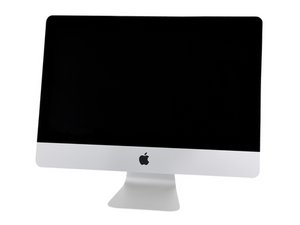
Does anyone know if there is a drive cavity in a 2017 21.5" iMac to fit a full size HD (to possibly use a stacked pair of notebook size SSDs)? Also, do all logic boards for this iMac have the blade SSD slot?
Considering adding both form factors but want to plan before opening...thanks to all!

 338
338  974
974 
2条评论
[1/2] None of the iMac 21.5" models from 2012 to 2019, called Slim Unibody iMac or Retina iMac, have full size 3.5" HDD bay. Only the 27" models come with a 3.5" bay.
They have a 2.5" bay (for 2.5" "laptop" HDD). Models that originally shipped with a HDD will include the SATA data/power cable harness and mounting hardware (rubber bumpers and left and right brackets), models that shipped with a SSD will have the blade SSD slot on the logic board, while models that shipped with Fusion Drive (HDD + a small SSD) will have both. SSD-only models still have the SATA port on the logic board and you can buy the cable and accessories separately (usually salvaged from another iMac) to mount a 2.5" drive, while HDD-only models do NOT have the blade SSD slot on the logic board and the only practical way to get it is to swap logic board (not worth the trouble unless you can get one dirt cheap). Also, there is only a single SATA data port on the logic board.
由 Fixation 完成的
[2/2] Another fun fact is that the iMac 21.5" power supply (which has stayed pretty much the same from 2012 to 2019) has a 4-pin header for SATA power and I bet it only supplies 5V and not 12V as there was no expectation to power a 3.5" HDD which requires 12V at around 1.5A to spin its big motor (2.5" HDD only need 5V at around 1A). The iMac 27"'s bigger power supply and its SATA harness has a 7-pin header which does includes both 5V and 12V to drive a 3.5" HDD. If for some reason you still need 12V from the iMac 21.5", you can probably tap from the logic board power header which "should" have multiple 12V pins to power the CPU and GPU. The 4-pin 5V may not have enough power for two 2.5" SSD even if you can get both SATA data ports connected, since a single SSD can consume more power than 2.5" HDD (1.5A vs 1A).
After some Google search, I still haven't found the pinout for the power supply, which shows how enthusiastic hackers and tinkers are toward the recent iMacs.
由 Fixation 完成的