跳转到主内容

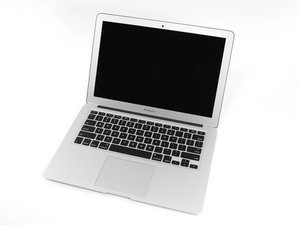
在2017年6月,Apple更新了13寸的MacBookair,他换上了更新更好的Intel Core i5处理器,让性能和电池续航时间提高。

Keyboard problem: Always repeating 'r'

When I type the following letters into my MACBOOK AIR, I get two letters instead of one:

4 -> 4r

] -> ]r

v -> vr

f -> fr

r -> nothing

But when I turn the caps lock on its fixed:

4 ] R V F

Can you tell me what I might be able to do in order to get this fixed? or do I have to get a new keyboard installed into the macbook? If I have to do that, its going to be costly and I really don't want to go that route.

Thanks for the help.

回答此问题 我也有这个问题

这是一个好问题吗?

得分 0

1条评论:

There are quite a very different versions of MacBook Airs! Without knowing your exact system we can't really go any deeper.

How about plugging your systems serial number into here EveryMac - Lookup to find what yours is and post the model info it offers you. Then we can get you more detailed info.

完成的

添加一条评论

1个答案

Let's visualize how a keyboard works as that might help you in isolating the issue.

Think how a spreadsheet has columns and rows so a given column line will intersect a given row this meeting of the two would be the firing of that key (shorting of the two lines) but what can happen here is you press on a different key the first is still shorted across so instead of two lines you have three or four shorted. Its also possible corrosion has shorted across the connections so it could be within the keyboard, cable connection or the logic board its self where the signals travel to then be decoded into the digital signal for the inner world of the computer from the outer world inputs.

Update (06/30/2022)

OK now with your model info we can go a bit deeper.

So lets assume the keyboard got wet or a key is stuck then the easiest way to fix this is to replace the upper case assembly MacBook Air 13" (Mid 2013-2017) Upper Case with Keyboard and here's the guide MacBook Air 13" Early 2017 Upper Case Replacement

The other alternative is to replace the keyboard its self but its a fair amount of work! But a bit cheaper MacBook Air 13" (Mid 2011-Early 2015) Keyboard which also works in the 2017 models. But its a bear of a job! As you need to replace the plastic rivets with screws. So while being cheaper its a lot more work and does take a bit of practice to do well. You still need to follow the same guide to get to the keyboard removing carefully the backlight unit to gain access to the keyboard.

As you open the system carefully inspect your logic board for any corrosion around the keyboard connector and give the back side a very good inspection in case the wetness dripped down from the keyboard onto the logic board.

Replace an upper case and keyboard compatible with the Mid 2013 to 2017 model A1466 MacBook Air 13 inch laptop. Includes the keyboard, palm rest area, and power button. Part #661-7480.图片

产品

MacBook Air 13" (Mid 2013-2017) Upper Case with Keyboard

$79.99

Replace a damaged, dirty, corroded, or malfunctioning keyboard compatible with a model A1369 13" MacBook Air from mid 2011 or a model A1466 13" MacBook Air from mid 2012 to Early 2015.图片

产品

MacBook Air 13" (Mid 2011-Early 2015) Keyboard

$29.99

这个答案有帮助吗?

得分 0
添加一条评论

添加你的答案

Kama Systems 将永远感激不已
浏览统计数据:

过去 24 小时: 0

过去 7 天: 0

过去 30 天: 2

总计 94