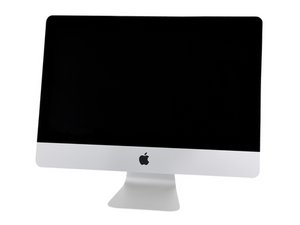

iMac HDD fusion drive to SSD
Hi, it’s possible to change HDD with SSD on iMac with fusion drive?

声誉积分: 496.1千
 35
35
 338
338
 974
974
A fusion drive is not one device it is made up of two drives the primary SATA HDD and a small blade SSD which is used as the cache drive to the HDD.
Basically, both available ports on your logic board are used. Apple placed the blade SSD on the back side of the logic board so its well hidden unlike the visible HDD.
So you can replace your HDD for a SSD drive following the guides we offer for your given system. While that will get you more performance you are still limited by the systems SATA port’s I/O speed of 6.0 Gb/s. The PCIe/NVMe blade interface offers much more performance, but it will cost a bit more!
So depending on what your needs are the swap out of your HDD might be enough for you, if you need more then swapping out the blade SSD with a bigger and faster one might be better.
In any case you won’t be using the inefficient Fusion Drive setup any more.
Here’s the needed guide to swap out your HDD iMac Intel 21.5" Retina 4K Display (2017) Hard Drive Replacement
And here’s the blade SSD iMac Intel 21.5" Retina 4K Display (2017) Blade SSD Replacement

指南
难度:
中等
—
1 - 2 hours

指南
难度:
中等
—
1 - 3 hours
这个答案有帮助吗?
Hi, thank’s for your answer.
过去 24 小时: 0
过去 7 天: 1
过去 30 天: 7
总计 447

2条评论
Can you tell us which iMac model you have so we can aim you to the needed guides for reference.
由 DanJ 完成的
iMac retina 2017 21,5 inches
由 Andrea Mazzoni 完成的