跳转到主内容
加入维修社区 - 创建账户

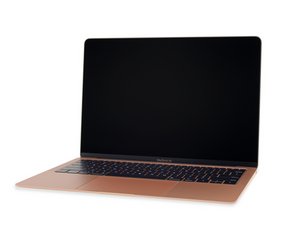
Repair information and guides for the minor refresh of the Late 2018 MacBook Air, with the same model number (A1932) and EMC number (3184). This model features a True Tone display and a slightly revised battery.

Why isn't my MacBook Air charging?

I have a Macbook Air Retina, late 2019 and the machine has some issues:

  • It won’t charge
  • The fan goes constantly
  • It is super slow
Block Image

When I try the two-step SMC reset I can’t start it again without unplugging the charger cable. And if I unplug, wait ‘10 seconds and replug it, then I am back to square one with the same issues when I boot up the computer.

Anyone knows how to fix this?

已回答! 显示答案 我也有这个问题

这是一个好问题吗?

得分 0
1条评论

Let's get a better view of your battery and the charger, install this gem of an app! CoconutBattery take a snapshot of the apps main window and post it here for us to see 在已经存在的问题里加入图片

I also think we need to run the onboard diagnostics, restart your system and press the D key to enter, let us know if you get any errors.

Reference: Mac startup key combinations

完成的

添加一条评论

1个答案

已选择的解决方案

Based on the System info you’ve posted, this sounds like it might be a dud battery. It can see that it’s there. But it cannot see any other data (capacity, cycle count, etc…). I am willing to bet this also includes thermal data since that may also be why your machine is throttling: fan running at max speed, CPU is clocked down to generate less heat. if the system cannot get this thermal information it assumes the worst and runs the system like it’s on fire.

As Dan suggested I would download coconut battery, or run system diagnostics (press and hold D when you power on) to see if you can get some sort of definitive information.

这个答案有帮助吗?

得分 1
添加一条评论

添加你的答案

Espen Klem 将永远感激不已
浏览统计数据:

过去 24 小时: 0

过去 7 天: 0

过去 30 天: 1

总计 180