跳转到主内容

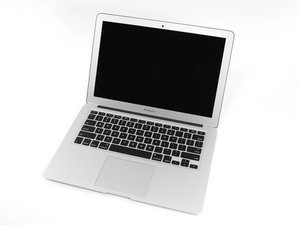
在2017年6月,Apple更新了13寸的MacBookair,他换上了更新更好的Intel Core i5处理器,让性能和电池续航时间提高。

Why does my computer have fuzzy audio when connected to Bluetooth?

At first, I thought either my WiFi connection or the speakers were the problem, but even when my connection is good and stable, whenever I connect my computer to something by Bluetooth, everything sounds sort of hazy or fuzzy. I tried connecting my phone to the same devices and the sound came out clear. What do I do to fix this problem?

已回答! 显示答案 我也有这个问题

这是一个好问题吗?

得分 0
添加一条评论

1个答案

已选择的解决方案

Your system has two analog outputs the built-in speakers and via the headphone jack for a wired headset. Do both of these sound OK? If they do you’ve removed the DAC logic within your system. Make sure these are working first.

So now let’s look at Bluetooth here the signal is kept in its digital form and sent over the air to your Bluetooth headset or speaker, then its converted to the analog signal to drive the cones headphone or speakers

Now the next issue is the source of your source of your audio is it streamed or a local file? See if the local file is better than the streamed source. If streamed are you connected via WiFi or via a wired connection? You may want to see if the Ethernet connection works better

It’s possible your AirPort board is bad or your WiFi router, and lastly if the streamed audio is bad via the wired connection then your ISP connection is the issue.

这个答案有帮助吗?

得分 1
添加一条评论

添加你的答案

T Chari 将永远感激不已
浏览统计数据:

过去 24 小时: 0

过去 7 天: 0

过去 30 天: 1

总计 74