
跳转到主内容

Released June 2012 / Core i7 processor with Turbo Boost / Up to 1 GB GDDR5 Video RAM

Replacement keyboard missing keystrokes and 'lagging'

Block Image

I purchased a keyboard replacement from ifixit… and most entries of the keys seem to lag, as if the mac is taking a moment to interpret the input the device and the V key may not input at all.

tips? sugvgvestions? <——this is litverally what happened when i typed “sugvgvestions.”…it enters the v and G at the same time.

MacBook Pro 15" Unibody (Mid 2009-Mid 2012) Keyboard

Updated:

After continuing to mess with the keys… it seems as though the area between the v F and G are all inputting a V. what i mean is the bottom left of G activates V, the bottom right of F actiated v, and the top of V and center activate V as well. So the area directly in the middle. Now, the shift and e keys still do “several inputs”


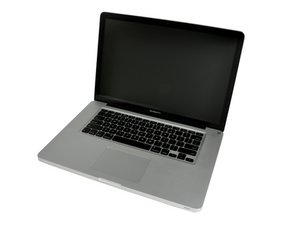
Replace a damaged, dirty, corroded, or malfunctioning keyboard and internal power button switch compatible with a Unibody A1286 15" MacBook Pro from mid 2009 to mid 2012.图片

产品

MacBook Pro 15" Unibody (Mid 2009-Mid 2012) Keyboard

$19.99

回答此问题 我也有这个问题

这是一个好问题吗?

得分 0
添加一条评论

1个答案

Using the keyboard viewer are you seeing the delay there?

To get to the viewer open up your system preferences > Keyboard and the fourth section Input Sources

  • Click the Show Input in menu bar on

I would also check the Input Sources in the left column what are you using? Take a snapshot of the section and post it here for us to see 在已经存在的问题里加入图片

这个答案有帮助吗?

得分 0

7条评论:

Hi Dan, thanks for the reply.

I opened up keyboard viewer and notepad. Eeevery key seems to work well and reponsive (on time) except for the shift on the left, the v (i had to press it 5 times to put "v") and the e ekey will hold down/repeat characters randomly.

Key inputs for examples:

q

w

ee

r

t

y

u

i

o

p

[

]

a

s

d

f

gggg

h

j

k

l

;

'

z

x

c

v

b

n

m

,

.

/

Each of these keys were only pressed oncev. I'm generally a good typer and can spell well, so any and all typos I'e e e lefvt here as an example to show how ofvten or what keys are the "probvlem" eeee.

So, eee, v, shfift, g.... the v specvifically has a substantial lagv. It won't work at all and then will randomly work attached to another key (commonly g) ex: gvgv.

In the keyboard viewer preferances> keyboard, input sources, its actually not showing any key input at all. I also added a new source "british ekeyboard" to try to 'influence a read' - still nothing.

I'm assuming that it doesn't hae a controller/chip in it that apples factory board may hae

完成的

@travis502 - Can you paste the screenshot of the Input sources so I can see what you've got

完成的

I'm not ifixit-comment savvy... hit doesn't seem to allow me to screenshot and post an image on a comment?

完成的

@travis502 - Correct only when you go into edit of your original question or as a new answer which will allow you to then update your question or leave it as an answer.

完成的

@danj Done. Thank you.

完成的

显示更多的2条评论

添加一条评论

添加你的答案

Travis 将永远感激不已
浏览统计数据:

过去 24 小时: 0

过去 7 天: 2

过去 30 天: 8

总计 138