跳转到主内容

miniDP display issues with USB device plugged in

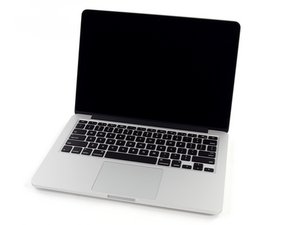
I have a MacBook Pro 13" Late 2013

I've been using my system more as a desktop for a while now.

I've been experiencing this weird issue: When I connect a miniDP monitor and I have at least one USB device connected, the system just freezes for a second every couple of minutes.

If I use HDMI everything is fine, but I would prefer to use miniDP because it's on the right side.

Has anyone experienced this issue? Is there a fix for it?

回答此问题 我也有这个问题

这是一个好问题吗?

得分 0
添加一条评论

1个答案

This sounds like the Thunderbolt port is overheating! Let’s see if we can get some deeper diagnostics. Restart your system just after this has started to happen and press the D key to enter into the onboard diagnostics. Let us know of any errors.

Reference: Mac startup key combinations

If that doesn’t give us anything we’ll need to try to capture things using a good thermal monitoring app like TG Pro. Here you’ll need the full version as you want the logging function. Once installed run your system for a while using the HDMI port (give it a full day). Then on the next day run your system via the mDP connection. Post the logic output here as well as a snapshot of the main screen at the point you get the error (make sure you capture all of the sensors as some will be hidden needing to scroll up to expose).

Update (02/28/2021)

Here’s the difference between DP and mDP cables

Block Image

And here is what a Thunderbolt or Thunderbolt2 cable looks like

Block Image

They are mechanically the same! They use a different set of pins for DP Vs TB signaling.

这个答案有帮助吗?

得分 0

4条评论:

Thanks for the reply. Could you explain how a thunderbolt port can overheat? I use a HDMI to miniDP adapter, i've tried couple different ones, same problem. I don't get any error, only sometimes my mbp freezes for about a second, that only happens if I have anything connected to macbook's USB port.

Apple Diagnostics don't show me any errors.

I use IStat menus, and all of the temps seem to be fine(all under 50c).

完成的

Your Thunderbolt port is what I was expecting you are using with your mDP connection. Remember it supports both!

Disconnect your HDMI adapter and plug your mDP cable into your Thunderbolt port. What happens that way?

完成的

I don't have any thunderbolt cables, but after doing some googling I found, that very likely the problem is my miniDP to HDMI adapter. So most macbooks require active adapters, but the one I use is passive, that causes some data delay and thus macbook stutters.

完成的

@joriss - You don't need a Thunderbolt cable your mDP cable should just plug in!

Are you really trying to use a regular DisplayPort cable Vs the mDisplayPort? I posted an image of the two in my answer.

完成的

添加一条评论

添加你的答案

TheTechKing 将永远感激不已
浏览统计数据:

过去 24 小时: 0

过去 7 天: 1

过去 30 天: 3

总计 56