
跳转到主内容
加入维修社区 - 创建账户

Released June 2012 / Core i7 processor with Turbo Boost / Up to 1 GB GDDR5 Video RAM

Keyboard backlight not working

Hi!

I have a Mid 2012 15” MacBook Pro. Suddenly the keyboard’s backlight is not working anymore.

I tried to:

  • reset the SMC
  • reset PRAM
  • format and reinstall macOS

The connector of the backlight seems ok, I tried to disconnect and reconnect it without success.

If I try to press F5 or F6, I see the illumination steps changing on the animation correctly but the keyboard is dark. I also tried to disable auto-regulation in settings.

Is it possible that the connector disconnected from the keyboard part?

If it is a hardware problem is it possible to substitute some parts to make it work again?

Thanks

Update (01/04/2021)

Hi! I have some updates.

I changed the keyboard because some keys started to not work.

Now the keyboard is working fine but the backlight is still not working. Opening my Mac, I noticed that a little component in front of the backlight connector is damaged (I attach a picture). Could be this the cause of the problem? There is a solution to repair it?


Block Image
已回答! 显示答案 我也有这个问题

这是一个好问题吗?

得分 0
添加一条评论

2个答案

已选择的解决方案

Your uppercase holds the keyboard and just behind it is the keyboard backlight and its light defuser which lights up the keyboards keycaps. What likely happened is something spilled into the keyboard and dripped through the openings wetting the keyboard backlight assembly corroding it.

Block Image

Luckily its not too hard to get to the keyboard backlight assembly you’ll need to remove the logic board and a few other parts following this guide MacBook Pro 15" Unibody Mid 2012 Upper Case Replacement some parts which are not directly over the keyboard area can be left in place.

Here’s a 2009 model which is the same only the power connector is located in a different place

Block Image

Finding the backlight alone is quite hard as they are part of the keyboard as a set. And given the fact you likely had a spill the keyboard its self is likely to fail soon as well. At this point it just makes sense to replace the keyboard and the backlight together Odyson - Keyboard Backlight (US English) Replacement for MacBook Pro 15" Unibody A1286 (2009, 2010, 2011, 2012)

To get the keyboard out you’ll need to take off about 80 screws! But with a small power screw driver it will be less work and save your wrist!

Update (01/04/2021)

Here’s the info for your second problem!

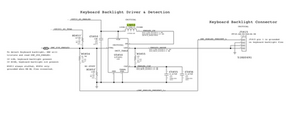
You have a damaged Inductor L5850 which is 10UH 0.58A / 350 Ohm, part ID 1098AS-SM

Block Image

You’ll need to talk to talk with TDK or other inductor maker to find a source I couldn’t find it in Mouser. The only other option is finding a junker systems to salvage the part.

这个答案有帮助吗?

得分 1

5条评论:

Thank you! Do you know, where can I find a good (as similar as possible to the original one) italian layout keyboard?

完成的

@grrfnc - Here you go!

Unibody MacBook Pro 15" Keyboard, Italian 09-12 (v1), Apple P/N T661-5481

Unibody MacBook Pro 15" Keyboard, Italian 09-12 (v2), Apple P/N T661-5481

They are the same keyboard! Just the Fn key markings are different as Apple altered the meaning. I would go with the v2 version so it matches up with the current OS assignments

Make sure you get the keyboard backlight with the keyboard when you order.

完成的

@danj yes I changed the backlight and the keyboard

完成的

Did you read the update I had posted with your second issue?

完成的

Yes, thanks. I can't repair the Inductor by myself and I don't know anyone who could do it for me so I think I'll renounce to the backlight.

完成的

添加一条评论

One of the reasons why macbook keyboard backlight malfunctions is that you may just install the windows system on your Mac but the boot camp is not setup properly or automatically. You can this post https://techtiertips.com/fix-macbook-key... about how to download the correct boot camp and it may help fix the problem

这个答案有帮助吗?

得分 0
添加一条评论

添加你的答案

grrfnc 将永远感激不已
浏览统计数据:

过去 24 小时: 0

过去 7 天: 0

过去 30 天: 4

总计 1,244