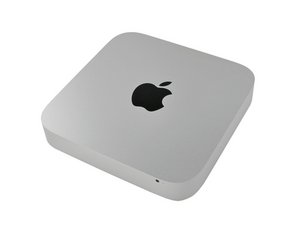

How can I upgrade the operating system to Catalina
How can I update the ram and SSD and what ones do I need and how do I updated to Catalina

声誉积分: 496.1千
 35
35
 338
338
 974
974
Technically this system only supports upto macOS High Sierra (10.13.6)
While there are a few hacks which you could use I really don’t recommend them if you are dependent on this system for school or work. You also won’t get many of the major features as there is dependency within the hardware. I recommend you stick the either Sierra or High Sierra.
Here’s the guide to upgrade your RAM - Mac mini Mid 2011 RAM Replacement
To add a SSD I would add it as a second drive following this guide - 为 Mac Mini 中期 2011 安装双硬盘组

指南
难度:
非常容易
—
5 - 10 minutes

指南
难度:
中等
—
2 - 4 hours
这个答案有帮助吗?
过去 24 小时: 1
过去 7 天: 1
过去 30 天: 4
总计 130
