
跳转到主内容
加入维修社区 - 创建账户

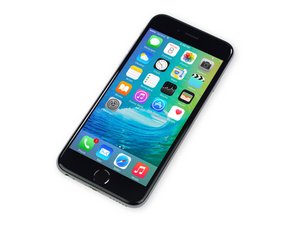
苹果官方于2015年9月25日正式发售iPhone6S A1688/A1633机型。 此机型的修理方式与先前几代差不多, 需要螺丝起子及撬棍工具。 同时也适用GSM or CDMA/16, 64 or 128 GB/ 银色, 金色, 深空灰色, 玫瑰金色等机型。

iPhone 6s screen's still black after battery and screen replacement

After my battery has been very weak for a while, my iphone 6s screen went black one day so I replaced the battery, but with no success. I went on to install a display replacement too, but still nothing. I also tried this thing I read about - unplugging the battery connector, pressing the lock/on and off button for 20 sec. and reconnecting the battery after as well as pressing the lock/on and off button again so it starts up . Nothing worked, screen is still black. The phone does get recognised by itunes however, telling me that it’s in recovery mode and I need to restore it. Also the option for “check for update” is greyed out/I can’t click it.

The phone doesn’t get recognised by any data recovery software (I tried Stellar and Disk Drill), but as mentioned before, it does get recognised by itunes.

Can restoring the phone fix the black screen at all or is it more likely a hardware issue?

已回答! 显示答案 我也有这个问题

这是一个好问题吗?

得分 0
添加一条评论

1个答案

已选择的解决方案

It’s very important to always disconnect the battery before disconnecting/reconnecting the screen assembly. The issue is that the LCD connector has pins that have high voltages (i.e. the backlight is ~20V) and ground in very close proximity. When you fumble around trying to line up the connector plug to the receptacle, you can short out the voltage rail and cause damage to the components in the backlight circuit. If you’re lucky, then only a backlight filter is damaged but other times, the entire circuit could be affected. Either way, this type of repair requires micro-soldering and isn’t really a DIY repair.

To test for this, plug your device into a charger or an iTunes enabled computer. Then shine a bright flashlight on the screen. If you can see a dim image, then the backlight circuit has been damaged. If you can’t see an image at all, then it may be the LCD circuit that is damaged.

If iTunes doesn’t recognized the device than the problem is more than just a screen or backlight issue.

这个答案有帮助吗?

得分 2

1条评论:

Thank you for your advice! Itunes definitely does recognise the device. It's the recovery software I tried that doesn't recognise it, but I assume it's because the device is already in recovery mode. I tried with another iphone that's not in recovery mode, and it does get recognised by both recovery softwares I tried.

Anyway, I tried shining a flashlight and can't see anything. I assume it's like you say, the LCD circuit has been damaged. I did change the screen while the new battery was already plugged in as I didn't read through the manual properly. At least next time I'll know better.

完成的

添加一条评论

添加你的答案

sab wom 将永远感激不已
浏览统计数据:

过去 24 小时: 0

过去 7 天: 4

过去 30 天: 19

总计 1,514