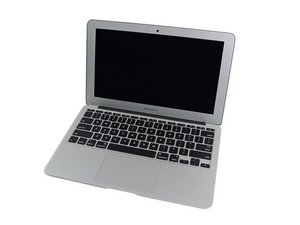

Can't to reinstall OS X. Unable to write the last block of the device
Hi, I am having trouble with my 2013 MacBook Air a1465. Turning it on displays an image of a folder with a question mark inside. Looking for how to solve the problem, I tried to clean the NVRAM, with ALT + CMD + P + Q. NVMRAM was successfully cleaned but the issue was not resolved so I tried to reinstall the system through OS X Utilities. When turning on the computer I press the CMD + R keys, I correctly enter OS X Utilities. If I select Reinstall OS X option, a screen opens to install OS X Mountain Lion, but when selecting the disk no disk appears. Again in the menu of OS X Utilities, I enter the DIsk Utility option, here if the disk appears (120gb SSD), but when trying to format it or create a partition after a few minutes an error appears "Unable to write the last block of the device ”, and the disk disappears from the list. To see the disk again I have to clean the NVRAM again.
I tried erase with the formats Mac OS Extended (Journaled), Mac OS Extended (Journaled, Encrypted) and the message is always the same. I also tried to create a partition that occupies the entire disk with the same two formats, and I also get the same error .
I also tried to create a disk image so I could restore it later. I select New Image, try to save it to an external disk, and after a few minutes a message appears saying that the device is not configured.
I also want to comment that you start a Linux Live-CD, the computer starts correctly, but it never detects the disk, neither when installing the OS from the Kali Linux installation menu, nor after booting the Live-CD with the command fdisk -l.
I attach an image with information from the disc.
TOSHIBA THNSN2128GSPS

output diskutil list

Is there a way to do a complete formatting of the disk? Or should I buy a new album?
Actualización (17/07/20)
Actualización (17/07/20)
Hello, thanks for answering. I started the system with option + cmd + r, and the system booted with OS X Catalina. I tried to reinstall macOS, but the installer cannot find the disk. So I tried to format the disk using Disk Utility, but it fails to complete the process.
OS X Installer

SSD Info Disk Utility

Disk Utility First Aid

Disk Utility Erase

Update (07/16/2020)
Hello, thanks for answering. Start the system with option + cmd + r, and the system booted with OS X Catalina. I tried to reinstall macOS, but the installer cannot find the disk. So I tried to format the disk using Disk Utility, but it fails to complete the process.
Output command diskutil eraseDisk HFS + disk22 / dev / disk23:
Started erase on disk23

Unmounting disk

Creating the partition map

[ \ 0%..10%..20%..30%..40%..50% . . . . . . . . . . . . . . . . . . . . . . ] 50.0%

Error: -69877 Couldn't open device
Output command diskutil list


 35
35  339
339  974
974 

Well, You have a bad drive to boot!
You'll need to get a new one. You could get another Apple drive or you can get either a OWC or Transcend 3rd party drives which are directly replacements.
I do recommend going with these. Review this guide to get a better idea on what is possible The Ultimate Guide to Apple’s Proprietary SSDs
由 DanJ 完成的